Quick Summary
- Research tools like Semrush and Ahrefs decide what to write, so start there before you buy writing or design software.
- Writing and design tools such as Jasper, Surfer, Grammarly and Canva speed up production, but a person still needs to edit and fact-check.
- Distribution tools for social and email, including Buffer, Hootsuite and Mailchimp, get content to people, and most teams need only one of each.
- Choose based on your workflow and team size, then run a short trial before you commit to a yearly plan.
The Best Content Marketing Tools at a Glance
| Tool | Type | Best for |
|---|---|---|
| 1. HubSpot Content Hub | Content Creation & Publishing | Marketing teams that want content, SEO and CRM in one place |
| 2. Semrush | SEO & Content Research | Teams that plan content from keyword and competitor data |
| 3. Canva | Design & Visual Content | Anyone producing social graphics, decks and simple video |
| 4. Jasper | AI Content Creation | Teams that need on-brand drafts at volume |
| 5. Surfer | On-Page SEO Optimization | Writers who want a guide to what ranks |
| 6. Grammarly | Editing & Writing Quality | Every writer and editor on your team |
| 7. CoSchedule | Planning & Editorial Calendar | Teams that need one calendar for every campaign |
| 8. Buffer | Social Distribution | Small teams that want simple, affordable scheduling |
| 9. Hootsuite | Social Management & Listening | Larger teams managing many accounts |
| 10. Mailchimp | Email Distribution | Small businesses sending newsletters |
| 11. Descript | Video & Podcast Production | Teams repurposing webinars, calls and podcasts |
| 12. Ahrefs | Backlinks & Competitor Research | SEO-led content teams studying competitors |
| 13. BuzzSumo | Content Discovery & Monitoring | PR and content teams researching what gets shared |
The 13 Best Content Marketing Tools, Ranked
I start with the tools that suit the widest range of teams and move toward specialist research and monitoring platforms, so you can stop reading once you find your fit. Keep in mind that the tool is only part of the result: in the content marketing consulting projects I review, the strategy behind the content matters more than the software that produces it. If you are still building that foundation, my content marketing framework shows the model I use.
HubSpot Content Hub
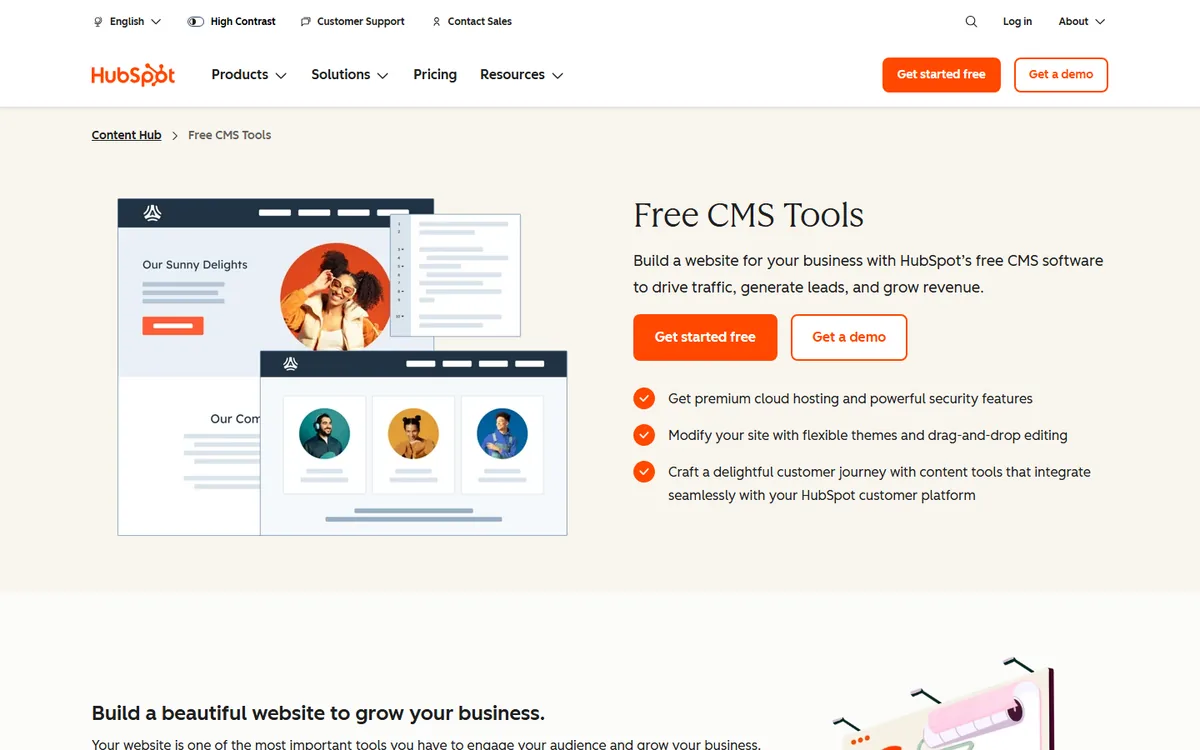
The Best All-in-One Home for Content When Your Leads Already Live in HubSpot
Content Hub combines a CMS, blog, AI writing help, SEO recommendations and landing pages, all connected to the HubSpot CRM.
I usually start with Content Hub when a client already runs HubSpot for email or sales. Every page you publish is tied to contact records, so you can see which blog posts and landing pages a lead read before they filled in a form. That one connection answers the question most content teams cannot: which content produces pipeline.
The editor, SEO recommendations and AI assistant sit in the same workspace as your forms and CTAs. In my experience the real gain is fewer handoffs. Writers publish without waiting on a developer, and marketers update calls to action without touching code.
What I Like About HubSpot Content Hub
- Content and CRM data live in one system
- Landing pages, forms and CTAs are easy to launch without developers
- Built-in SEO recommendations and AI drafting help
What I Don’t Like About HubSpot Content Hub
- Paid tiers jump sharply in price once you outgrow Starter
- You get the most value only if you use the wider HubSpot platform
HubSpot Content Hub Pricing
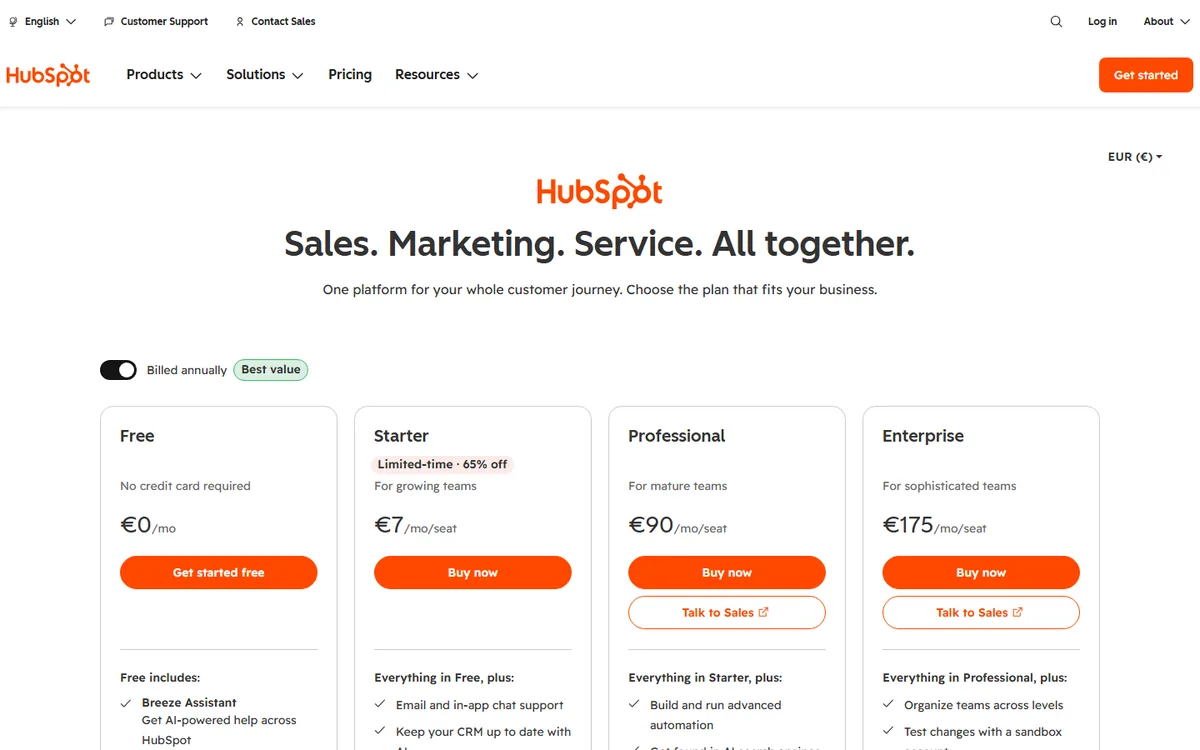
Content Hub has a free plan for up to two users. According to HubSpot’s pricing page, Starter begins at $7 per seat per month, Professional at $450 per month with 3 core seats and Enterprise at $1,500 per month with 5 core seats.
HubSpot Content Hub Reviews
Semrush
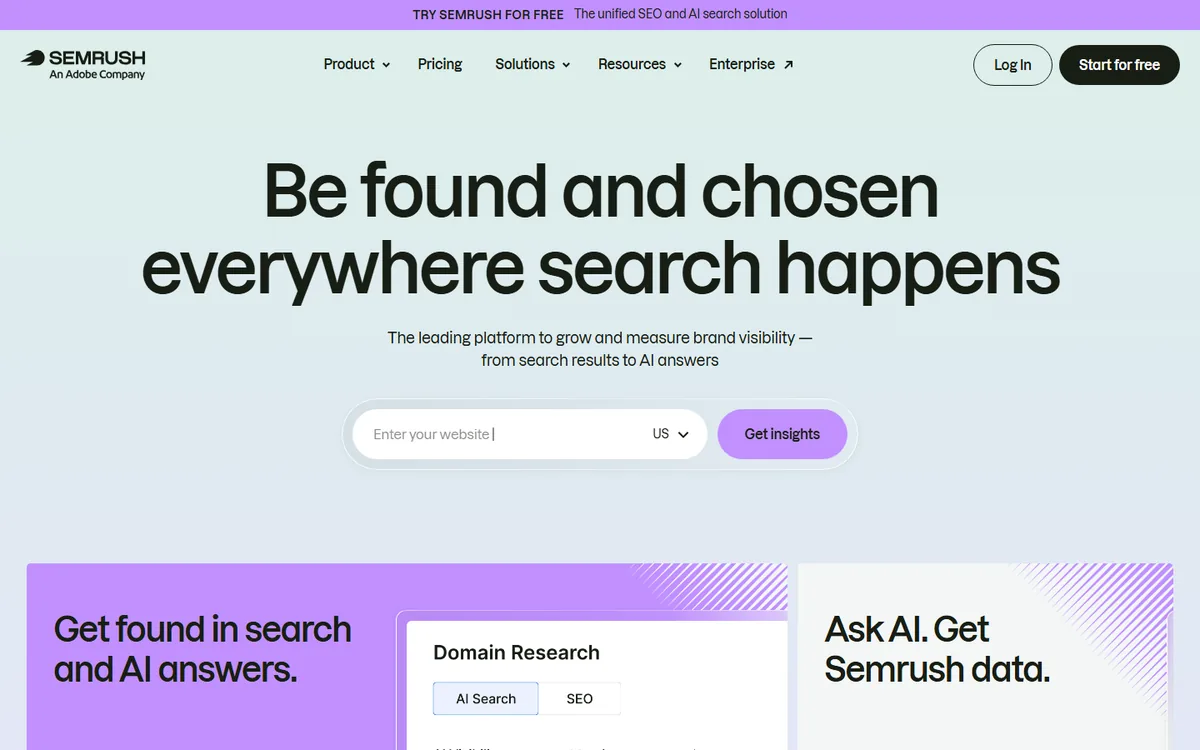
The Research Engine That Tells You What Your Buyers Search Before You Write a Word
Semrush covers keyword research, competitor analysis, site audits and content briefs in one toolkit used by marketing teams of every size.
Semrush is where I begin most content plans. The Keyword Magic Tool shows the questions your buyers type, and Topic Research groups them into clusters, so a calendar comes from demand instead of opinions. Competitor gap reports then show which topics rivals rank for that you have not covered.
The content tools help with briefs and on-page checks, but the data is the main reason to pay. Expect a learning curve: the toolkit has dozens of reports, and I suggest you pick three that match your plan and ignore the rest at first.
What I Like About Semrush
- Deep keyword and competitor data for planning content
- Site audit and position tracking in the same account
- Content briefs and writing assistance for on-page work
What I Don’t Like About Semrush
- The interface overwhelms new users
- Limits on projects and reports push you to higher plans quickly
Semrush Pricing
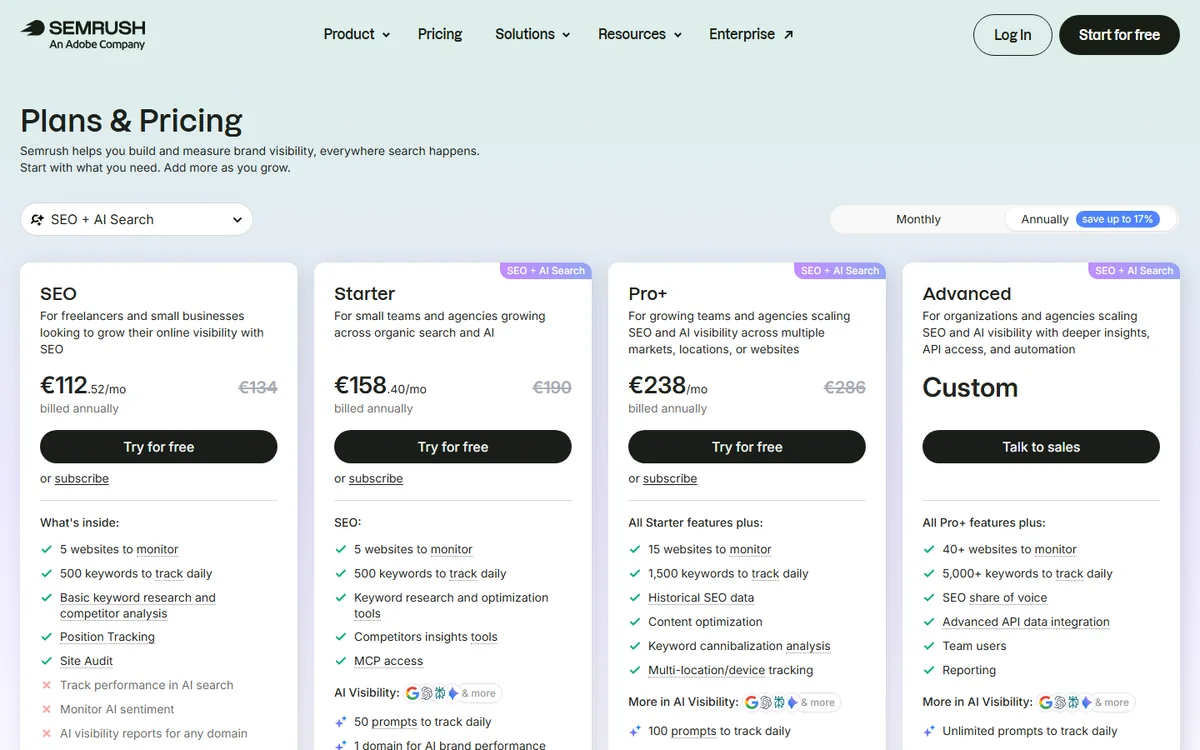
Semrush’s SEO Toolkit lists Pro at $139.95 per month, Guru at $249.95 per month and Business at $499.95 per month on its knowledge base. Additional toolkits and AI add-ons are priced separately.
Semrush Reviews
Canva
The Fastest Way to Turn a Written Idea Into Graphics, Decks and Short Videos
Canva is a drag-and-drop design platform with templates, a brand kit, AI image tools and team approvals.
Canva is the tool I see in almost every marketing team, because it removes the design bottleneck. A marketer can build a social graphic, a slide deck or a blog header in minutes from a template, and the brand kit keeps fonts, colors and logos consistent across the team.
For content marketing the strongest use is repurposing. You turn one article into a carousel, a short video and a quote graphic in one afternoon. Canva does not replace a designer for brand work, though, and I suggest you keep one person in charge of templates so output stays on brand.
What I Like About Canva
- Templates make good-looking assets possible without a designer
- Brand kit keeps every asset consistent
- Easy sharing, comments and approvals for teams
What I Don’t Like About Canva
- Output can look generic if you rely on stock templates
- Advanced layout and brand control are limited next to professional design software
Canva Pricing
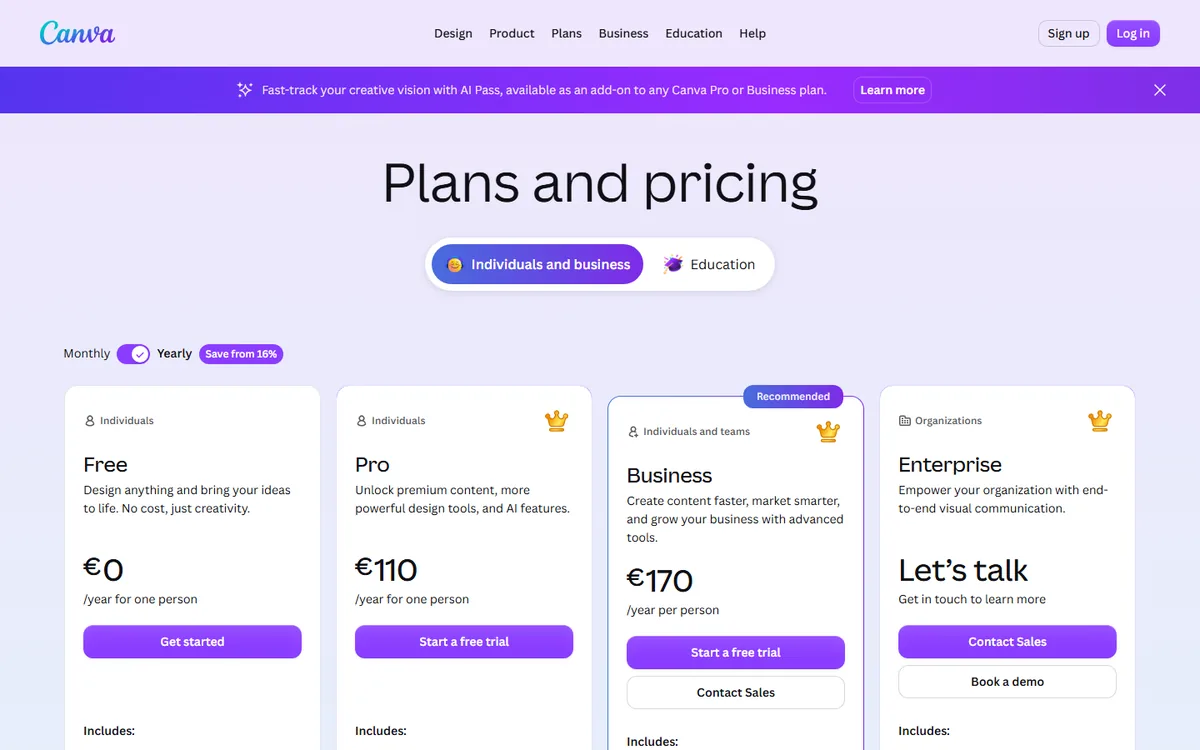
Canva has a free plan. Capterra lists Canva Pro at $15 per user per month and Canva Teams at $10 per user per month, with Enterprise on custom quote.
Canva Reviews
Jasper
A Strong Drafting Assistant When Brand Voice and Team Workflow Matter More Than Raw Prompts
Jasper is an AI platform for marketing teams, with brand voice, templates, campaign workflows and agents built around content production.
Jasper is built for marketing teams more than for individual writers. You load your brand voice, style rules and product facts once, and every draft starts closer to your tone. Campaign templates cover blog posts, emails, ads and landing pages, so one brief can feed several channels.
I treat Jasper as a first-draft engine. In my client work the time saved comes from outlines and rough drafts, while editing and fact-checking still need a person. If your team only needs occasional AI help, a general chat assistant may cost less.
What I Like About Jasper
- Brand voice and knowledge settings keep drafts closer to your tone
- Templates and workflows built for marketing use cases
- Team features for sharing and approvals
What I Don’t Like About Jasper
- Costs more per seat than general AI assistants
- Drafts still need careful editing and fact-checking
Jasper Pricing
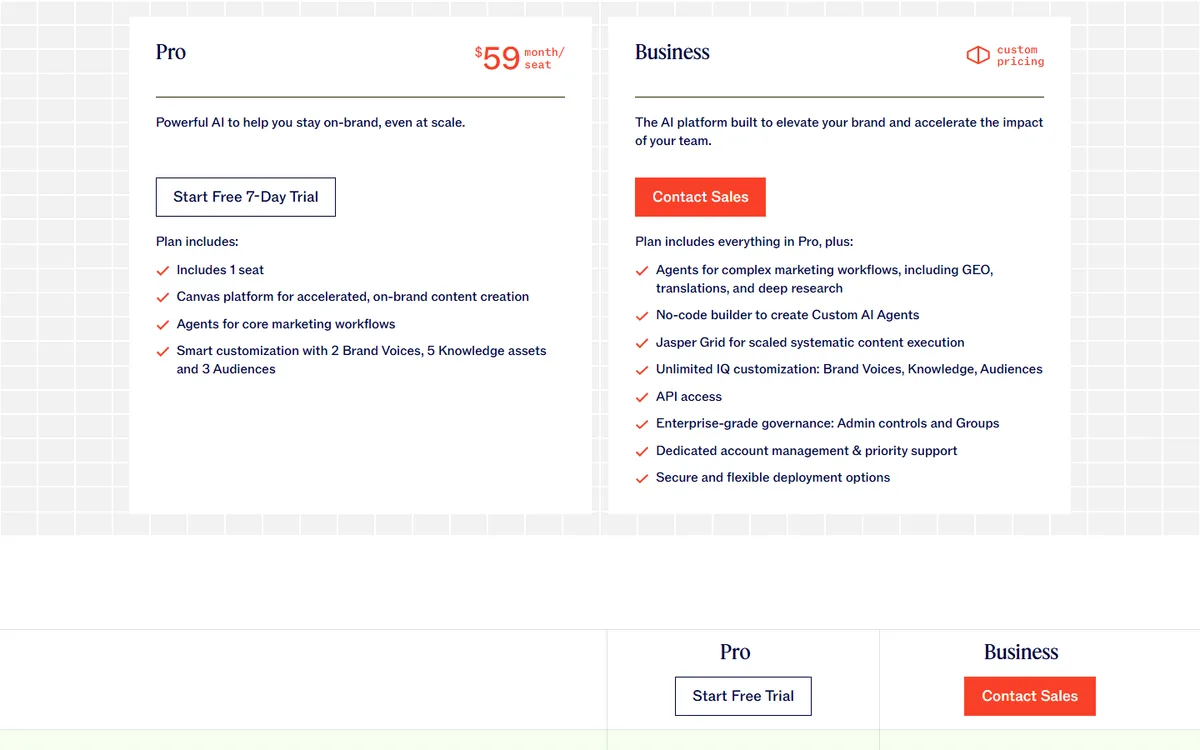
Jasper’s pricing page lists Pro at $69 per seat per month billed monthly, or $59 per seat per month billed yearly. Business is quoted by Jasper’s sales team.
Jasper Reviews
Surfer
The Most Practical Content Editor for Writers Who Need to Match What Already Ranks
Surfer analyzes top-ranking pages for a keyword and scores your draft against terms, structure and length as you write.
Surfer gives writers a live checklist. You enter a keyword, it studies the pages that rank and the editor shows terms, headings and a length range to aim for, with a score that rises as the draft improves. For teams that outsource writing, the score gives you an objective way to review work.
I use it as a guide, not a goal. Chasing a perfect score can make an article read like a keyword list, so I tell writers to treat the suggestions as a prompt to cover subtopics, not a quota. It is also worth running on older posts, where a content audit often finds quick gains.
What I Like About Surfer
- Live scoring shows what to add while you write
- Content audit helps refresh older posts
- Clean, simple editor that writers pick up fast
What I Don’t Like About Surfer
- A high score does not guarantee a ranking
- Plans limit the number of articles per month
Surfer Pricing
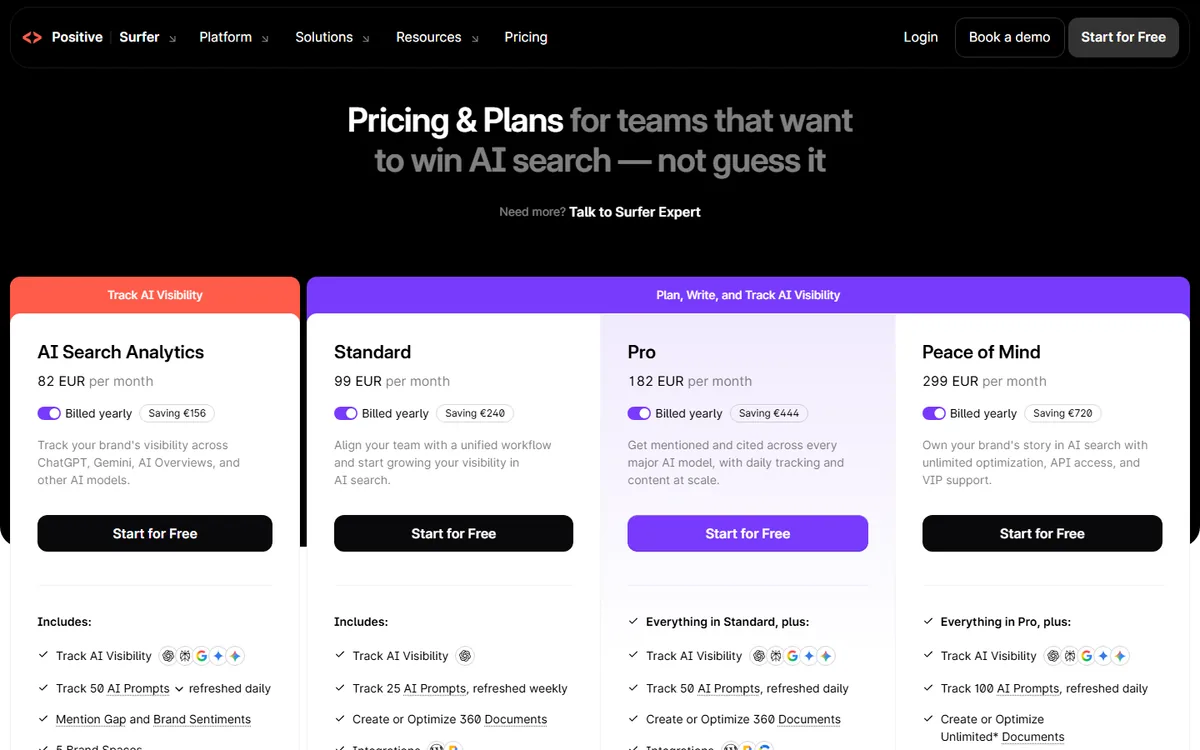
Surfer’s pricing page lists Discovery at $49, Standard at $99, Pro at $182 and Peace of Mind at $299 per month, billed yearly. Enterprise pricing is custom.
Surfer Reviews
Grammarly
The Easiest Quality Layer for Every Writer, From Freelancers to Your Own Sales Team
Grammarly checks spelling, grammar, clarity and tone in the browser, in documents and in email, with AI rewriting on higher plans.
Grammarly works wherever your team writes, so quality checks happen before an article reaches an editor. It catches errors, flags wordy sentences and shows how a paragraph might sound to a reader. For a team with several freelancers, that alone saves editing time.
Style guides and tone settings on business plans help keep a shared voice. It will not fix weak ideas or poor structure, and its suggestions sometimes flatten a distinctive style, so I tell editors to accept changes with judgment.
What I Like About Grammarly
- Works across the browser, docs, email and CMS
- Team style guide and tone settings support one voice
- Fast to roll out to freelancers and staff
What I Don’t Like About Grammarly
- Does not judge structure, argument or originality
- Suggestions can flatten a distinctive voice
Grammarly Pricing
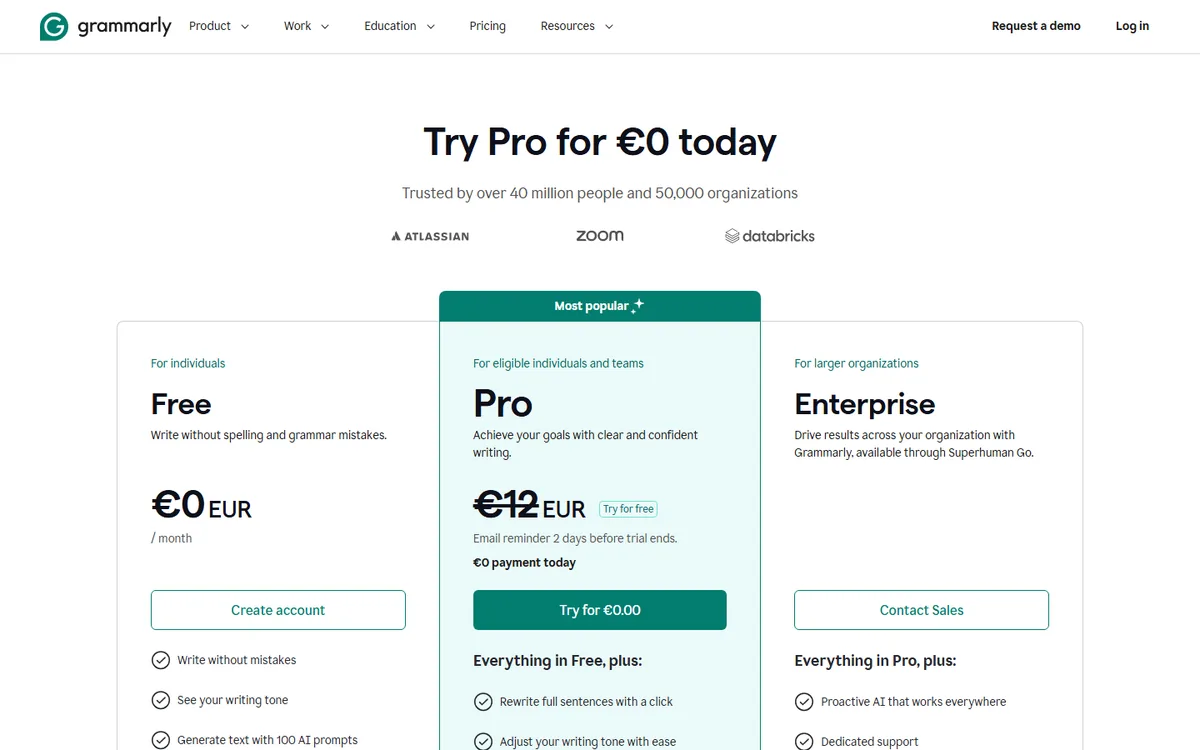
Grammarly has a free plan. The plans page lists Pro at $12 USD, so check whether that rate assumes annual billing, and Enterprise pricing is available through sales.
Grammarly Reviews
CoSchedule

A Single Marketing Calendar That Keeps Content, Social and Campaigns in Sync
CoSchedule combines a marketing calendar, task management and social scheduling, so you can see every project and deadline in one place.
CoSchedule solves a problem I see constantly: content planned in a spreadsheet, tasks in another tool and social posts in a third. Here, a blog post, its promotion and its deadlines sit in one calendar, and you can drag items to new dates when plans change.
Workflows and templates help with repeat jobs such as webinars and product launches. It is lighter than a full project management suite, so very large teams with complex dependencies may outgrow it.
What I Like About CoSchedule
- One calendar for content, email and social
- Templates for repeatable campaigns and launches
- Simple enough for a small team to adopt in days
What I Don’t Like About CoSchedule
- Not a replacement for full project management software
- Fewer integrations than larger suites
CoSchedule Pricing
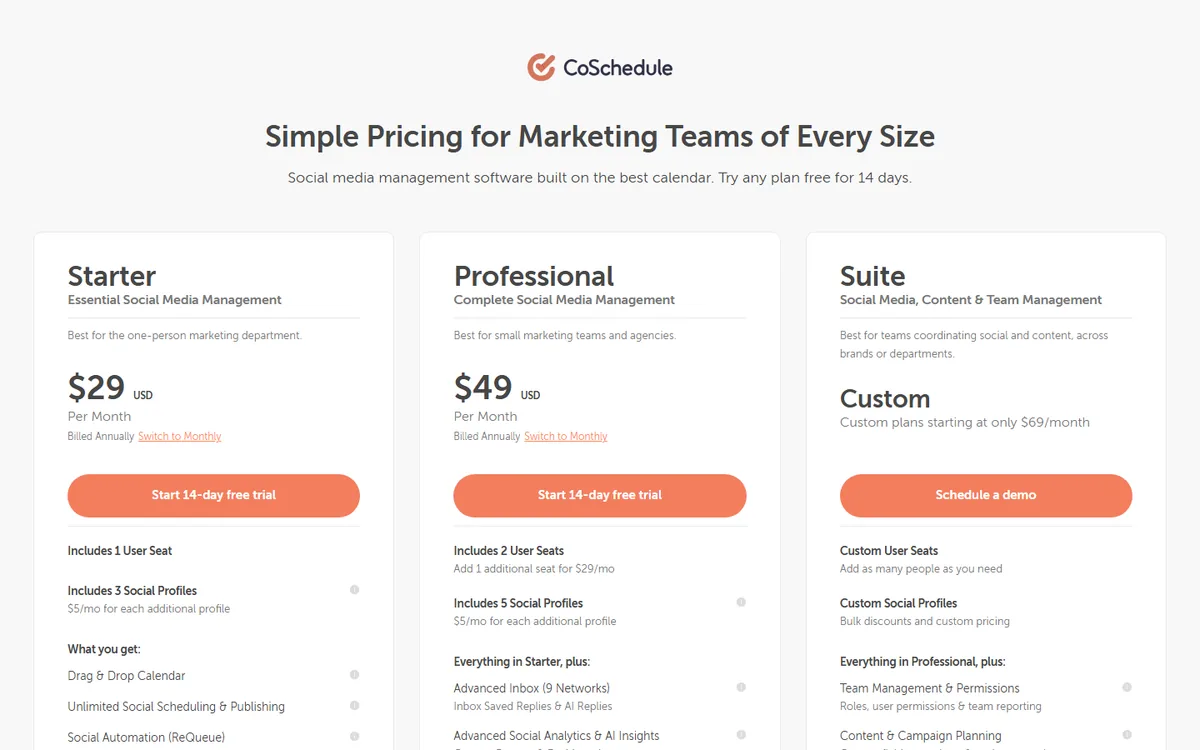
CoSchedule lists Starter at $29 per month billed annually ($39 monthly), Professional at $49 per month billed annually ($59 monthly) and Suite from $69 per month. Each paid plan has a 14-day free trial, and a limited free plan exists.
CoSchedule Reviews
Buffer
The Simplest, Cheapest Way to Get Your Content in Front of a Social Audience
Buffer schedules posts across the main social networks, with a clean calendar, analytics and an AI assistant.
Buffer does a few things and does them cleanly. You connect your channels, queue posts and see them on a calendar, with analytics for each network. For a small team promoting blog posts and videos, that is often all you need.
I like the per-channel pricing, because you only pay for the networks you use. If you need social listening, advanced approvals across many brands or deep reporting, a larger platform is a better fit.
What I Like About Buffer
- Clean, quick interface
- Pricing per channel keeps small setups cheap
- Free plan to test your workflow
What I Don’t Like About Buffer
- Reporting is basic next to enterprise tools
- Few social listening features
Buffer Pricing
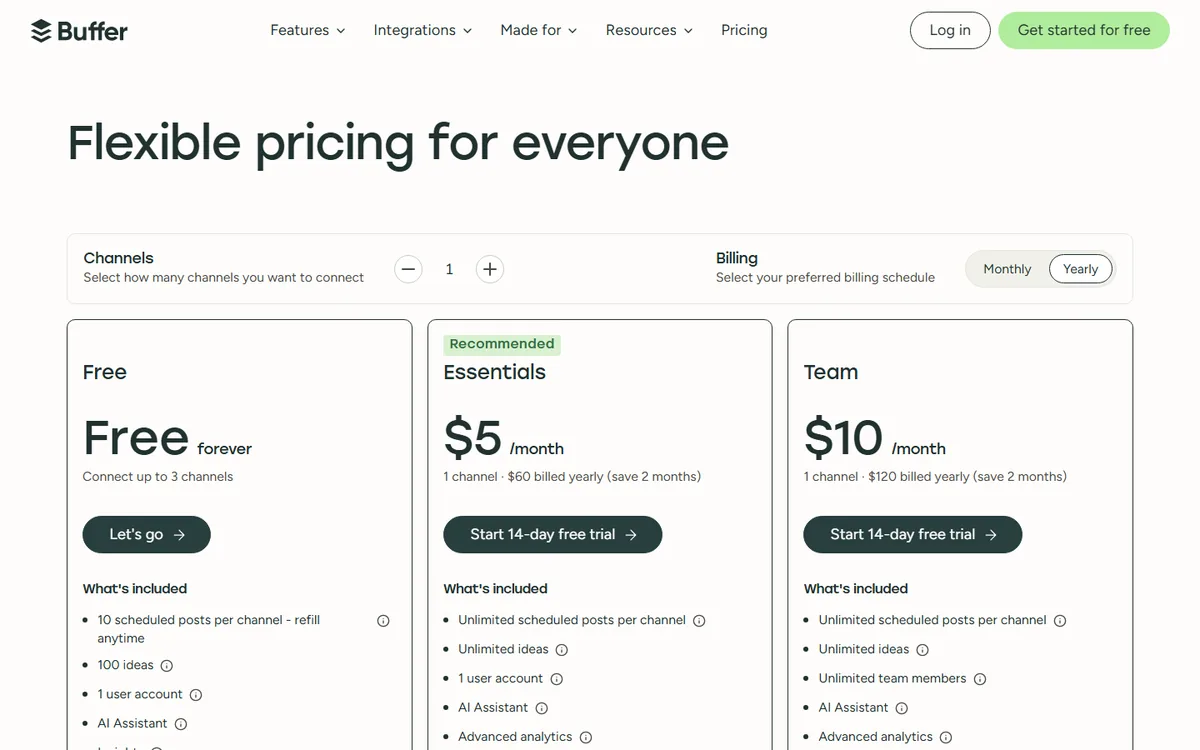
Buffer has a free plan for up to 3 channels. According to its pricing page, Essentials costs $5 per channel per month and Team costs $10 per channel per month, with unlimited team members and approval workflows.
Buffer Reviews
Hootsuite
The Heavyweight for Teams That Need Approvals, Monitoring and Reporting Across Many Social Accounts
Hootsuite handles publishing, engagement, social listening and analytics for teams with many accounts and strict approval needs.
Hootsuite suits organizations where several people touch social, from content creators to legal reviewers. Approval workflows, permissions and a shared inbox keep posts and replies under control, while listening tools show what people say about your brand.
I recommend it when governance matters more than price. A team posting a few times a week on two networks will find it expensive and more than they need.
What I Like About Hootsuite
- Strong approval and permission controls
- Social listening and unified inbox
- Detailed analytics and reporting
What I Don’t Like About Hootsuite
- Premium pricing for smaller teams
- Interface has many features and takes time to learn
Hootsuite Pricing
Hootsuite’s plans page lists Standard at $99 per user per month, Professional at $199 and Advanced at up to $399, all billed annually. Enterprise is quoted by sales, and paid plans include a 14-day free trial.
Hootsuite Reviews
Mailchimp

A Familiar, Beginner-Friendly Way to Turn Readers Into an Owned Audience
Mailchimp is an email marketing platform with templates, automations, landing pages and basic CRM features.
Email is the channel you own, and Mailchimp is the tool many small teams use to start. Templates and a visual builder make a newsletter easy to produce, and basic automations send a welcome series when someone subscribes to your blog.
In my experience the main trade-off is cost growth. Prices rise with your contact count, and advanced segmentation lives on higher plans, so larger lists often move to other platforms. For a small, growing list it remains a sensible start.
What I Like About Mailchimp
- Easy templates and visual builder
- Automations for welcome and nurture emails
- Free plan to start a list
What I Don’t Like About Mailchimp
- Pricing climbs as your list grows
- Some advanced features sit on higher plans
Mailchimp Pricing
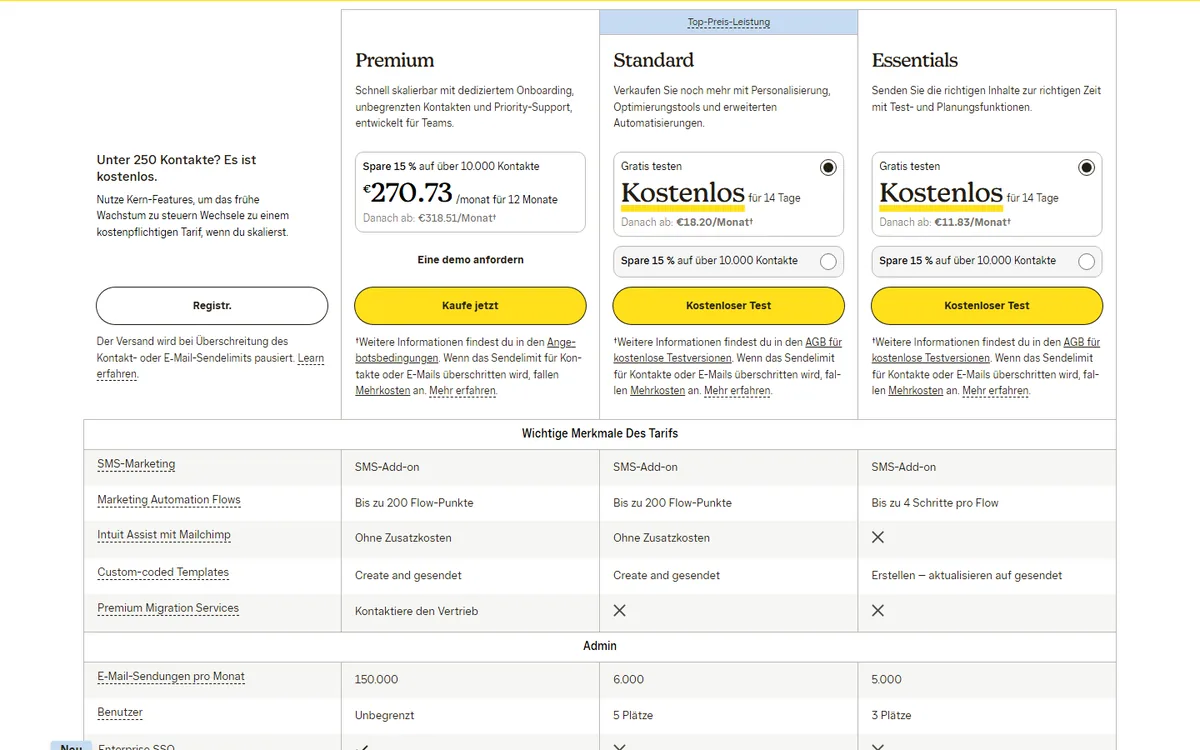
Mailchimp has a free plan for up to 250 contacts. Essentials, Standard and Premium plans scale with your contact count, and its pricing page lists Premium from $350 per month, so use its calculator with your own list size.
Mailchimp Reviews
Descript
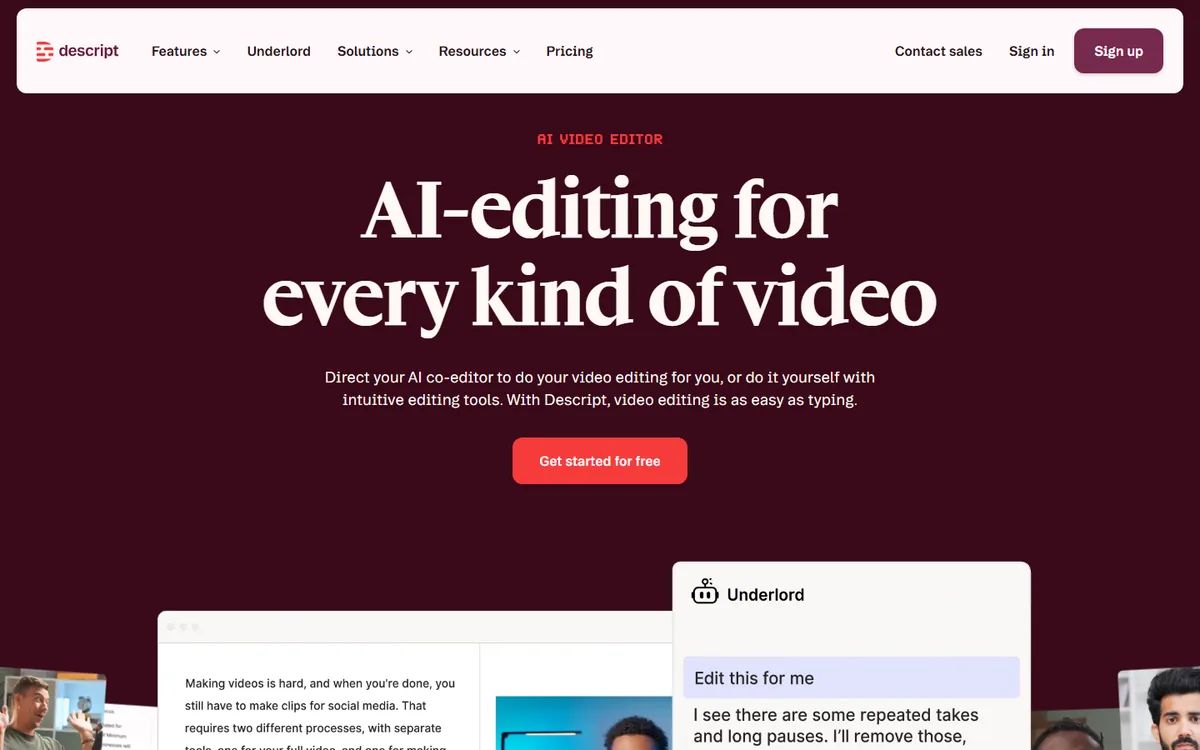
Edit Video and Podcasts as Easily as a Document, Then Repurpose Them Into Clips
Descript transcribes audio and video, then lets you edit the recording by editing the text, with AI clip creation and captions.
Descript makes video and audio editing approachable. You edit the transcript to cut filler words or whole sections, and the recording follows. For a marketer with a webinar or interview recording, that turns a long file into short clips in less time than a traditional editor.
It is a good fit for talking-head and podcast content. For heavy motion graphics or complex video work, you will still want professional editing software or a video team.
What I Like About Descript
- Editing by text is quick to learn
- Captions and clip creation for social
- Works well for podcasts, webinars and interviews
What I Don’t Like About Descript
- Not built for complex motion graphics
- Cloud processing can slow down on long files
Descript Pricing
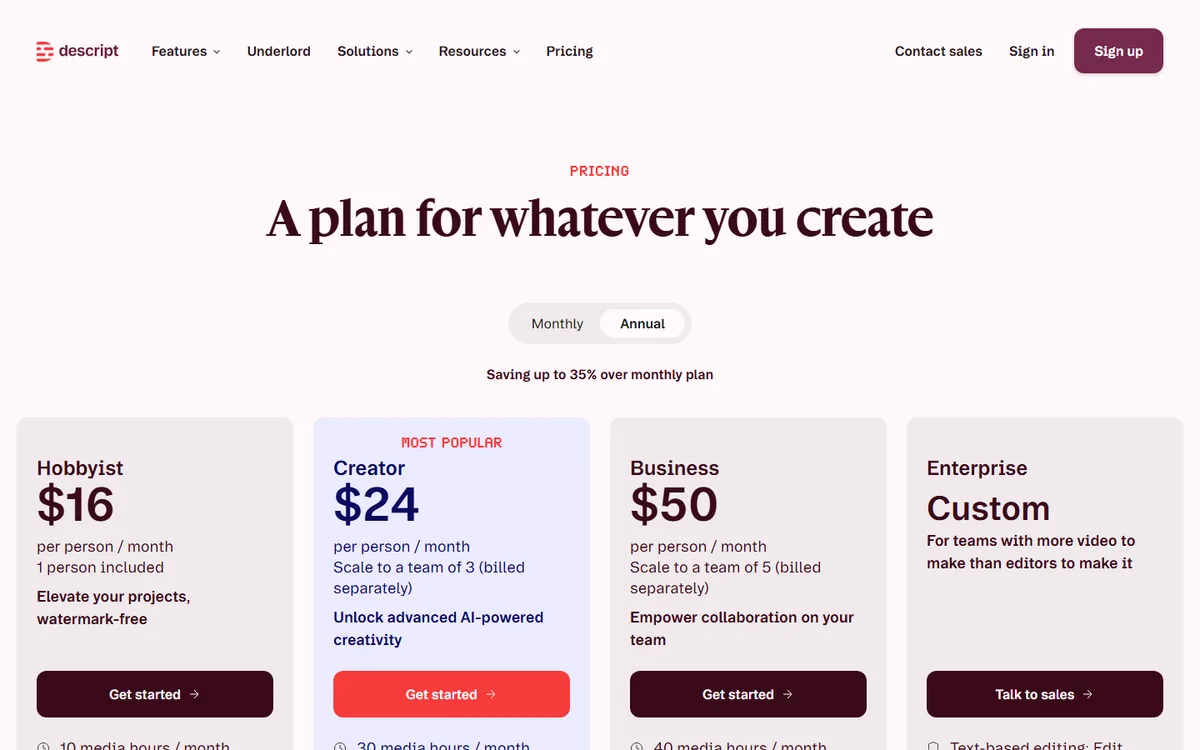
Descript has a free plan. Its pricing page shows Hobbyist from $16, Creator from $24 and Business from $50 per person per month, with higher prices that appear to be for monthly billing. Enterprise is custom.
Descript Reviews
Ahrefs
The Sharpest Tool for Seeing Which Content and Links Make Your Competitors Rank
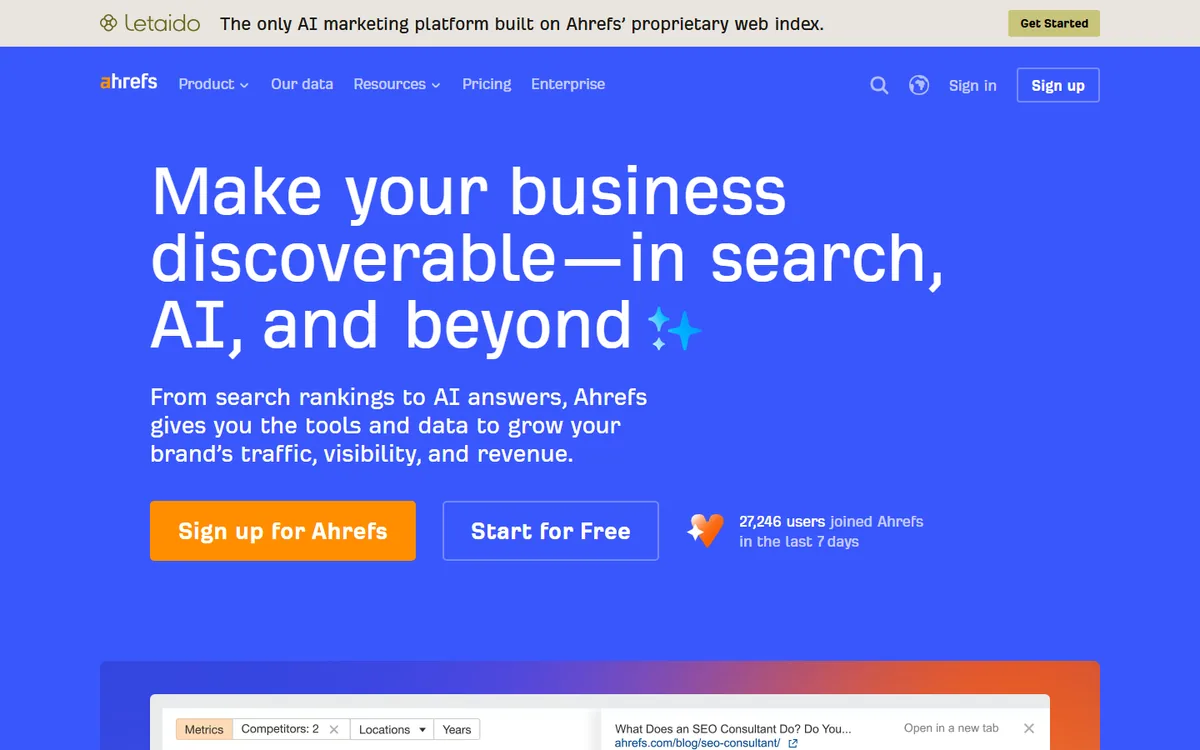
Ahrefs is an SEO toolkit known for its backlink index, keyword research, content explorer and site audits.
Ahrefs is the tool I reach for when a content plan needs competitive intelligence. Content Explorer shows which articles in your space earn the most links and traffic, and Site Explorer shows what rivals rank for and where their links come from.
Many teams use Ahrefs and Semrush for different jobs: Ahrefs for links and competitor analysis, Semrush for broader planning. Starting with one is fine, and the choice often comes down to which interface your team prefers.
What I Like About Ahrefs
- Excellent backlink data and competitor analysis
- Content Explorer finds proven topics
- Clear, focused interface
What I Don’t Like About Ahrefs
- Credits and limits can run out on lower plans
- Less all-in-one than broader marketing suites
Ahrefs Pricing
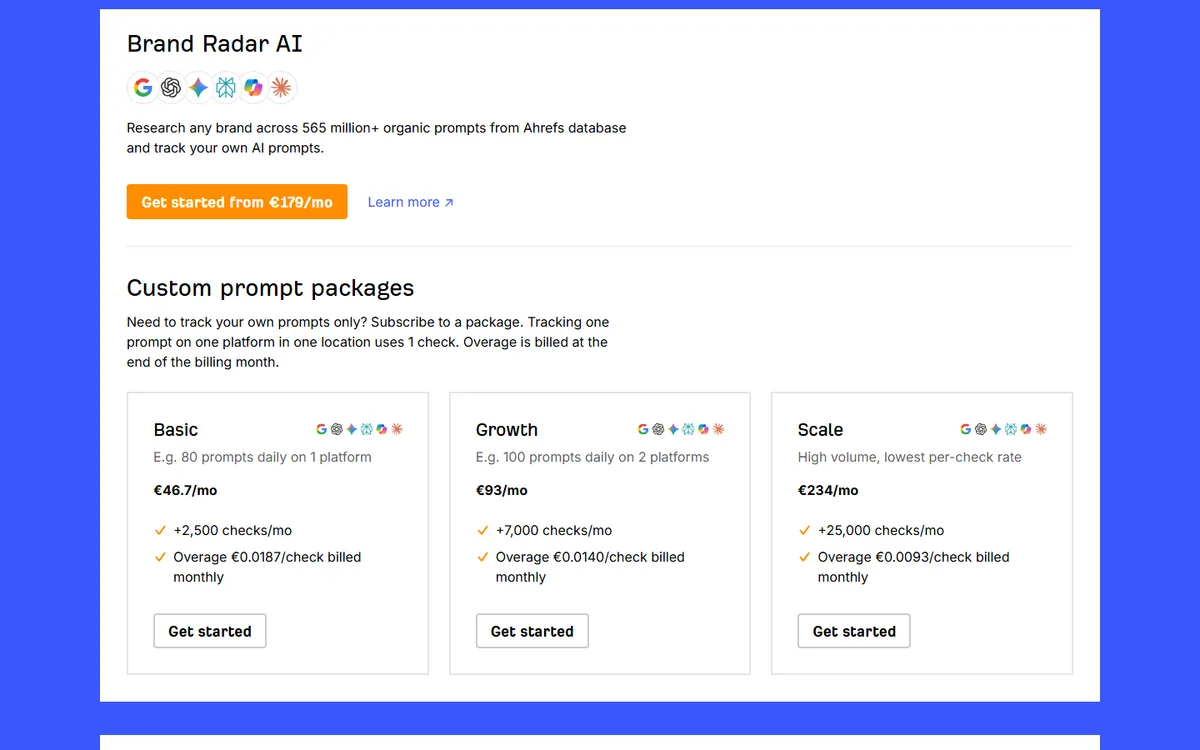
Ahrefs’ pricing page lists Starter at $29, Lite at $129, Standard at $249 and Advanced at $449 per month, with Enterprise on custom quote and a free tier of limited tools.
Ahrefs Reviews
BuzzSumo
A Fast Way to See What Content Gets Shared and Who Shares It
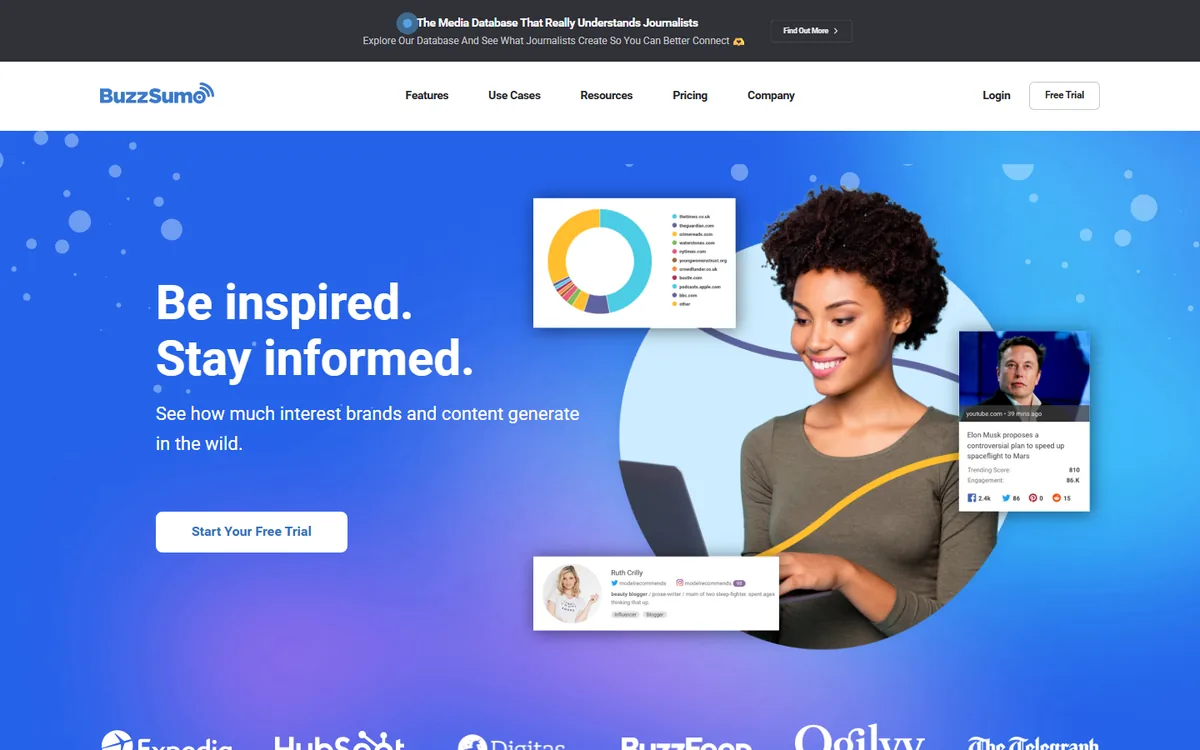
BuzzSumo shows which topics and headlines earn engagement, finds influencers and monitors brand mentions.
BuzzSumo answers a different question from keyword tools: what do people actually share? Search a topic and you see the most engaged articles, formats and headlines, which helps you shape angles that have already proven they interest an audience.
It also finds the people and publications that share content in your niche, which supports outreach and PR. The price is high for the data you get, so I recommend it mainly for teams with an active distribution or PR plan.
What I Like About BuzzSumo
- Shows what content earns shares and links
- Influencer and journalist discovery
- Alerts for brand and topic mentions
What I Don’t Like About BuzzSumo
- High price for smaller teams
- Engagement data is strongest for popular topics
BuzzSumo Pricing
BuzzSumo’s pricing page lists Content Creation at $199, PR & Comms at $299, Suite at $499 and Enterprise at $999 per month, billed yearly.
BuzzSumo Reviews
Estimate the Return on a Content Marketing Tool
Before you pick a plan, check whether the numbers work for you. Enter the manual hours you want to save and the monthly price of the tool you are considering, and you will see what it could return in a year. It also helps to compare against the cost of content marketing overall, since tools are usually a small share of the budget.
Is the Tool Worth It for You?
Set the sliders to the work the tool would handle and the plan you have in mind.
How to Choose the Right Content Marketing Tools
In my experience, fit with your workflow decides more than any feature list. Before you compare vendors, I suggest you answer four questions:
- Which step slows your content down most: research, writing, design or distribution?
- How many people create content, and do they need approvals and shared calendars?
- Which systems must the tool connect to, such as your CMS, CRM or email platform?
- Who will own the tool and keep it set up after the first month?
If research is your gap, begin with Semrush, Ahrefs or Surfer. If production is the bottleneck, Canva, Grammarly and Jasper remove the most work. For distribution, Buffer or Hootsuite covers social and Mailchimp covers email. A tool only helps when your process is sound, so my content marketing checklist is a good way to audit that first, and the common content marketing mistakes show where teams waste software spend. If you plan to hand production to someone else, read my guide to content marketing outsourcing before you buy seats for freelancers.
Questions About Choosing Content Marketing Tools
What Are the Best Content Marketing Tools for a Small Business?
For most small businesses I suggest a short stack: Canva for visuals, Grammarly for editing, Buffer for social scheduling and Mailchimp for email. Add Semrush or Surfer once you publish regularly and want data behind your topics. Start small, because the best tool is the one your team actually uses every week.
Do I Need All of These Content Marketing Tools?
No. Most teams do well with five or six tools that cover research, writing, design, distribution and reporting. Buying a tool for every task creates costs and training time. Pick the gap that slows you down most, fix it, then reassess.
Are AI Writing Tools Good Enough to Replace Writers?
They are good at outlines and first drafts and weak at original insight, accurate facts and a distinctive voice. In my client work, the best results come when a person guides the draft, adds experience and checks every claim before publishing.
Which Tool Is Best for Planning a Content Calendar?
CoSchedule is built for calendars that span content, email and social. HubSpot Content Hub works well if you already run your CRM there, and a shared spreadsheet is fine for very small teams. Choose based on how many people and channels you coordinate.
Semrush or Ahrefs: Which Should I Choose?
Both give strong keyword and competitor data. Semrush leans toward broad planning and content tools, while Ahrefs is known for backlink analysis. Try the free or trial versions with your own topics and see which interface your team prefers.
How Much Should I Budget for Content Marketing Tools?
A lean stack can cost less than $100 per month, while a full set with SEO research, social management and AI drafting can reach several hundred. Compare tool costs with the hours they save. A tool that saves ten hours of paid work a month usually pays for itself.
Can a Consultant Help Me Choose and Set Up Tools?
Yes. A consultant maps your workflow first, then picks tools that fit your team size, budget and existing systems. That avoids overlapping subscriptions and gets everything connected, so reports show leads and not only activity.
Please note: pricing, plans and ratings change often. They were accurate at our last review; please verify them on the vendor sites before you buy. None of this is legal or financial advice.
Was this guide helpful?
Thanks for your feedback.
Warren Albright
Warren leads the Blue Hornet editorial team and works with the consultants to turn real client projects into practical guides on content, paid media, marketing automation, CRM and analytics. He comes from content and demand generation work, edits every article before a working marketing consultant reviews it, and draws on strategies, channel plans and audits from client projects to keep the advice grounded in real numbers.