Quick Summary
- A realistic implementation runs in six phases and takes 3 to 12 weeks, depending on data quality and the number of channels.
- Agree what a qualified lead is before you build any scoring or workflow.
- Clean your contact data and confirm consent before you import a single record.
- Launch three to five workflows first and name one owner for the platform.
The software for marketing automation is usually the easy part to install. What stretches a project from six weeks to six months is everything around it: unclear goals, messy data, arguments about lead definitions and content that arrives late. In my marketing automation consulting work, a clear phase plan is the cheapest protection against those delays.
This guide walks through the six phases I use. Each has a goal, an owner and a decision gate, so you always know when to move on and when to stop and fix something first.
The Six Phases at a Glance
| Phase | Typical duration | Owner | Decision gate |
|---|---|---|---|
| 1. Goals and Audit | 1 week | Marketing lead | Goals and lead definition signed off |
| 2. Data and Consent | 1 to 2 weeks | Operations or data owner | Clean list with consent confirmed |
| 3. Platform and Integrations | 1 to 3 weeks | Platform admin | CRM sync tested with sample records |
| 4. Workflows and Content | 2 to 4 weeks | Marketing and sales | Copy and rules approved |
| 5. Testing and Launch | 1 week | Platform admin | Test plan passed |
| 6. Training and Optimization | Ongoing | Named platform owner | 90-day review against baseline |
Durations assume one primary platform and a database under 50,000 contacts. Larger programs take longer, mostly because of data work.
Phase 1: Set Goals and Audit What You Have
Start with the result you want in numbers, such as cutting lead response time from two days to one hour or raising lead-to-opportunity rate from 20 to 30%. Then audit the current state: which tools exist, how leads flow today and where they get stuck.
The most useful output of this phase is a written definition of a qualified lead, agreed by marketing and sales. I have watched projects lose a month later because the two teams disagreed on this and nobody had written it down. Record your baseline numbers too, since you need them for the review in phase 6.
Phase 2: Clean Your Data and Confirm Consent
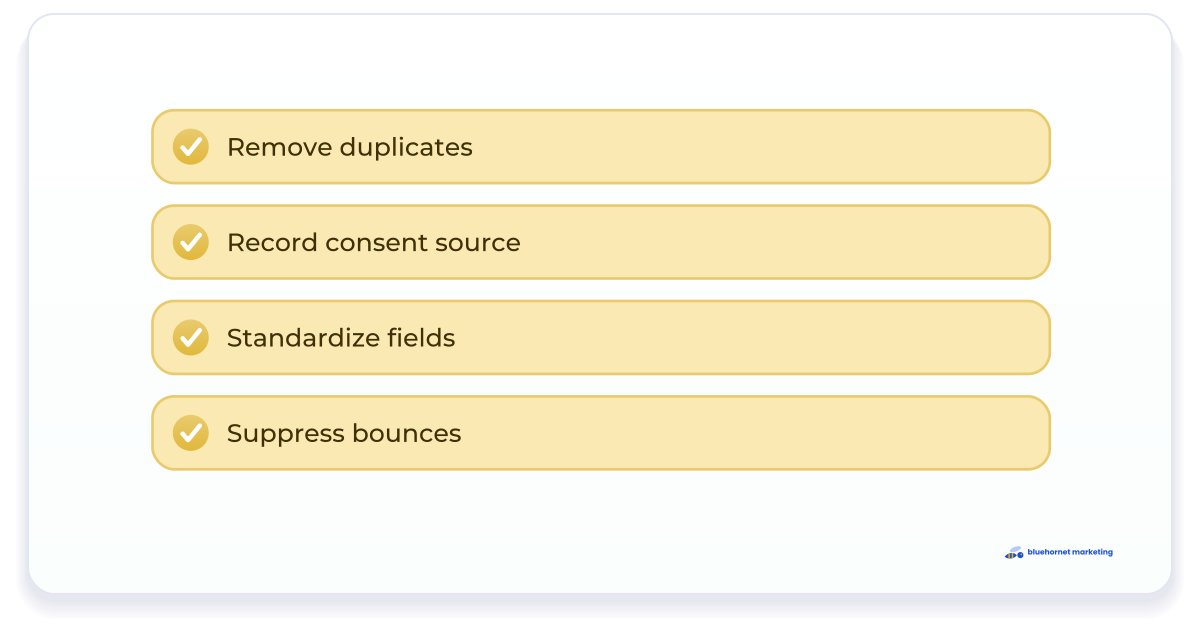
Import clean data and everything downstream gets easier. Remove duplicates, fix obvious formatting issues, drop contacts with no activity in the past two years and confirm that each remaining contact gave consent for the messages you plan to send.
Do not skip this step to save time. A dirty list hurts deliverability, so the first campaigns land in spam and the platform looks like the problem. Check consent rules for the regions you sell in and keep records of how and when each contact opted in. If you are unsure about legal requirements, ask a qualified adviser.
Phase 3: Configure the Platform and Connect Your Tools
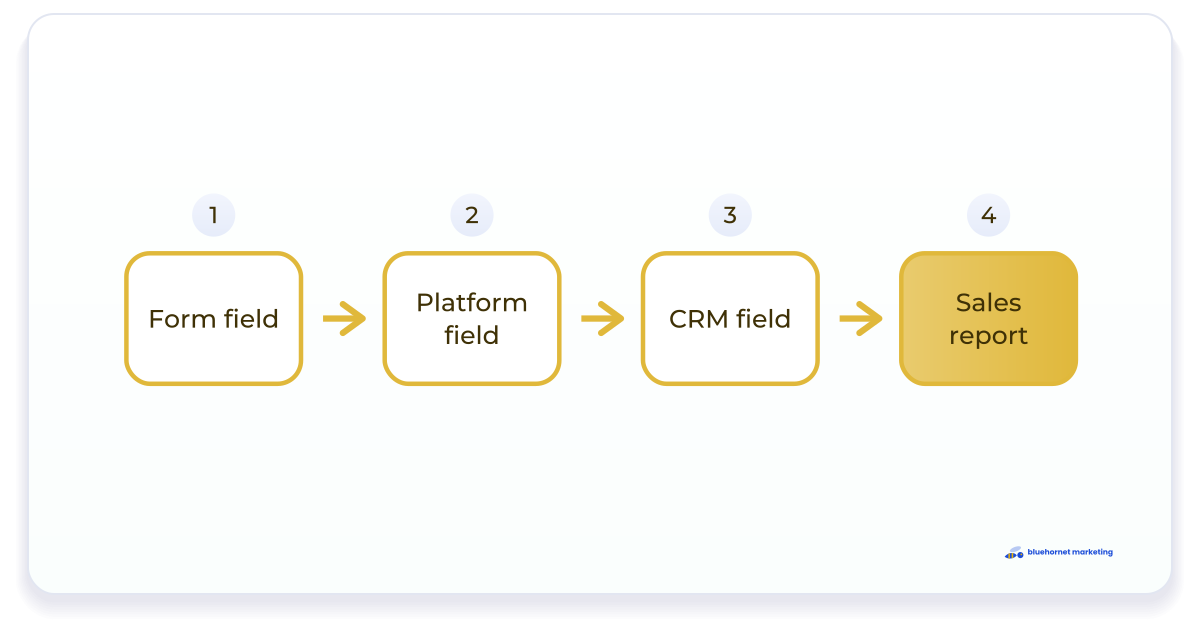
Set up the sending domain, tracking, forms and user roles first. Then connect the CRM, your website and your ad accounts, and test each connection with a handful of sample records. Fields should map one to one, and you should know which system is the source of truth for each field.
If you are still choosing a platform, my comparison of marketing automation software shows prices and fit by team size. Pick the tool that your team will actually run, even if another has more features on paper.
Phase 4: Build the First Workflows and Content
Start small. A welcome series, a new lead follow-up, a lead scoring model and a re-engagement flow cover most of the early value. Write the messages before you build the logic, since copy tends to be the slowest part and the part that holds up launch dates.
Keep scoring simple at first: points for pricing page visits, demo requests and replies, and negative points for inactivity. You can refine the model once you see how scores relate to real deals. The marketing automation best practices I follow help keep the first set of workflows clean as it grows.
Phase 5: Test Everything, Then Launch in Stages
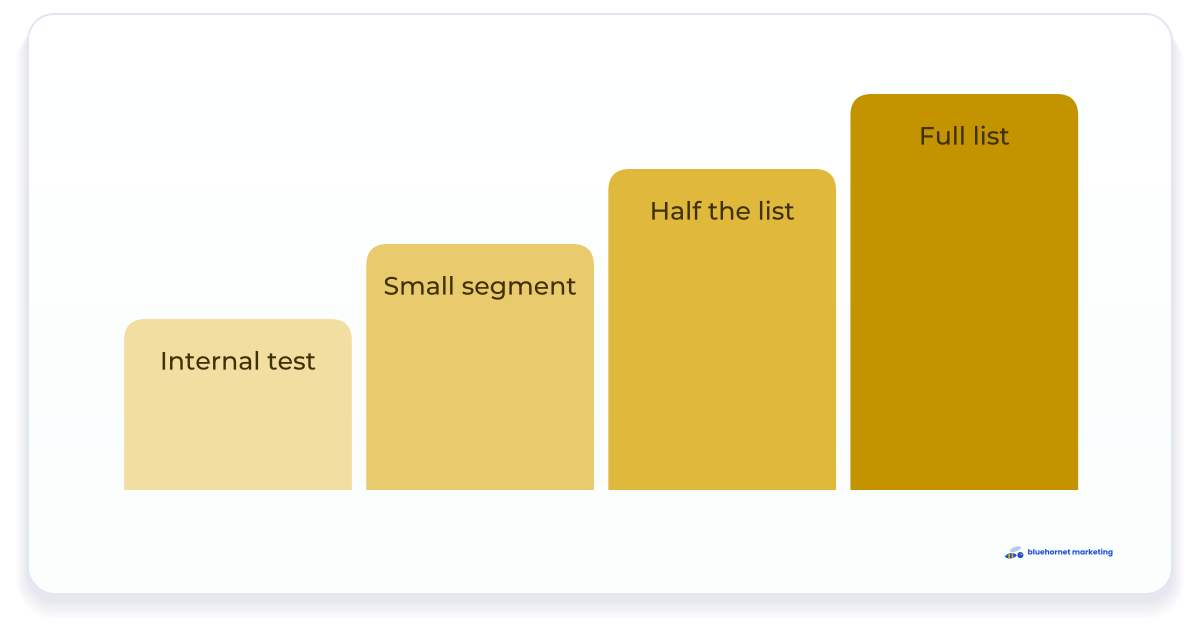
Test with internal addresses on different email clients and phones. Check that every link works, that unsubscribes are honored and that records reach the CRM with the right fields. Then launch to a small slice of your audience first, watch for a few days and widen the group.
A final pre-launch review against the marketing automation checklist catches most of what a rushed project misses. Check the results of the first send within 24 hours, since small errors get expensive when they repeat on thousands of contacts.
Phase 6: Train Your Team and Optimize
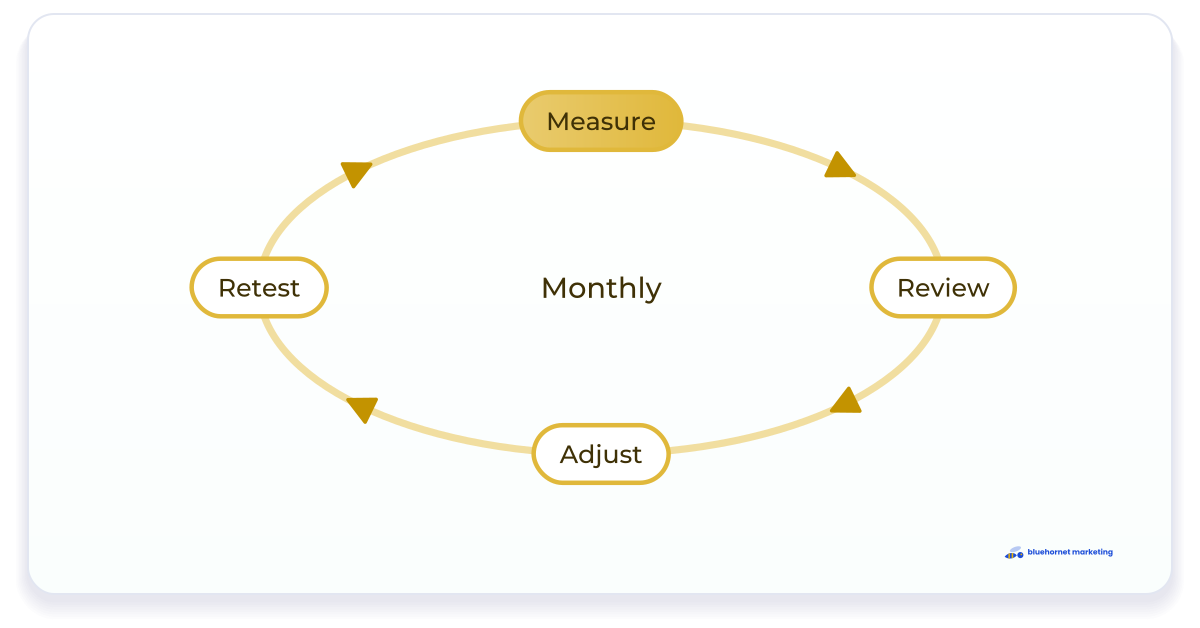
Give each user a one-page guide for the tasks they do, and name one platform owner. After 30, 60 and 90 days, compare results with the baseline from phase 1 and decide which workflow to improve or add next. For the order in which to expand, use the marketing automation roadmap.
Report results in plain numbers, such as response time, conversion rate and hours saved. When leadership asks whether the project paid off, my guide to marketing automation ROI shows how to calculate the answer.
Keep a Simple Change Log From Day One
The week after launch, someone will ask why a lead got a certain email. A change log answers that in seconds. Record each workflow, its purpose, its trigger, the person who approved it and the date it last changed. A shared spreadsheet is enough. Six months later, when the original builder has moved on, the log is what lets a new colleague edit a workflow without breaking three others.
Add naming rules at the same time, for example a prefix for the channel, the audience and the goal. Consistent names make reports readable and reduce the risk of two workflows sending to the same contact.
Where Implementations Slip and What It Costs
The same causes show up again and again. This table lists them with a typical delay and the early warning sign to look for.
| Cause | Typical delay | Early warning |
|---|---|---|
| No agreed lead definition | 2 to 4 weeks | Sales and marketing quote different lead counts |
| Dirty or unconsented data | 1 to 3 weeks | High bounce rate on the first test send |
| Content arrives late | 2 to 6 weeks | Workflows built with placeholder text |
| Integration surprises | 1 to 2 weeks | Fields in the CRM do not match the platform |
| No named owner | Open ended | Nobody can say who approves changes |
A Sample Eight-Week Schedule
Here is how the phases fit into a typical eight-week project for a mid-sized team with one platform and one CRM. Treat it as a template to adjust, since your data and approvals will move the dates.
| Weeks | Work | Who is involved |
|---|---|---|
| 1 | Goals, baseline, lead definition, tool audit | Marketing lead, sales lead, consultant |
| 2 to 3 | Data cleanup, consent check, platform setup, tracking | Platform admin, operations |
| 3 to 4 | CRM sync and form connections, sample record tests | Platform admin, CRM owner |
| 4 to 6 | Workflow build, scoring model, email copy and review | Marketer, sales lead, copywriter |
| 7 | Testing, fixes, staged launch to a small audience | Platform admin, consultant |
| 8 | Full launch, team training, first report | Platform owner, all users |
The overlap in weeks 3 to 6 is deliberate. Copy and scoring rules can be drafted while integrations are tested, which saves about two weeks compared with running every step in order. The risk is rework if a field name changes, so freeze the field list early.
Three Ways to Staff the Project
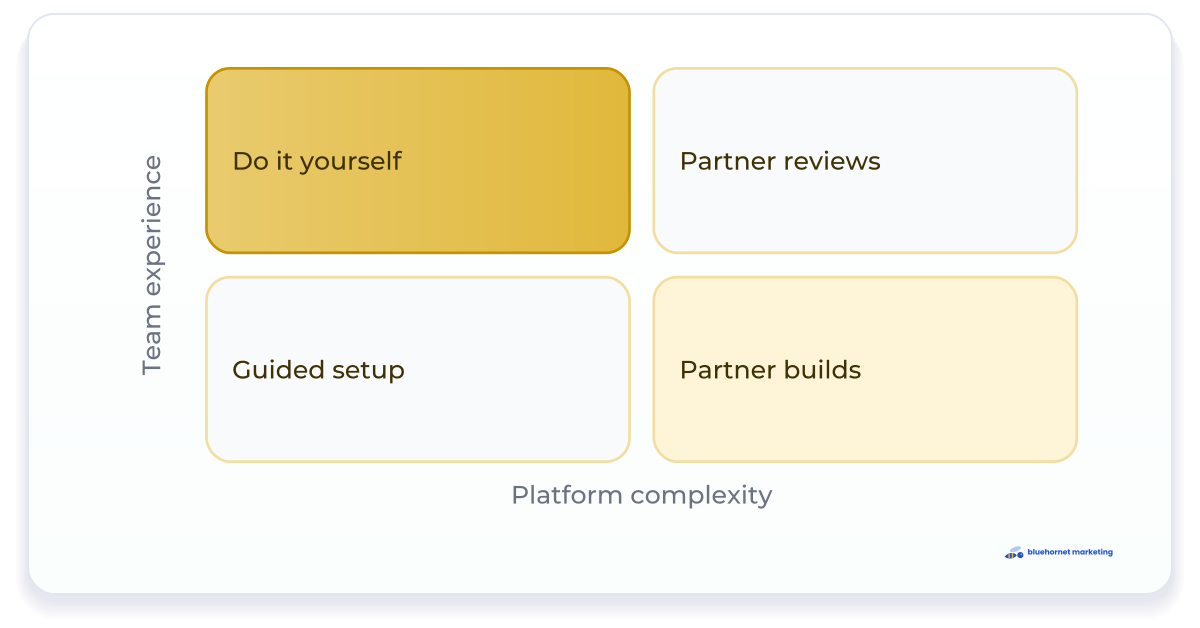
Teams usually pick one of three setups, and each has a clear trade-off. Doing everything in-house costs the least in cash and the most in elapsed time, because your people also have daily work. A consultant-led build costs more up front and finishes fastest, with the risk that knowledge stays with the consultant unless you insist on documentation and training. A hybrid, where a consultant designs the plan and builds the hard parts while your team writes content and runs day-to-day tasks, is the arrangement I recommend most often for mid-sized teams.
Whichever you choose, write down who approves what. Projects slip when three people review the same email and nobody can say who has the last word. One approver per deliverable, with a two-day review window, keeps momentum.
One last point on timing: avoid launching in the two weeks before a major holiday or your own busiest season. Teams are distracted, replies are slower and a small error is harder to catch. A launch in a quiet week gives you room to watch the first results and fix problems before the audience grows.
How to Decide Whether to Do It Yourself
You can run a simple implementation internally if you have a platform owner with at least a few hours per week and a small database. Plan for outside help if any of these apply:
- You are connecting more than one CRM or several ad platforms.
- Your data has years of duplicates and unknown consent.
- Sales and marketing disagree on lead definitions.
- Nobody in the team has run a platform of this type before.
A short call usually shows which of these affect you and what a realistic schedule looks like.
Questions About Marketing Automation Implementation
How Long Does Marketing Automation Implementation Take?
A simple setup with one email platform and three workflows can go live in 3 to 4 weeks. A full implementation with CRM sync, lead scoring and several channels usually takes 8 to 12 weeks. The biggest swing factor is data quality, which is why I check it in the first week.
What Causes Most Implementation Delays?
In my projects, the top causes are messy contact data, no agreement between marketing and sales on what a qualified lead is, and late content. Technical setup rarely holds a project up for long. Settle definitions and data first and the schedule tends to hold.
Should I Migrate All My Contacts at Once?
Usually not. Clean the list first, remove contacts with no activity in two years and no valid consent, and import in waves. A smaller, cleaner database protects your sender reputation and keeps your monthly fee lower.
How Many Workflows Should I Launch First?
Three to five. A welcome series, a lead follow-up, a lead scoring rule set and a re-engagement flow cover most of the value. Adding more before these perform makes problems harder to trace.
Who Should Own the Platform After Launch?
One named person, even if the job is part time. Without an owner, workflows drift, lists fill with bad data and reports stop being read. If you cannot assign someone, a retainer with a consultant is safer than hoping it works out.
Do I Need a Developer for Implementation?
For common platforms and standard connections, no. You need developer time for custom event tracking, unusual CRM objects or in-app messaging. Ask your consultant to flag these needs in the plan so you can book the time early.
How Do I Know the Implementation Worked?
Compare results with the baseline you set before the project: response time to new leads, conversion from lead to opportunity, hours spent on manual tasks and cost per qualified lead. If most have improved after 90 days, the implementation did its job.
Disclaimer: This article is for general information only and isn’t legal, financial or tax advice. Treat figures as estimates from typical work and confirm details with your providers before you act.
Was this guide helpful?
Thanks for your feedback.
Warren Albright
Warren leads the Blue Hornet editorial team and works with the consultants to turn real client projects into practical guides on content, paid media, marketing automation, CRM and analytics. He comes from content and demand generation work, edits every article before a working marketing consultant reviews it, and draws on strategies, channel plans and audits from client projects to keep the advice grounded in real numbers.