Quick Summary
- Implement AI marketing in six phases: goals, data and stack check, use case selection, tool setup, pilot and rollout.
- Most costly delays come from missing data access, unclear owners and approvals that arrive late, not from the technology.
- Start with one task that has a clear baseline, so you can prove the result before you expand.
- Keep a person reviewing output until error rates are low and your team trusts the process.
Teams rarely fail at AI marketing because a tool was weak. They fail because the rollout stalls for six weeks waiting for a data export, or because nobody owns the review step. If you want outside help planning the work, AI marketing consulting covers the same ground this guide does.
I have watched the same handful of delays repeat across client projects. Below is the sequence I use to avoid them, phase by phase, with what to decide in each one and what usually goes wrong.
The Six Phases at a Glance
Treat the phases as a loop with gates, not a straight line. Each one ends with a decision, and you should not start the next phase until that decision is written down.
| Phase | Main question | Typical length | Common delay |
|---|---|---|---|
| 1. Goals and baseline | What result do you want, and what is the number today? | 1 week | Vague goals with no baseline |
| 2. Data and stack check | Where does your data live and who can access it? | 1 to 2 weeks | Waiting for exports and permissions |
| 3. Use case selection | Which task should AI handle first? | 1 week | Choosing a project that is too big |
| 4. Tools and guardrails | Which tools, rules and review steps do you need? | 1 to 2 weeks | Security and legal reviews that start late |
| 5. Pilot | Does it beat your baseline? | 3 to 4 weeks | No clear stop or go rule |
| 6. Rollout and training | How do you hand it to the team? | 4 to 8 weeks | Training squeezed out by campaign deadlines |
Phase 1: Set the Goal and Record Your Baseline
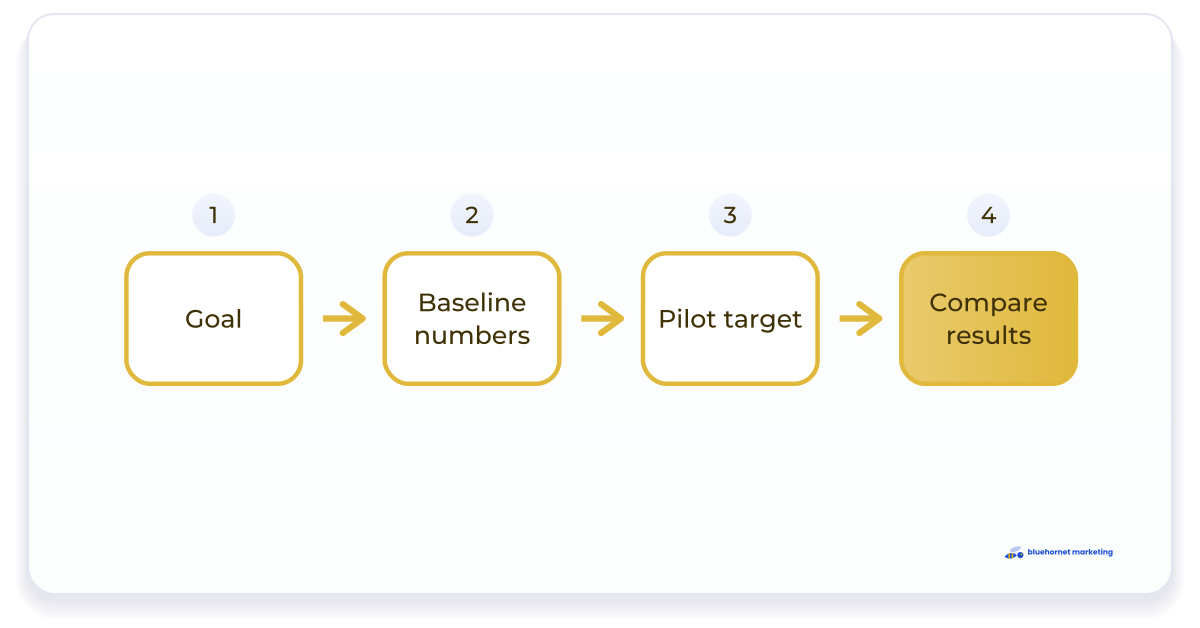
Write one sentence that names the result, the number and the date: for example, cut the time to produce a weekly newsletter from six hours to three by the end of the quarter. A goal like "use AI in content" gives you nothing to measure and nothing to stop.
Then record the baseline before you touch a tool. Hours per task, cost per asset, response times, conversion rates. I ask clients to track two weeks of real numbers, because memory is a poor source. Without it, every pilot ends with an argument about whether it helped.
Phase 2: Check Your Data and Marketing Stack
AI tools work on your customer lists, content library, campaign history and analytics. List where each lives, who owns it and how clean it is. Duplicate contacts, missing consent fields and inconsistent tags show up here, and they will hurt results later if you ignore them.
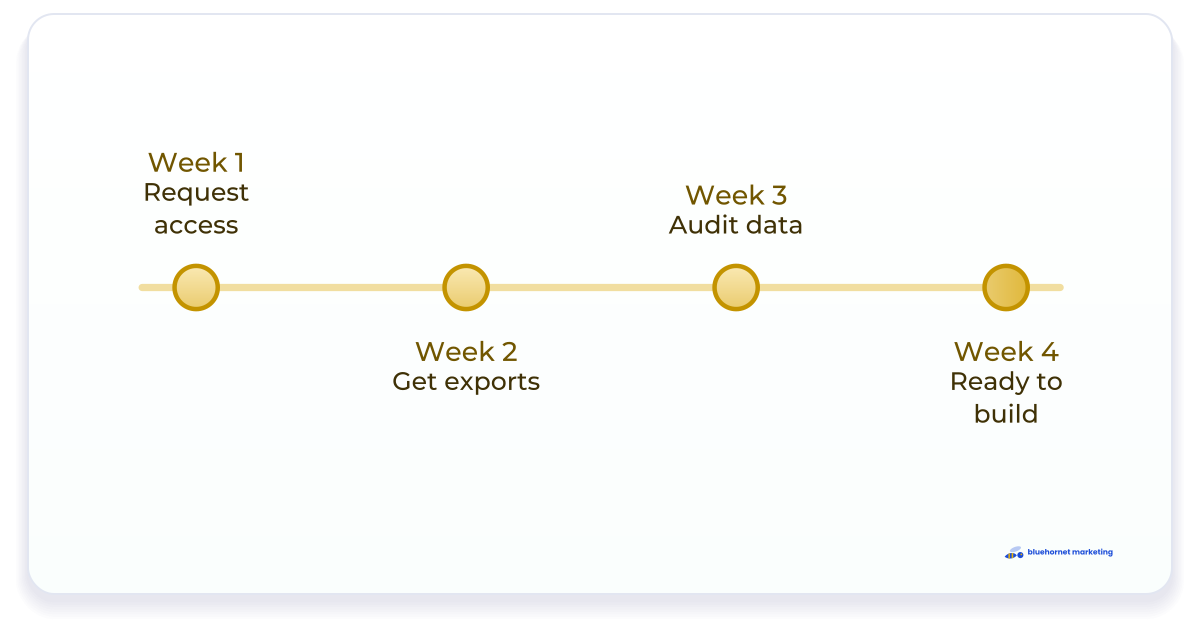
This phase causes more delay than any other, because access requests move slowly. Ask for read access to your CRM, ad accounts and analytics in the first week, and name a person who can approve exports. In my experience, a two-day task becomes a three-week wait when nobody owns it. Your AI marketing checklist works well as the record of what you found.
Questions to Answer Before You Move On
- Where does customer data live, and which systems are the source of truth?
- Do you have consent for the way you plan to use it?
- Which integrations already exist between your tools?
- Who can approve access and change settings?
Phase 3: Choose the First Use Case
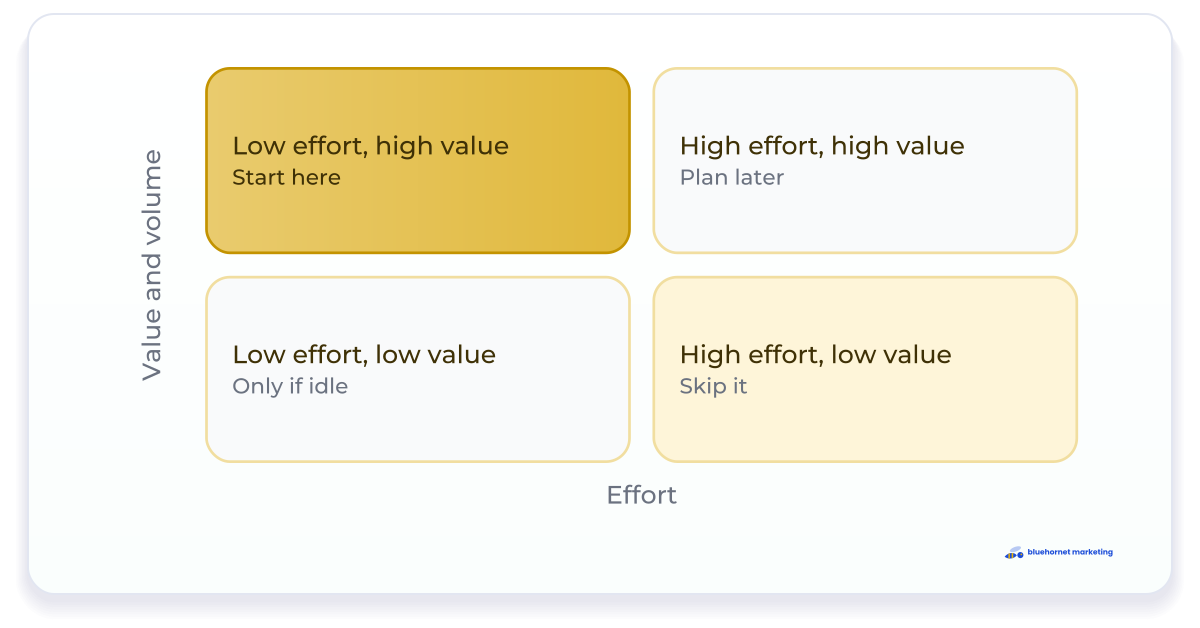
Good first use cases are frequent, low risk and easy to check. Drafting email variants, tagging inbound leads, summarizing campaign reports and generating ad copy options all qualify. Customer-facing chat and automated spend decisions are better later, once you trust the process.
Score each candidate on volume, risk, effort and measurability, then pick the highest score. I usually advise against choosing the use case with the biggest promise. A smaller one that finishes in a month teaches your team more than a large one that stalls in month three. If you want to know what return to expect, my guide to AI marketing ROI shows how to put numbers on it.
Phase 4: Set Up Tools, Rules and Review Steps
Pick the tool that fits your stack, not the one with the longest feature list. Check where data goes, whether your inputs are used to train models, how access is controlled and what the tool costs at your expected volume. My comparison of AI marketing tools can shorten the shortlist.
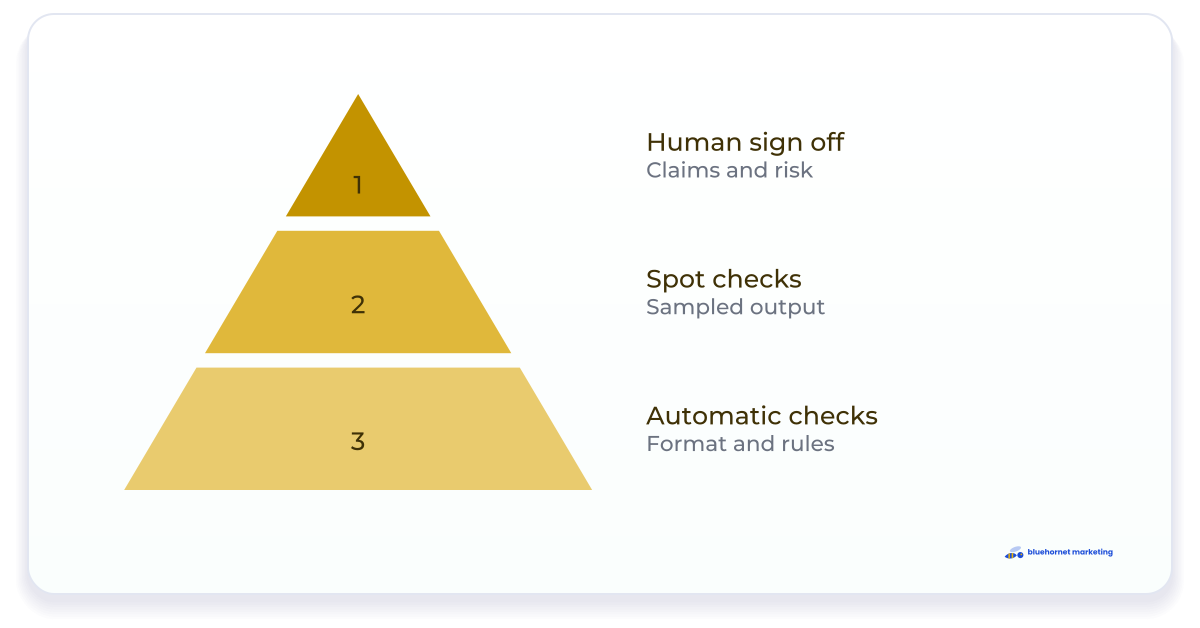
Then write the rules. Which data may be used, which claims need a human check, how brand voice is enforced, who approves publishing. One page is enough. Start security and legal review in this phase, not at launch, because that review is the second most common source of delay I see.
Build the Review Step Into the Workflow
Decide who checks the output, what they look for and how long they have. A review step that sits outside the normal workflow gets skipped under deadline pressure. Put it in the same tool and the same queue where your team already works.
Phase 5: Run a Pilot With a Clear Stop or Go Rule
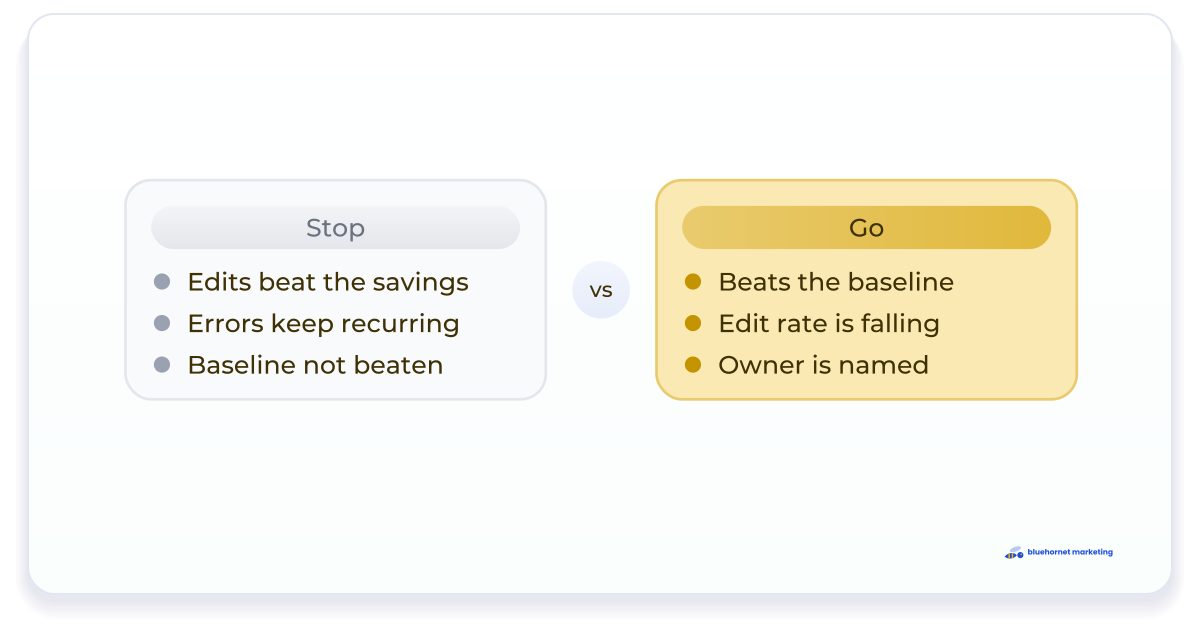
Run the pilot on a small, real slice of your work for three to four weeks. Write down the rule before you start: for example, go if time per asset drops by a third with no rise in edits or errors, stop if it does not.
Track the same numbers you recorded in phase 1, plus edit rates and complaints. I also ask the people using the tool for one sentence each week on what annoyed them. Those notes find problems that metrics miss. If results are mixed, adjust one thing and run a second short round instead of expanding. The common failure points are listed in my overview of AI marketing challenges.
Phase 6: Roll Out, Train and Hand Over
Roll out to one team at a time. Give each person a short written guide, a prompt or workflow library and a place to ask questions. Reserve real working time for training, because training that happens "when there is a moment" never happens.
Assign an owner for each workflow, with a monthly check of quality, cost and results. Retire anything that falls below its baseline. A rollout is finished when the owner can run it without you.
The Delays That Cost the Most Time
These are the delays I see most often, ordered by how much time they typically cost, with what I do about each.
| Delay | What happens | How to avoid it |
|---|---|---|
| Waiting for data access | Weeks pass while exports and permissions are approved | Request access in week one and name an approver |
| Late security review | The tool is ready, but legal or IT has not seen it | Start the review in phase 4 with a one-page data summary |
| No owner | Nobody checks output or fixes problems | Name one owner per workflow before the pilot |
| Scope creep | A simple pilot grows into a platform project | Fix the scope in writing and park new ideas in a backlog |
| Skipped training | The team ignores the tool or uses it badly | Book training time on the calendar before launch |
Notice that none of these are technical. The tool usually works in a week. The organization takes the rest, which is why I plan around people first.
What the Plan Looks Like for a Mid-Sized Team
Take a marketing team of eight with a CRM, an email platform and a content calendar. A sensible first use case is drafting the weekly customer email and the social posts around it. Baseline: six hours a week from first draft to approval.
In weeks one and two, you record that baseline and request access to the content library and the email platform. In week three, you pick the tool and write the rules. In weeks four to seven, one person runs the pilot on every second email, so you can compare drafts with and without AI side by side. In week eight you decide: roll out, adjust or stop. Training happens in weeks nine and ten, with the first monthly review in week thirteen.
That is about three months from kickoff to a trained team, which is realistic if nothing blocks you. Add two to four weeks if legal review or data access is slow. Skipping the side-by-side comparison saves a week and removes your only honest evidence, so I would not skip it.
Who You Need in the Room
You need four roles, and one person can hold more than one. A sponsor who can approve budget and unblock access. A lead who runs the plan day to day. A reviewer from the team who does the work and judges quality. An owner of data and security questions. Name them in phase one. When one of these roles is empty, the plan slows down at exactly the point that role would have decided something.
How to Know You Are Ready to Start
Before you commit budget, check that you can answer yes to each point:
- You can state the goal, the baseline and the date in one sentence.
- You know where your data lives and who can approve access.
- You have one first use case that is frequent, low risk and measurable.
- A named person owns the review step and the results.
If two or more answers are no, spend two weeks closing them first. That time almost always comes back during the pilot.
Questions About AI Marketing Implementation
How Long Does AI Marketing Implementation Take?
A focused first use case usually takes six to ten weeks from kickoff to a live pilot, depending on data quality and approvals. Broader rollouts across several channels take a few quarters. The slowest part is rarely the technology. It is usually waiting for access, clean data and sign-off, so settle those in week one.
Where Should I Start with AI in Marketing?
Start with one repetitive task that has a clear measure, such as drafting first versions of emails, tagging leads or summarizing reports. Pick something where a person can check the output quickly. A small, measurable win builds trust and gives you real numbers for the next decision.
Do I Need a Data Team Before I Implement AI Marketing?
Not always. Many first use cases run on tools your marketers already use. You do need to know where your customer data lives, who owns it and how clean it is. If those answers are unclear, fix them first, because AI amplifies whatever data you feed it.
How Much Does AI Marketing Implementation Cost?
Costs come from software subscriptions, setup time, training and the hours your team spends reviewing output. A pilot is usually modest compared with a full program. I suggest you set a spending cap for the pilot and review it against the time or revenue it returns before you extend it.
How Do I Get My Team to Adopt AI Tools?
Involve the people who do the work in choosing the first use case, give them time to practice and show results from their own tasks. Adoption stalls when tools arrive as a mandate. It grows when the first win saves someone a boring hour.
What Are the Biggest Risks When Implementing AI in Marketing?
The main ones are inaccurate or off-brand output, privacy mistakes with customer data and spending on tools nobody uses. A review step, clear data rules and a small pilot reduce all three. Ask your legal adviser to check current privacy requirements for your markets.
How Do I Measure Whether AI Marketing Is Working?
Record a baseline before launch: hours spent, cost per output, conversion rates or response times. After launch, compare the same numbers weekly. If the change is within normal variation, the pilot has not proven itself yet, and you should adjust or stop it.
Disclaimer: This article is for general information only and isn’t legal, financial or tax advice. Treat figures as estimates from typical work and confirm details with your providers before you act.
Was this guide helpful?
Thanks for your feedback.
Warren Albright
Warren leads the Blue Hornet editorial team and works with the consultants to turn real client projects into practical guides on content, paid media, marketing automation, CRM and analytics. He comes from content and demand generation work, edits every article before a working marketing consultant reviews it, and draws on strategies, channel plans and audits from client projects to keep the advice grounded in real numbers.