Quick Summary
- Canva, Buffer, Mailchimp and Givebutter have free options, so a small team can start without a budget.
- A donor CRM such as Neon CRM or Bloomerang pays off once you track recurring gifts and want to improve the second gift.
- Salesforce Nonprofit Cloud has the most power and needs an administrator to get value from it.
- Ask each vendor for the nonprofit price in writing, since several offer discounts that are not on the main price page.
The Best Nonprofit Marketing Tools at a Glance
| Tool | Type | Best for |
|---|---|---|
| 1. Mailchimp | Email marketing | Small lists and simple email programs |
| 2. Constant Contact | Email marketing | Teams that want hands-on support |
| 3. HubSpot Marketing Hub | Marketing platform and CRM | Teams that want email, CRM and reporting in one place |
| 4. Canva | Design | Every nonprofit that makes graphics |
| 5. Buffer | Social media scheduling | Small teams that want simple social scheduling |
| 6. Hootsuite | Social media management | Larger teams with several social accounts and approvals |
| 7. Givebutter | Fundraising platform | Small and mid-sized nonprofits that want low cost and strong features |
| 8. Donorbox | Online donations | Organizations that want donation forms on their own website |
| 9. Neon CRM | Donor CRM | Mid-sized nonprofits with events, memberships and grants |
| 10. Bloomerang | Donor CRM | Teams that care most about donor retention |
| 11. Salesforce Nonprofit Cloud | Enterprise nonprofit CRM | Large nonprofits with administrators and complex programs |
The 11 Best Nonprofit Marketing Tools, Ranked
I start with the tools that suit the widest range of small teams and move toward the heavier platforms, so you can stop reading when you find your fit. Pricing and ratings were read from vendor pages and G2 when I updated this article. A tool is only part of the result: in the nonprofit marketing consulting projects I review, the plan and the habit of using the tool matter more than the brand.
Mailchimp
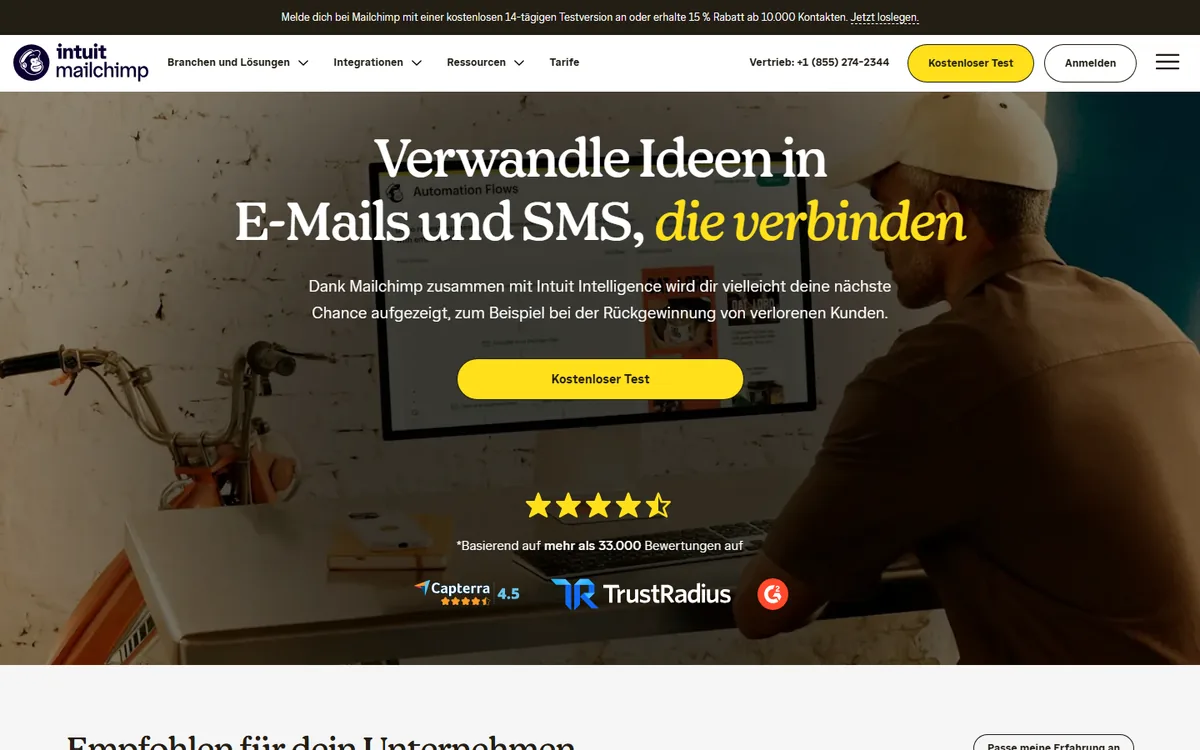
A Familiar Starting Point for Nonprofit Email With a Free Plan to Try First
Mailchimp is where many nonprofits send their first newsletter. It covers email campaigns, audience segments, automations and landing pages, and its free plan lets you test the basics before you spend anything.
In my client work, Mailchimp suits teams that want to send a monthly story and a few campaign emails without a long setup. You can build a welcome series with its automations, which is one of the first fixes I suggest in my nonprofit marketing tips. The trade-off is that donor data lives in a marketing tool, so once you track gifts and recurring donors you will want a CRM next to it. G2 reviewers also ask for more design flexibility and deeper reporting.
What I Like About Mailchimp
- A free plan for small lists, which makes a trial risk-free
- Easy templates and automations for welcome series
- Many integrations with websites and donation tools
What I Don’t Like About Mailchimp
- Prices rise as your contact count grows
- Donor and gift data needs a separate system
Mailchimp Pricing
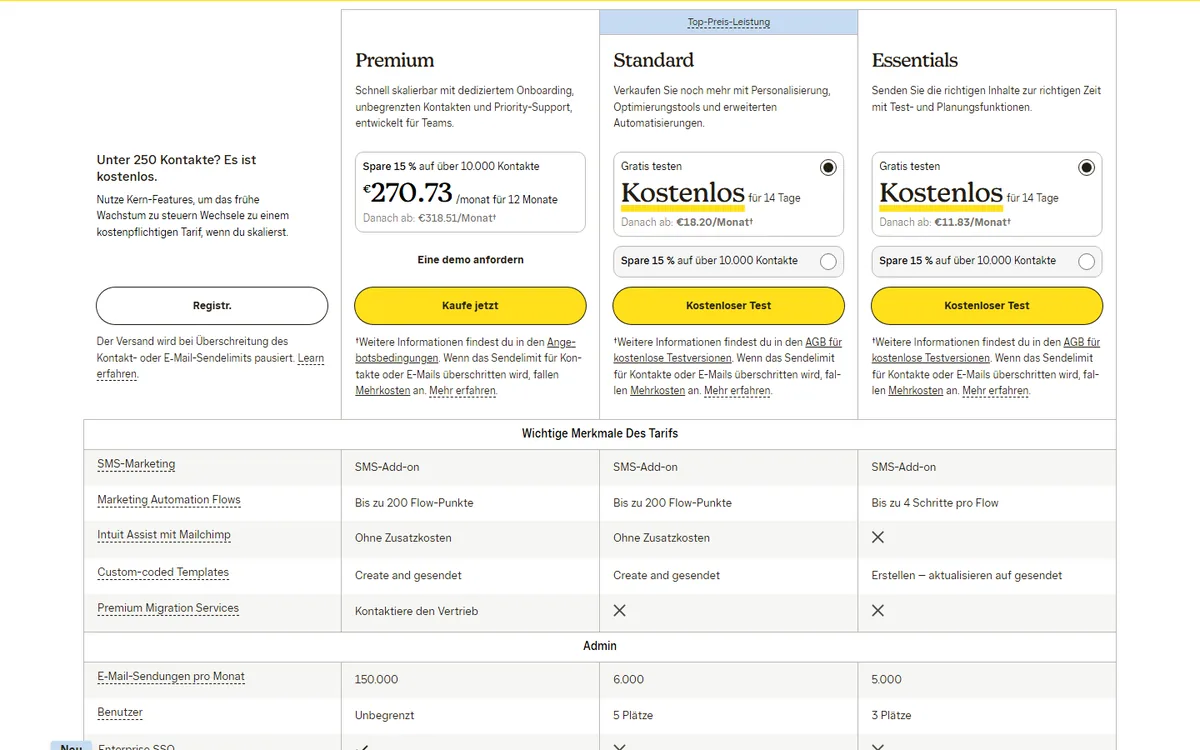
Mailchimp offers a Free plan for up to 250 contacts, with a limit of 500 sends a month. Essentials is listed at $13 per month and Standard at $20 per month for the first 12 months, and Premium at $350 per month. The page does not show the rate after the first year. Nonprofits can request 15% off by signing up for a free account and contacting the billing team.
Mailchimp Reviews
Constant Contact
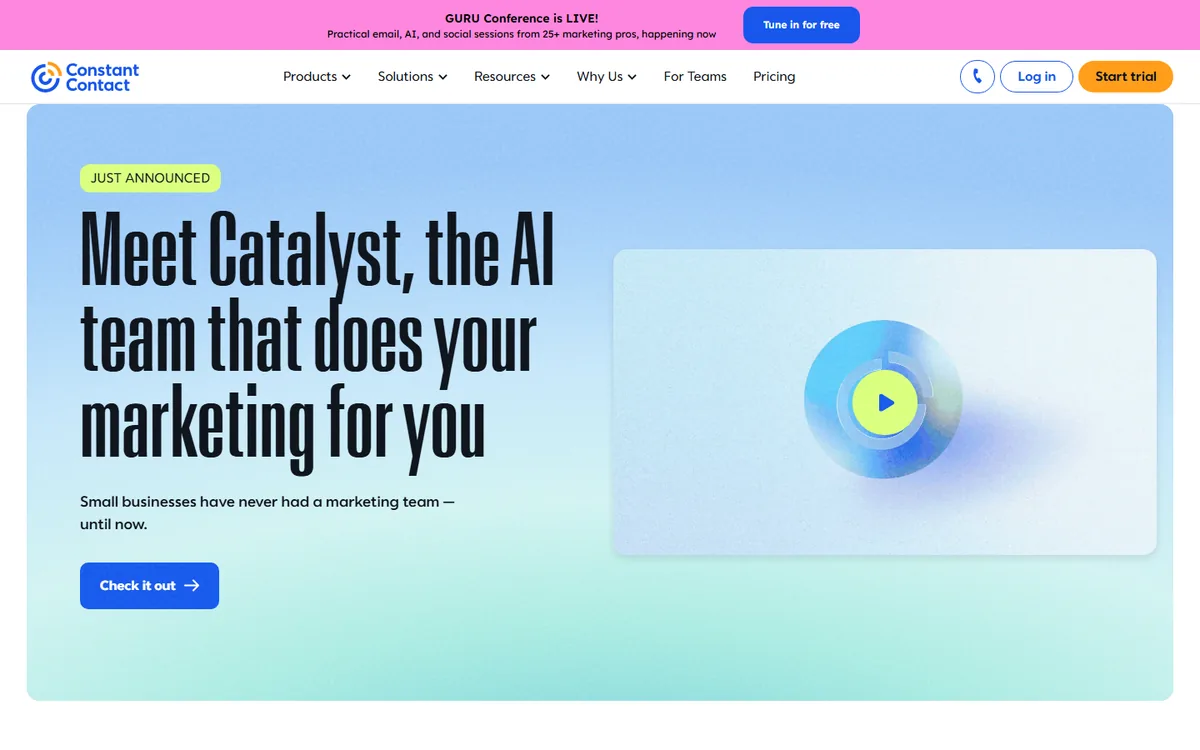
A Beginner-Friendly Email Platform With Real Nonprofit Discounts
Constant Contact focuses on email and simple campaigns for small organizations, with contact management, landing pages and social sharing in the same place.
It stands out for its nonprofit pricing and its coaching. The company offers nonprofits 20% off when they prepay for six months, or 30% off when they prepay for a year, and its higher tier includes a personal coach, which helps a team that is new to email. Its pricing page, at the time I read it, did not list plain monthly prices, so ask for the nonprofit quote in writing. For event-heavy organizations, the sign-up and reminder tools are a plus, and my nonprofit marketing examples show how events like Earth Hour rely on that kind of simple registration flow.
What I Like About Constant Contact
- A 60-day free trial of the Toolkit
- Discounts for six-month and annual prepayment
- A coaching option for newer teams
What I Don’t Like About Constant Contact
- Prices are not listed on the page, so you need a quote
- Less flexible than some tools for complex automations
Constant Contact Pricing
Constant Contact shows a 60-day free trial of its Toolkit. The page I read describes three tiers: basic email campaigns, a tier with Plus Campaigns for landing pages and tracking and a tier with a personal coach, without listing monthly prices. Nonprofits get 20% off a six-month prepay or 30% off a year prepaid.
Constant Contact Reviews
HubSpot Marketing Hub
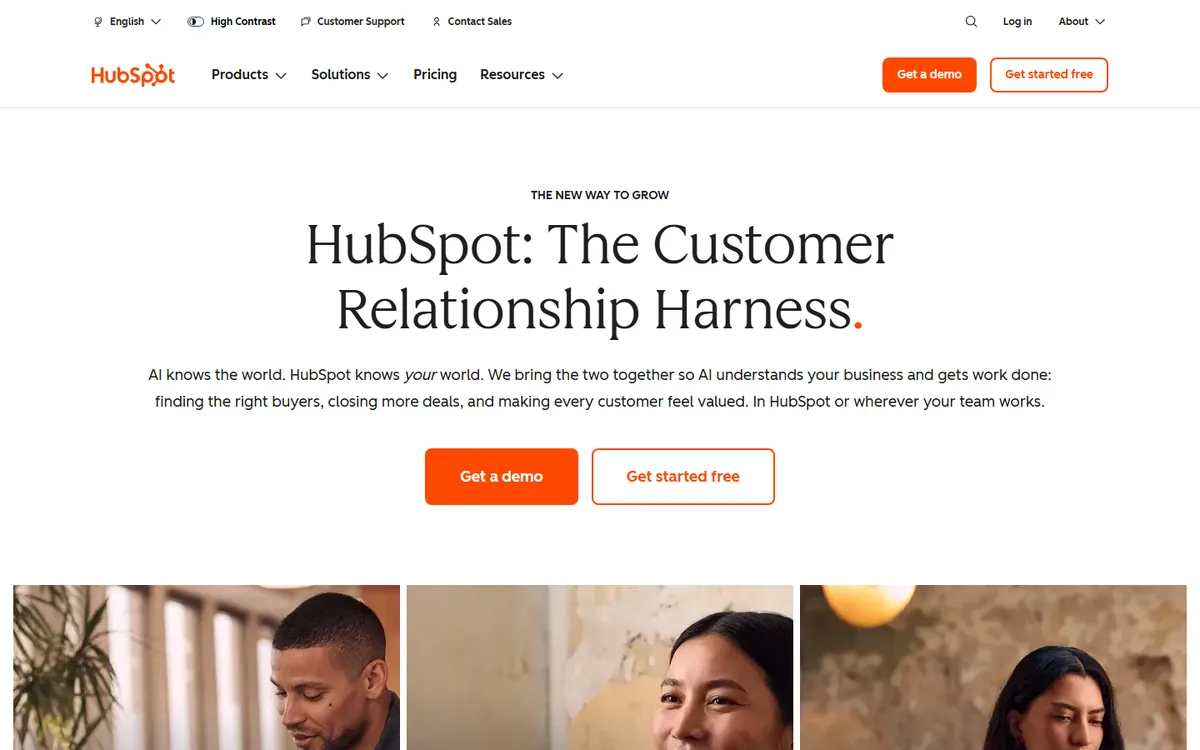
The Strongest All-in-One Choice if You Have Someone Who Will Run It
HubSpot combines email, forms, landing pages, a CRM and reporting in one system, and its free tools let a small team start with contacts and basic email at no cost.
I recommend HubSpot to nonprofits that want one place to see every supporter, volunteer and partner and what each has done. Workflows can send a thank-you or a follow-up automatically, and reporting links email to results. The cost climbs fast, though. Professional is a large step up from the entry tier, and HubSpot lists a one-time onboarding fee for it. HubSpot runs a nonprofit program with discounted pricing, so apply before you buy. If you are starting from scratch, my nonprofit marketing strategy guide helps decide whether you need this much.
What I Like About HubSpot Marketing Hub
- Free tools for up to two users
- Contacts, email and reporting in one system
- A nonprofit program with discounted pricing
What I Don’t Like About HubSpot Marketing Hub
- Professional and Enterprise tiers have large onboarding fees
- More setup and skill needed than a basic email tool
HubSpot Marketing Hub Pricing
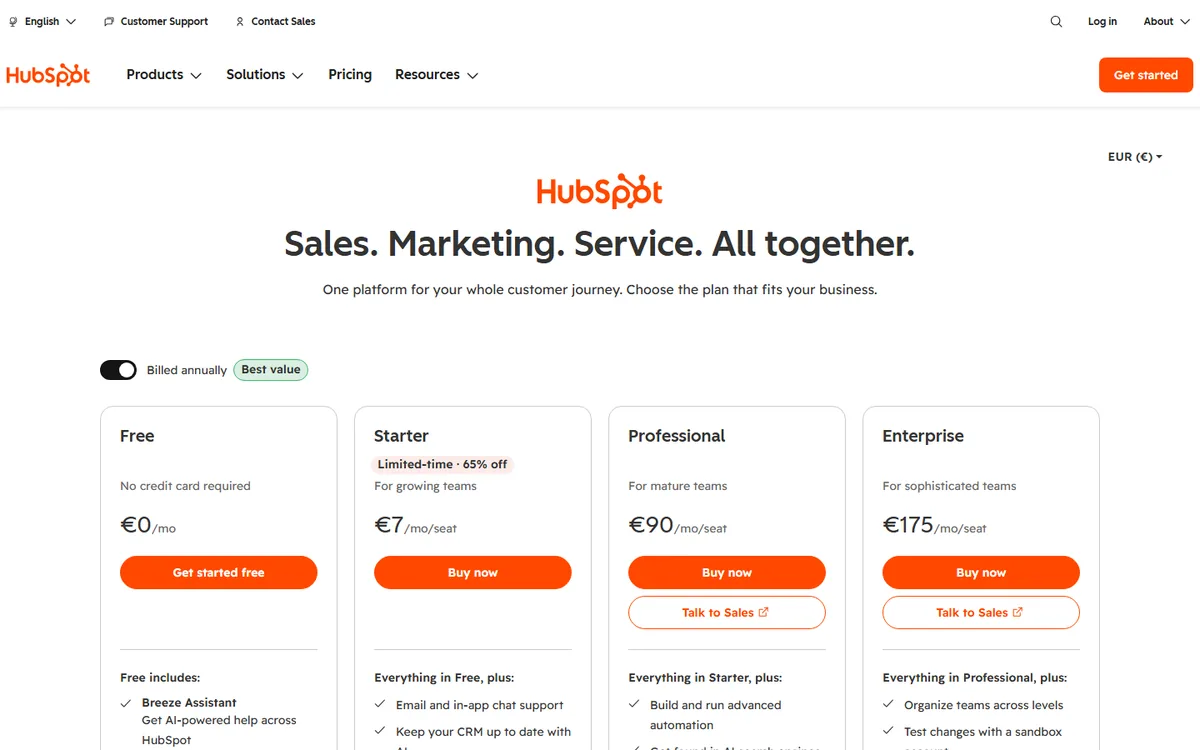
HubSpot's free tools cost $0 for up to two users. Marketing Hub Starter starts at $7 per seat per month on the pricing page, with $20 per seat also shown. Professional starts at $800 per month with three core seats and a one-time $3,000 onboarding fee, and Enterprise starts at $3,600 per month with a $7,000 onboarding fee. HubSpot does not state its nonprofit discount on the page, so check the nonprofit program for the current amount.
HubSpot Marketing Hub Reviews
Canva
The Easiest Design Tool for Small Teams, Free for Approved Nonprofits
Canva lets people without design training create social graphics, flyers, reports and slides from templates, and approved nonprofits get premium features at no cost.
Canva for Nonprofits gives approved organizations the premium features of Canva Teams, including more than 420,000 templates, brand kits, Magic Resize and 100GB of storage. A brand kit means a volunteer and a staff member produce graphics that look alike, which matters more for trust than most teams expect. You apply through a form and wait for verification. The limits show up when you need print-ready files for complex layouts, where a professional designer is still the better choice. A simple design routine fits the plan in my nonprofit marketing strategy guide.
What I Like About Canva
- Free premium features for approved nonprofits
- Brand kits keep colors, fonts and logos consistent
- Fast for social graphics and event materials
What I Don’t Like About Canva
- You must apply and wait for verification
- Not a substitute for a designer on large print projects
Canva Pricing
Canva for Nonprofits provides the premium features of Canva Teams at no cost to approved nonprofits. You fill out an application, Canva verifies eligibility and you receive a confirmation email. The page does not list the eligibility criteria, so check the form for current requirements.
Canva Reviews
Buffer
A Low-Cost, Uncluttered Way to Schedule Social Posts
Buffer schedules posts across social channels and shows basic analytics, with a free plan for up to three channels.
I point small nonprofits to Buffer when their social media is one person's side task. You write a week of posts in one sitting and the tool publishes them. The pricing is per channel, so the cost depends on how many platforms you use, which discourages the habit of spreading thin across six accounts. M+R reports that nearly all nonprofits use Facebook and Instagram, so two channels is a sensible starting point. The free plan is limited to ten scheduled posts per channel and one user, which suits a very small team and not a group.
What I Like About Buffer
- A free plan with up to three channels
- Simple interface that is quick to learn
- Per-channel pricing that stays predictable
What I Don’t Like About Buffer
- The free plan limits scheduled posts and users
- Advanced analytics and reports need a paid plan
Buffer Pricing
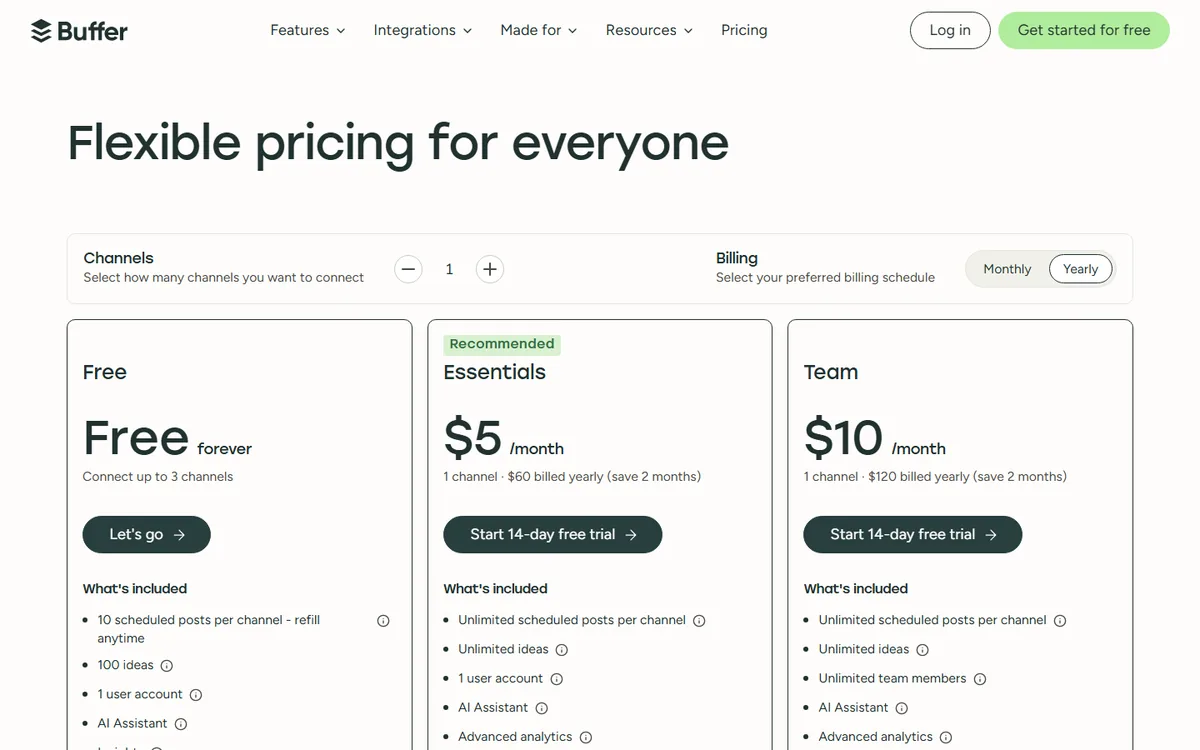
Buffer's Free plan connects up to three channels, with 10 scheduled posts per channel and one user. Essentials costs $5 per month per channel, or $60 per channel billed yearly, and Team costs $10 per month per channel, or $120 per channel billed yearly. Buffer does not list a nonprofit discount on its pricing page.
Buffer Reviews
Hootsuite
A Heavier Social Platform for Teams That Need Approvals and Reports
Hootsuite manages scheduling, monitoring and reporting across many social accounts, and it is built for teams that share the work.
I would only suggest Hootsuite to a nonprofit with several people posting, multiple accounts and a need to monitor conversations. The plans are priced per user and billed annually, so the cost is a real line item, and a small team will pay for features it does not use. If you only need to schedule posts, Buffer is lighter. For an organization running campaigns with chapters or branches, the shared calendar and permissions can save coordination time. Check the data in my guide to nonprofit marketing statistics before putting budget into social, because email and search often return more.
What I Like About Hootsuite
- Strong team features and permissions
- Monitoring and reporting across many accounts
- A 14-day free trial on the main plans
What I Don’t Like About Hootsuite
- Per-user pricing is high for small teams
- Plans are billed annually
Hootsuite Pricing
Hootsuite lists Standard at $99 per user per month, Professional at $199 per user per month and Advanced at up to $399 per user per month, billed annually and excluding taxes. Enterprise pricing is custom. Standard, Professional and Advanced include a free 14-day trial. The page I read did not mention a nonprofit discount.
Hootsuite Reviews
Givebutter
A Free Fundraising Platform That Covers Donations, Events and Donor Records
Givebutter combines donation pages, events, peer-to-peer fundraising, donor management and messaging, and its core tools are free.
Givebutter's model is unusual: donors can add an optional tip, and with tips on, the platform charges the nonprofit no platform fee. Turn tips off and a flat 3% platform fee applies, plus standard processing rates. Unlimited users, contacts and campaigns are included, which helps small teams that outgrew a spreadsheet. The optional Plus plan adds workflows, reporting, texting and priority phone support. In the examples I describe in nonprofit marketing examples, peer-to-peer pages power campaigns like Movember, and this type of tool supports them. Review how the tip prompt looks to your donors, because some organizations prefer not to show it.
What I Like About Givebutter
- Core tools are free, with unlimited users and contacts
- Fundraising pages, events and donor records in one place
- A 30-day trial of the paid Plus plan
What I Don’t Like About Givebutter
- The tip prompt is not to every organization's taste
- Plus pricing is hard to map across contact tiers
Givebutter Pricing
Givebutter's core tools are free. With tips enabled there is a 0% platform fee, and with tips disabled a flat 3% platform fee applies, plus processing of 2.9% + 30 cents for cards and 1.9% + 30 cents for ACH. Plus is an optional upgrade that starts at $29 per month for 250 or fewer contacts, with higher tiers costing more. The page's annual figures do not fully reconcile, so confirm current pricing with Givebutter.
Givebutter Reviews
Donorbox
A Straightforward Donation Form You Can Place on Your Own Site
Donorbox provides embeddable donation forms, recurring giving, event ticketing, memberships and peer-to-peer fundraising.
I like Donorbox for organizations that want donation forms on their own website without moving to a larger platform. The pricing is transparent: Standard is free with a platform fee, Pro costs $150 per month with a lower fee and Premium is quoted by sales. That makes it easy to calculate the break-even point from your own volume. Payment processing through Stripe or PayPal is charged separately on top of the platform fee. Make the monthly option prominent, since monthly donors had 71% one-year retention in the M+R data I cover in my nonprofit marketing strategy guide.
What I Like About Donorbox
- Clear plan structure with a free entry plan
- Forms that sit on your own website
- A lower platform fee on Pro and Premium
What I Don’t Like About Donorbox
- Processing fees are charged on top of platform fees
- Pro costs $150 a month, a big step for a small team
Donorbox Pricing
Donorbox's Standard plan costs $0 per month with a 2.95% platform fee on donation forms, pages, QuickDonate and crowdfunding, and 3.95% on event ticketing, memberships and supporter peer-to-peer. Pro is $150 per month with a 1.75% fee on the core features and 2% on events, memberships and peer-to-peer. Premium is quoted by sales with a 1.6% fee. Stripe or PayPal processing fees are extra.
Donorbox Reviews
Neon CRM
A Full Nonprofit CRM With Pricing Based on Revenue, Not Records
Neon CRM covers donor management, fundraising, grant management and communications, with add-ons for events, volunteers and memberships.
The distinctive point is the pricing basis. Neon says it charges based on revenue instead of records, so a large contact list does not by itself push your price up. That suits organizations with big email lists and moderate income. The platform brings supporter profiles, recurring gifts, peer-to-peer fundraising, stewardship journeys and a donor portal together, and support by chat, email and phone is included. Plan for setup time, because a full CRM needs clean data and a few weeks of configuration. It fits organizations that have outgrown spreadsheets and basic donation tools.
What I Like About Neon CRM
- Pricing based on revenue instead of records
- Events, memberships and grants in the same system
- Phone, chat and email support included
What I Don’t Like About Neon CRM
- Add-on prices are not published
- Setup takes more time than a donation form
Neon CRM Pricing
Neon's pricing page lists Neon CRM starting at $99 per month. Pricing is based on revenue instead of records. The page names three feature groups, donor management, fundraising and communications, without separate tiers, and it does not give prices for add-ons such as events, volunteers, memberships and Neon Pay.
Neon CRM Reviews
Bloomerang
A Donor-Focused CRM Built Around Relationships and Retention
Bloomerang combines a donor CRM, fundraising tools and volunteer management, and it puts donor engagement at the center of the product.
Bloomerang's focus on relationships matches the single biggest leak I see in nonprofit marketing, the second gift. M+R found that 24% of new online donors gave again, against 66% of prior donors, and a CRM that prompts you to thank and follow up helps close that gap. Pricing is based on the number of records in your database, billed annually and with unlimited users, and proposals bundle training and onboarding. There is no public starting price, so you need a quote. See my nonprofit marketing statistics for the retention data behind this.
What I Like About Bloomerang
- Unlimited users on every plan
- Training and onboarding included in proposals
- Product built around donor engagement
What I Don’t Like About Bloomerang
- No public starting price
- Pricing grows with the number of records
Bloomerang Pricing
Bloomerang does not publish a starting price. Pricing is based on the number of records you track, is billed annually and includes unlimited users. Proposals bundle fundraising, CRM and volunteer management with training and onboarding, and Giving Platform pricing is custom. Request a quote to see the current price.
Bloomerang Reviews
Salesforce Nonprofit Cloud
The Most Powerful Option, and the One That Needs the Most Care to Run
Salesforce Nonprofit Cloud is a configurable CRM with AI, automation and, in its higher editions, grantmaking and service tools.
I put it last because it asks the most of you. The editions run from Sales & Service Core at $70 per user per month to Sales Max and Service Max at $285, billed annually under a contract with usage restrictions. The Power of Us program gives eligible nonprofits 10 Nonprofit Cloud Core licenses at no cost, which makes the entry price attractive. The cost then moves to setup, administration and training. If you have a skilled administrator or a partner, it can handle complex programs and reporting that smaller tools cannot. Without one, I would choose a simpler CRM.
What I Like About Salesforce Nonprofit Cloud
- Very configurable for complex programs
- 10 free Core licenses for eligible nonprofits through Power of Us
- Grantmaking and service options in higher editions
What I Don’t Like About Salesforce Nonprofit Cloud
- Needs an administrator or a partner to set up well
- Costs rise quickly beyond the free licenses
Salesforce Nonprofit Cloud Pricing
Salesforce lists Nonprofit Cloud editions per user per month, billed annually: Sales & Service Core at $70, Sales & Service Advanced at $125, Sales Max at $285 and Service Max at $285. These editions require an annual contract and usage restrictions apply. Eligible nonprofits receive 10 Nonprofit Cloud Core licenses at no cost through the Power of Us program, and additional licenses are discounted.
Salesforce Nonprofit Cloud Reviews
Is a Paid Tool Worth It for Your Team?
Pick one task you would hand to a tool, such as sending thank-you emails, scheduling social posts or building donation reports. Enter the hours it takes today and the monthly price you are considering. The calculator estimates how much time and money the tool could free up. Remember to count setup and learning time, which the estimate leaves out.
Is the Tool Worth It for You?
Set the sliders to the work the tool would handle and the plan you have in mind.
How to Choose the Right Nonprofit Marketing Tool
Start from your process. Write down how a supporter hears from you, gives and gets thanked. Then find the step that takes the most staff time or loses the most people. That step tells you which category of tool to look at first.
If your email list is small and your giving is simple, start with Mailchimp or Constant Contact and a free design tool. If you track recurring gifts and events, look at Givebutter or Neon CRM. If you struggle to keep donors, look at Bloomerang. If you have an administrator and complex programs, Salesforce becomes an option. For ideas about which routines to put in place once you have a tool, see my list of nonprofit marketing tips, and for how other organizations used simple tools to raise money, read nonprofit marketing examples.
Ask each vendor for the nonprofit price in writing, run a short trial with your real data and check how well it connects to the tools you already use. If you would like a second opinion on your setup, a short call usually settles it.
Questions About Choosing Nonprofit Marketing Tools
What Is the Best Email Tool for a Small Nonprofit?
For most small organizations I start with Mailchimp or Constant Contact. Mailchimp has a free plan for up to 250 contacts, and offers nonprofits 15% off paid plans on request. Constant Contact offers nonprofits 20% off for a six-month prepay and 30% off for a year. Try the free options first and compare how easy each one is for your own team.
Do I Need a Donor CRM, or Is an Email Tool Enough?
An email tool is enough while you have a small list and a simple giving program. A donor CRM starts to pay off when you need to track gifts, recurring donors and relationships in one place, and when you want to see each supporter's history before you write to them. Givebutter, Neon CRM and Bloomerang all cover that need at different price points.
Are There Free Marketing Tools for Nonprofits?
Yes. Canva gives approved nonprofits the premium features of Canva Teams at no cost, Buffer has a free plan for up to three channels, Mailchimp and HubSpot have free tiers and Givebutter's core tools cost nothing. Salesforce's Power of Us program gives eligible nonprofits 10 Nonprofit Cloud Core licenses at no cost. Always check eligibility on each vendor's page.
How Do I Pick Between Givebutter and Donorbox?
Look at how each charges. Givebutter is free and asks donors for optional tips, with a flat 3% platform fee if you turn tips off. Donorbox's Standard plan is free with a 2.95% platform fee on donation forms, and its Pro plan costs $150 per month with a 1.75% fee. At low volumes the free options work. At higher volumes, run the numbers for your own average gift.
Is Salesforce Too Big for a Small Nonprofit?
Often, yes, unless you have someone to administer it. The Power of Us program offers 10 free Nonprofit Cloud Core licenses to eligible organizations, but setup and upkeep take skill and time. A simpler CRM like Neon CRM or Bloomerang usually fits a small team better.
Should We Use One Platform for Everything?
It depends on your size. A single platform means fewer connections to maintain, and a mix of specialist tools often gives you better features. I usually suggest a donor CRM or donation platform as the core, plus an email tool and a design tool that connect to it.
How Do I Know a Tool Is Worth Paying For?
Estimate the hours it saves and the extra revenue it helps raise, subtract the cost and compare. The calculator on this page helps with the time side. Run a short trial with real data, and ask the vendor for the nonprofit price in writing before you decide.
Please note: pricing, plans and ratings change often. They were checked on vendor and G2 pages when this article was last updated, so confirm them on each vendor’s site before you buy. None of this is legal or financial advice.
Was this guide helpful?
Thanks for your feedback.
Warren Albright
Warren leads the Blue Hornet editorial team and works with the consultants to turn real client projects into practical guides on content, paid media, marketing automation, CRM and analytics. He comes from content and demand generation work, edits every article before a working marketing consultant reviews it, and draws on strategies, channel plans and audits from client projects to keep the advice grounded in real numbers.