Quick Summary
- Fix authentication and list health first, because every later improvement depends on mail reaching real inboxes.
- Build a welcome flow and one revenue flow before you spend time on campaigns.
- Test one variable at a time and judge results by clicks and revenue, not opens.
- Review monthly and audit yearly, with revenue per email sent as your main number.
Most email programs lose money in the same eight places. Mail lands in spam, the list is stale, nobody checked consent, the welcome flow is one message long. If you want a specialist to work through them with you, email marketing consulting covers every point on this list.
I use this checklist at the start of client projects, and I recommend you tick every item before you plan your next campaign. It takes a few days of focused work and removes the problems that quietly cost the most.
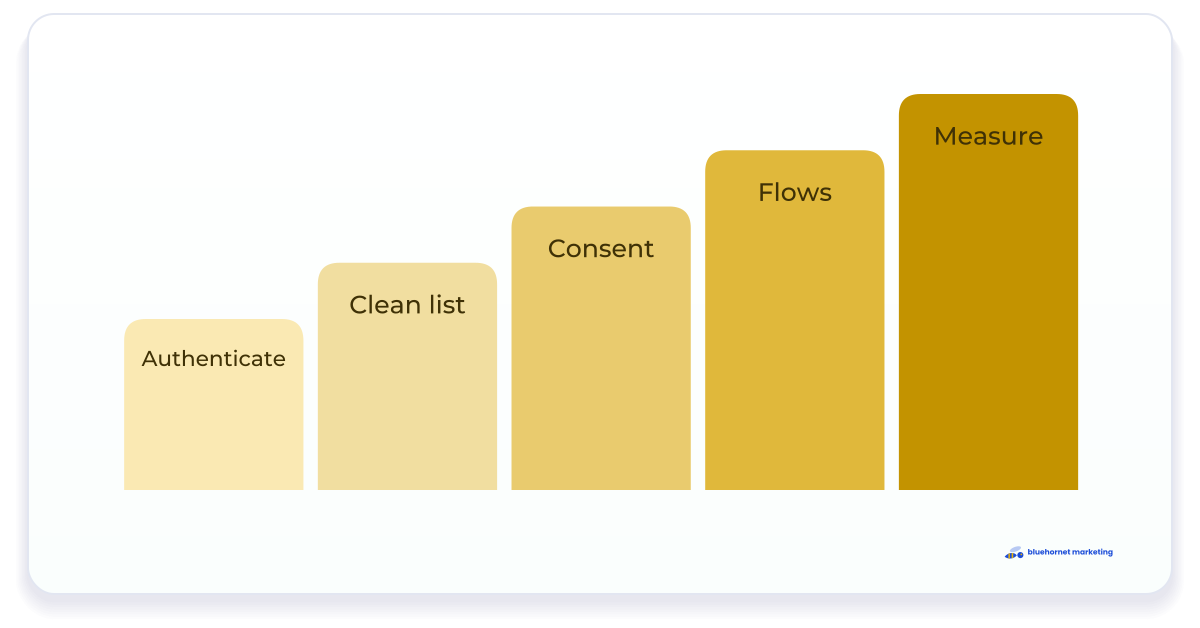
The Eight Checks at a Glance
| Check | Area | Time needed |
|---|---|---|
| 1. Authenticate your sending domain | Deliverability | 1 to 2 hours |
| 2. Clean and segment your list | List health | 1 to 2 days |
| 3. Check consent and legal basics | Compliance | 1 day |
| 4. Build the welcome flow | Automation | 3 to 5 days |
| 5. Set up revenue flows | Automation | 1 to 2 weeks |
| 6. Design emails for every device | Content | 2 to 3 days |
| 7. Plan tests and a sending rhythm | Optimization | 1 day |
| 8. Report on revenue and review monthly | Measurement | Monthly |
The Eight Checks, Explained
Authenticate your sending domain
Before anything else, make sure mailbox providers can verify that your emails really come from you. That means SPF, DKIM and a DMARC record on the domain you send from. Without them, even great emails drift into spam, and no amount of copy work fixes that. Most platforms walk you through the DNS records, and a free checker confirms they work.
What to confirm
- SPF and DKIM pass for your sending domain
- A DMARC record is published and monitored
- The From address uses your own domain, not a free mailbox
Clean and segment your list
A list is an asset only while the people on it are real and interested. Remove hard bounces, spam traps you can identify and contacts who have not opened or clicked in a long time, after a final re-engagement attempt. Then split the list into segments that match how people behave: new subscribers, buyers, repeat buyers and lapsed contacts.
What to clean
- Hard bounces and invalid addresses removed
- A re-engagement email sent before inactive contacts are dropped
- At least three behavior-based segments created
Check consent and legal basics
Every contact should have a record of how and when they agreed to hear from you, and every email needs a working unsubscribe link and your business address. Rules differ by country and industry, so ask your legal adviser to confirm current requirements for the markets you serve. I treat this as a setup task, not an afterthought, because fixing it later is much harder.
What to verify
- Consent source and date stored for each contact
- Unsubscribe link works and is honored quickly
- Business address and sender identity shown in the footer
Build the welcome flow
New subscribers pay the most attention in their first days. A welcome flow of three to five emails should introduce who you are, deliver what you promised on the signup form and point to a first useful action. In my client work, a thin welcome flow is one of the most common and cheapest gaps to close.
What the flow needs
- The promised bonus or content is delivered in email one
- One clear action per email
- Exit rules when the person buys or clicks the goal link
Set up revenue flows
After the welcome flow, add the sequences that follow money: abandoned cart or browse for stores, trial-to-paid for software, quote follow-up for services, plus post-purchase and win-back. These run on their own and often earn more than any campaign you send by hand. My email marketing mistakes guide covers what usually goes wrong in them.
Flows to build next
- Cart, browse or lead follow-up flow live
- Post-purchase flow asking for reviews or reorders
- Win-back flow for lapsed buyers
Design emails for every device
More than half of opens often happen on phones, so check every template on a small screen. Keep one main message, a clear button and readable text size. Preview in the main email clients, and include alt text and a plain text version so the email still works when images are blocked.
What to test
- Single-column layout that reads well on phones
- One primary button with a clear label
- Alt text, plain text version and preheader written
Plan tests and a sending rhythm
Decide how often you will email, on which days and which tests you will run. Change one variable at a time: subject line, offer, send time or layout. Judge tests on clicks and revenue, not opens alone, because mail apps that preload images make open rates unreliable.
What to plan
- A calendar for the next 8 weeks
- One test running at any time with a written hypothesis
- Success measured by clicks, conversions and revenue
Report on revenue and review monthly
Report revenue per email sent, click rate, conversion rate, list growth, unsubscribe and complaint rates for campaigns and flows separately. Review monthly, retire what underperforms and note what you learned. A yearly email marketing audit catches what monthly reports miss.
What to track
- Revenue per email sent reported for flows and campaigns
- Unsubscribe and complaint rates watched against limits
- A monthly review with decisions written down
Which Flow Should You Build First?
If you sell online, build the abandoned cart or browse flow first, because it responds to the strongest buying signal you have. If you sell services, build the lead follow-up flow. If you run a newsletter, build the welcome series. The order matters less than finishing one flow completely before starting the next.
| Business type | First flow | Second flow |
|---|---|---|
| Online store | Abandoned cart | Post-purchase |
| Services and B2B | Lead follow-up | Quote reminder |
| Software | Onboarding | Trial to paid |
| Newsletter or creator | Welcome series | Re-engagement |
The Numbers to Track Once the Checks Are Done
After the foundations are in place, a short set of numbers tells you whether the program is healthy. Keep the list short, and look at flows and campaigns separately, since they behave differently.
| Metric | What it shows | How to use it |
|---|---|---|
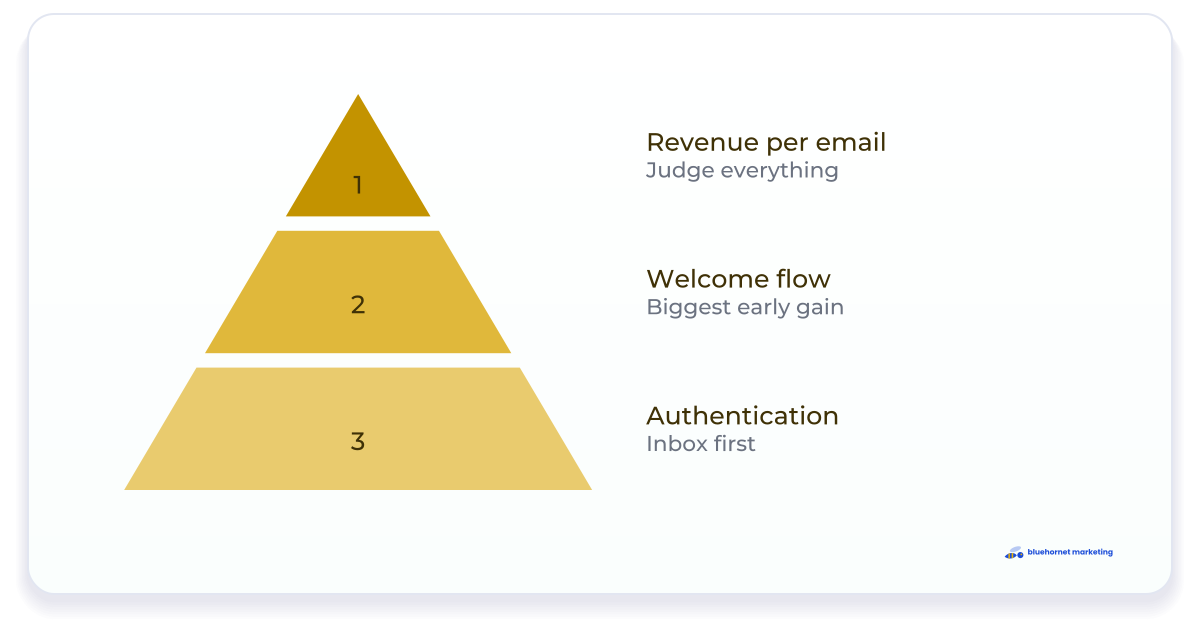
| Revenue per email sent | What each send earns | Compare flows, campaigns and segments |
| Click rate | Whether the message and offer interest people | Judge tests and subject lines |
| Conversion rate | Whether the landing page matches the email | Fix pages after a good click rate |
| Unsubscribe and complaint rate | Whether the audience and frequency fit | Adjust frequency and segments |
| List growth and engaged share | Whether the asset is getting healthier | Decide when to clean or invest in signups |
Record the numbers before you change anything, so you have a baseline. In my client work, the first month after a checklist pass often shows the clearest change in revenue per email, because the biggest leaks close early. Later months give smaller gains, and that is normal.
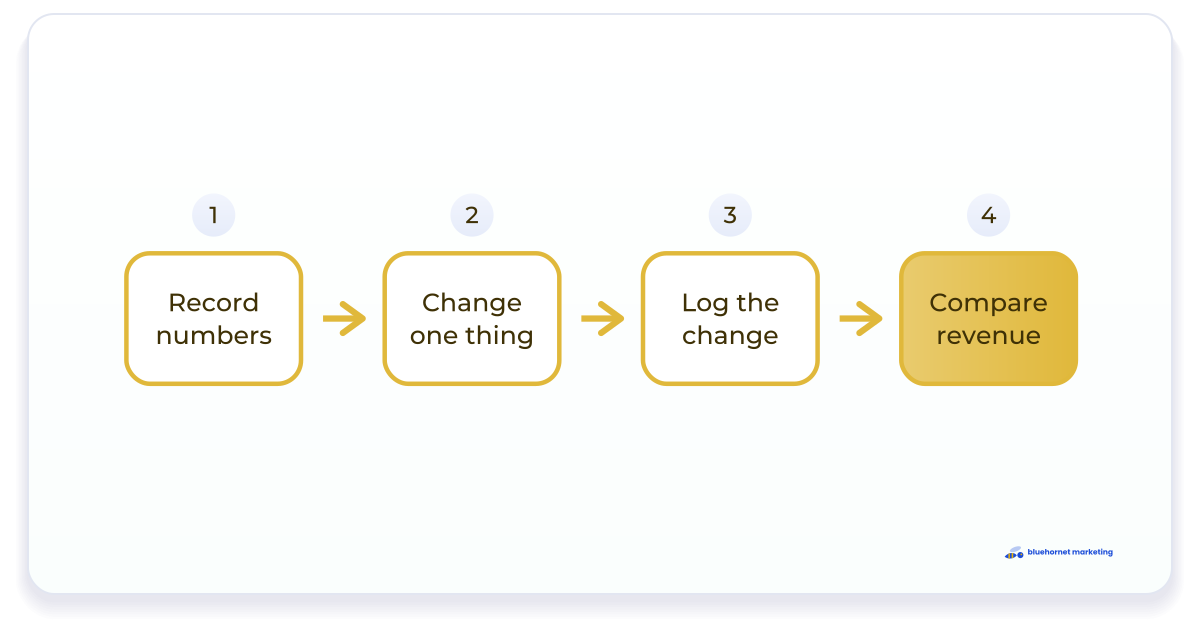
Keep a one-page log of what you changed and when. If revenue per email drops, the log tells you which change to review first. Without it, teams argue about causes from memory, and the argument rarely ends with a fix.
If Your List Is Small
With a list under a few thousand contacts, tests take longer to reach a clear result. Test bigger changes, such as a different offer, rather than tiny wording tweaks. Spend more time on signup sources and the welcome flow, because every new subscriber counts for more. Keep the checklist, but do the checks in a lighter form: one afternoon for each of the first three points is often enough.
Who Should Own Each Check
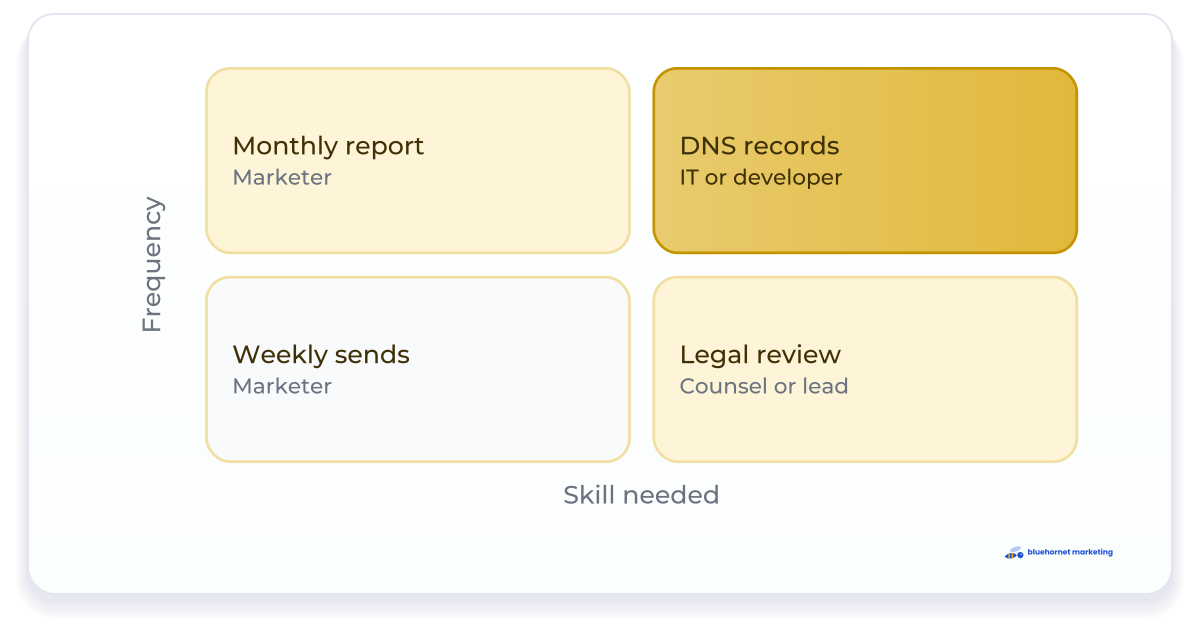
Checks fail when nobody owns them. Authentication and list health belong to whoever manages the platform or the domain, often a marketing operations person or a developer. Consent belongs to the person responsible for policies, with legal review. Flows, design and testing belong to the email marketer. Reporting belongs to whoever reads the numbers every month.
In small teams one person holds all of these roles. That is fine, but write the owner next to each check anyway, because it makes gaps visible. I also set a review date for each owner, so checks do not become a one-time project that nobody revisits when staff or tools change.
How Long the Whole Checklist Takes
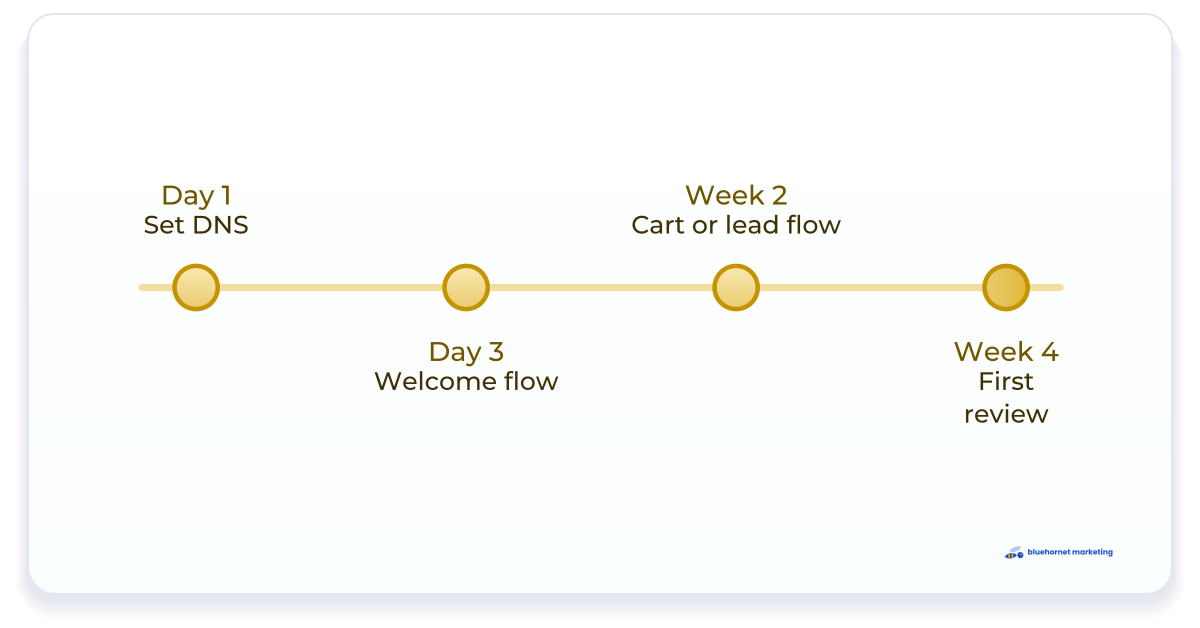
Add up the times in the table and you get roughly three to four working weeks for a small program, spread over six weeks if you work on it part-time. Checks one to three are the quickest and give the biggest protection. Checks four and five take the longest because they involve writing, building and testing.
Do not wait until everything is finished to switch things on. Turn each flow on as soon as it is tested, and watch it for a week before you start the next one. That way you learn from real behavior while the rest of the list is still being built.
How to Choose What to Fix First
If you only have time for part of the list, use your symptoms to decide where to start:
- Low opens and clicks across the board: start with checks 1 and 2.
- Good clicks but few sales: start with checks 4, 5 and 6.
- Rising unsubscribes or complaints: start with checks 2, 3 and 7.
- No idea what works: start with check 8, then plan tests.
If you are choosing or changing platforms as part of this, my ranking of the best email marketing software shows what each option does well. The platform needs to support every check above. The cost of switching is real, so confirm authentication, segmentation and flows before you migrate.
Questions About the Email Marketing Checklist
What Should an Email Marketing Checklist Include?
A solid checklist covers domain authentication, list cleaning and segmentation, consent, a welcome flow, revenue flows, mobile-friendly design, testing and monthly reporting. The eight points below follow that order, so you build the foundation before the campaigns.
How Often Should I Review My Email Marketing?
Review results monthly and run a deeper audit once a year. Check deliverability signals such as complaint and bounce rates every time you send, because those problems get worse quickly when ignored.
How Many Emails Should Be in a Welcome Flow?
Three to five emails over the first one to two weeks is a common starting point. Test the length with your audience. If the later emails get few clicks and add unsubscribes, shorten the flow.
What Is a Good Unsubscribe Rate?
There is no single number that fits every list, so compare against your own history and watch for sudden jumps. A rising unsubscribe or complaint rate usually means the message does not match what people signed up for.
Do I Need to Clean My Email List Regularly?
Yes. Review bounces after every send and run a deeper clean every few months. Removing contacts who never engage improves deliverability and lowers cost on platforms that charge by list size.
Which Email Platform Should I Use?
It depends on your list size, store or CRM and the automation you need. My ranking of the best email marketing software compares twelve options on strengths, limits and pricing.
Is Open Rate Still a Useful Metric?
It is a weak one. Many mail apps preload images and inflate opens. Use opens only to spot big changes in subject line performance, and judge results by clicks, conversions and revenue.
Disclaimer: This article is for general information only and isn’t legal, financial or tax advice. Treat figures as estimates from typical work and confirm details with your providers before you act.
Was this guide helpful?
Thanks for your feedback.
Warren Albright
Warren leads the Blue Hornet editorial team and works with the consultants to turn real client projects into practical guides on content, paid media, marketing automation, CRM and analytics. He comes from content and demand generation work, edits every article before a working marketing consultant reviews it, and draws on strategies, channel plans and audits from client projects to keep the advice grounded in real numbers.