Quick Summary
- Audit in this order: deliverability, list health, segmentation, flows, campaigns, design and reporting.
- Score every finding for impact and effort, then fix the high-impact, low-effort items first.
- Deliverability problems outrank everything else, because they shrink the audience for all your emails.
- Repeat a short check every quarter and a full audit every year.
Most teams look at email results once a month and still miss why revenue is flat. An audit looks underneath the numbers: can mail reach inboxes, who is on the list, which flows exist and what each one earns. If you want an experienced reviewer to run it, email marketing consulting begins with exactly this kind of audit.
Below is the method I use with clients, with the checks for each step and a scoring formula to rank what you find. You can run it yourself in a week or two.
The Seven Audit Steps
| Step | What you review | Data you need |
|---|---|---|
| 1. Deliverability | Authentication, bounces, complaints, inbox placement | DNS records, platform reports |
| 2. List health | Growth, inactive share, signup sources, consent | List export with dates |
| 3. Segmentation | Groups in use, targeting rules, personalization | Segment definitions |
| 4. Automated flows | Which flows exist, timing, logic, results | Flow reports |
| 5. Campaigns | Calendar, frequency, offers, test history | Last 90 days of sends |
| 6. Design and content | Mobile layout, copy, accessibility, links | Template set |
| 7. Measurement | Revenue tracking, attribution, reporting rhythm | Store or CRM revenue |
Step 1: Check Deliverability
Start where the damage is hardest to see. Confirm that SPF, DKIM and DMARC pass for your sending domain, then pull bounce, complaint and unsubscribe rates for your last ten sends. Send test emails to a few mailbox providers and see whether they reach the inbox, the promotions tab or spam.
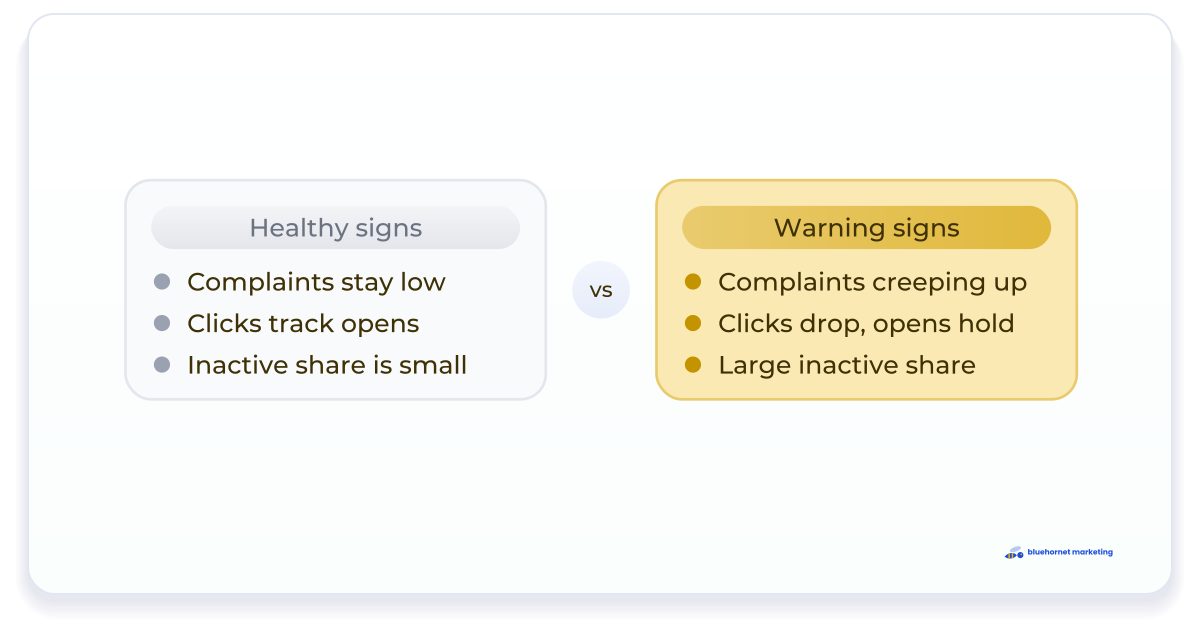
A rising complaint rate or a sudden drop in clicks with stable opens is a classic warning sign. In my client work, a broken authentication record is the single most common finding, and the fix often takes less than an hour. If deliverability is weak, pause the rest of the audit until it is fixed, because all later numbers rest on it.
Deliverability checks to complete
- SPF, DKIM and DMARC pass and are monitored
- Bounce rate and complaint rate reviewed per send
- Inbox placement tested across main providers
- Sending domain and reply-to address reviewed
Step 2: Review List Health
Export your list with signup date, source, last open and last click. Work out what share of contacts engaged in the last 90 days, and how fast the list grows by source. Check that you have consent records and that the signup form tells people what to expect.
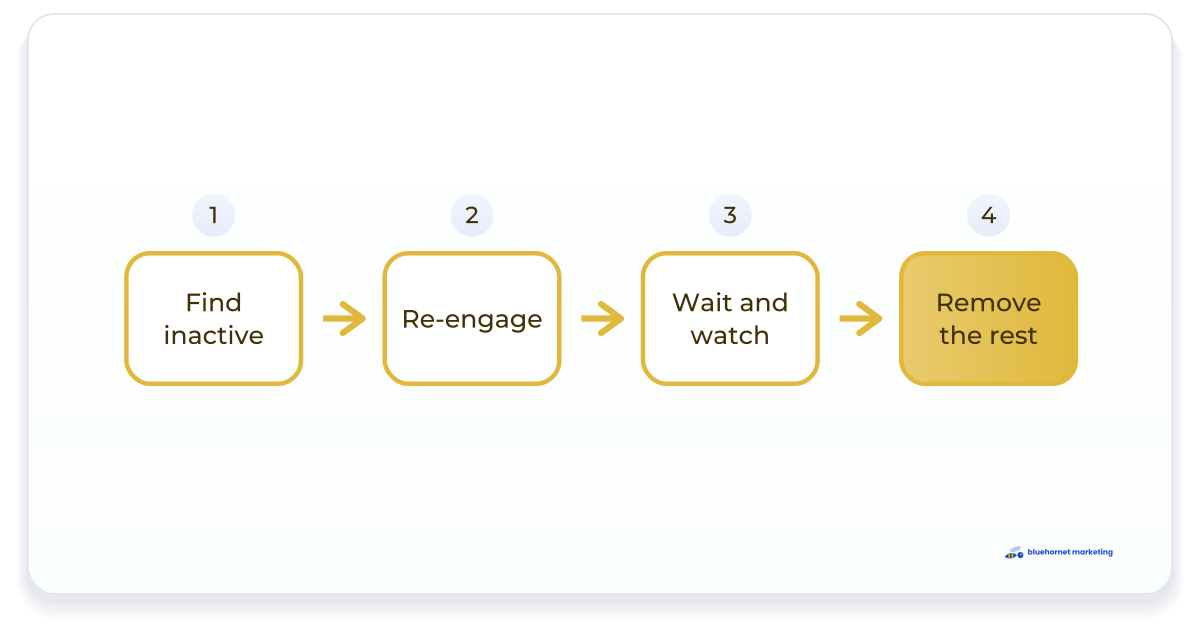
A large inactive share is a warning, not a comfort. It lowers engagement signals, can raise your platform bill and hides who your real audience is. Plan a re-engagement series, then remove contacts who still do not respond.
Step 3: Audit Segmentation
List the segments that exist and the ones actually used in sends. Many accounts have a dozen segments and send to "everyone" anyway. Check whether you target by purchase history, engagement, signup source and interest.
Look for quick wins: a segment of recent buyers who see a launch before everyone else, or a group of engaged non-buyers who need a first-purchase nudge. I also review whether personalization goes beyond a first name, since relevance usually comes from behavior.
Step 4: Audit Automated Flows
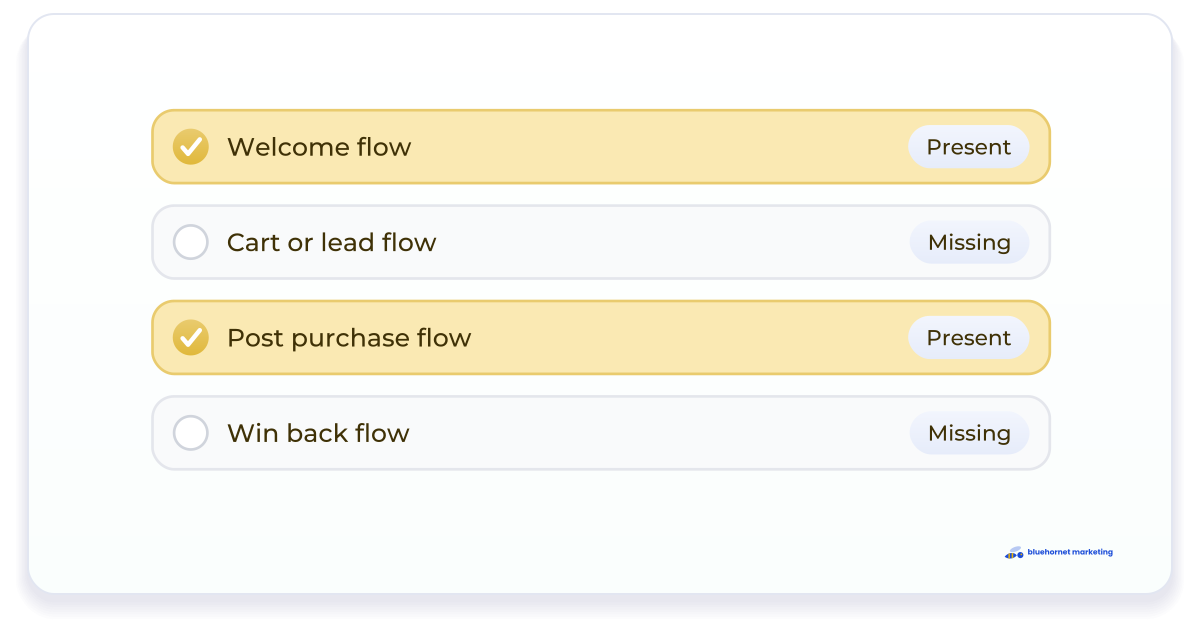
Make a list of every flow that is live and compare it with the standard set: welcome, abandoned cart or lead follow-up, post-purchase, win-back and re-engagement. For each, check the trigger, the timing, the exit rule and the revenue it earns.
Missing flows are usually the biggest opportunity in an audit. Broken flows come second: a welcome series that never fires because of a form change, or a cart flow that keeps emailing people who already bought. The email marketing checklist lists the flows to build first, and my guide to email marketing mistakes shows what goes wrong inside them.
Flow review questions
- Does every trigger still fire after your last site or form change?
- Do exit rules stop emails once the goal is reached?
- Is the timing between emails tested?
- Does each flow report revenue?
Step 5: Review Campaigns and Frequency
Pull the last 90 days of campaigns. Look at how often you sent, how offers rotated, which subject lines worked and what tests ran. Compare engagement for frequent and occasional sends and for the main segments.
If every campaign is a discount, you are training your list to wait for sales. If nothing sells, check whether the call to action is clear. A written test log, with one variable per test, helps more than any single result.
Step 6: Review Design and Content
Open your last five emails on a phone. Check that the layout is a single column, text is easy to read, the main button is easy to tap and images have alt text. Click every link. Check the footer for unsubscribe, address and sender identity.
Read the copy as a stranger would. Is the point clear in the first two lines? Is there one main action? Fix patterns, not single emails, so your templates carry the improvement forward.
Step 7: Check Measurement and Reporting
Confirm that revenue from email is tracked and attributed, and that flows and campaigns are reported separately. Look at what your regular report shows. If it stops at open and click rates, add revenue per email sent, conversion rate and list growth.
Finally, check the rhythm: who reads the report, how often and what decisions come out of it. A report nobody acts on is only decoration.
How to Score and Rank What You Find
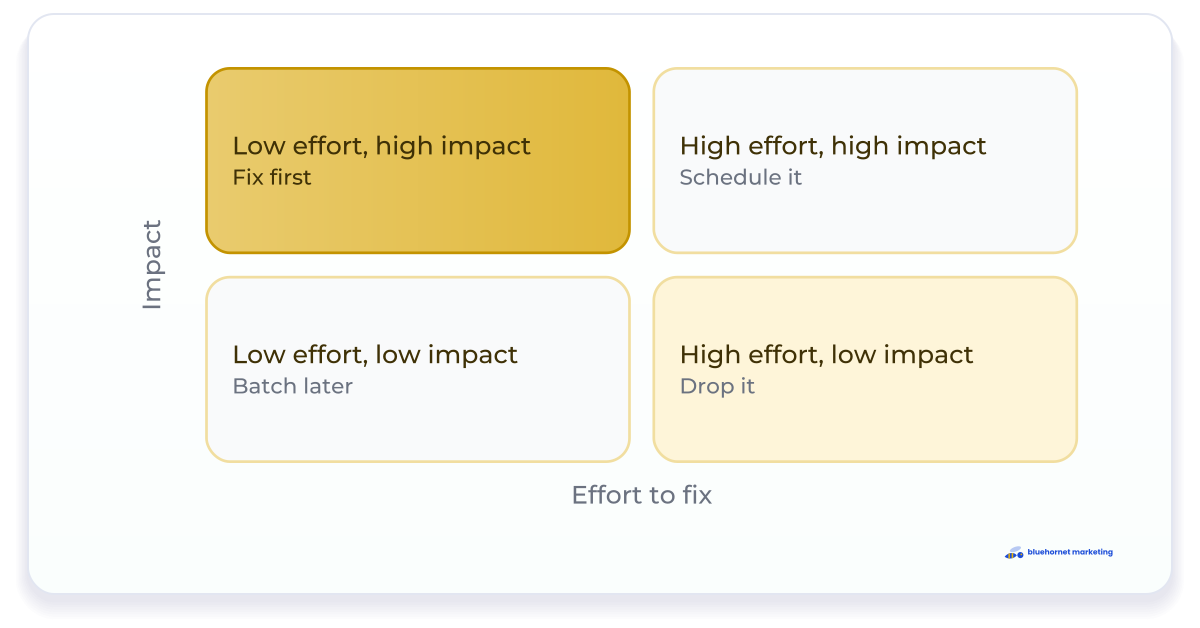
Give every finding an impact score and an effort score from one to five, then rank by impact divided by effort. High-impact, low-effort items go first. Use these starting weights for impact, and adjust them to your business.
| Area | Typical impact | Typical effort | Usual first fix |
|---|---|---|---|
| Deliverability | 5 | 1 to 2 | Fix authentication records |
| List health | 4 | 2 | Re-engage, then remove inactive contacts |
| Flows | 5 | 3 | Build or repair welcome and cart flows |
| Segmentation | 4 | 2 | Split by buyers and non-buyers |
| Design and content | 3 | 2 | Fix mobile layout and the main button |
| Measurement | 4 | 2 | Add revenue per email to reports |
A Short Audit Example
A client with an online store sent two campaigns a week to 40,000 contacts and reported a steady open rate. The audit found three things. Authentication was missing a DKIM record for the sending domain, so a share of mail went to spam. Nearly half the list had not engaged in over a year. The only automated flow was a one-email welcome.
The fix order followed the scoring table. Authentication first, which took an afternoon. Then a re-engagement series and the removal of silent contacts. Then a three-email welcome flow, followed by an abandoned cart flow a few weeks later. Revenue per email sent rose over the following months, while the number of emails sent went down. The point of the example is the sequence, not the numbers: each step made the next one more effective.
What a Good Audit Report Contains
The final report should fit in a few pages. It needs a summary of the three biggest findings, the scored list of fixes, baseline numbers and a 90-day plan with owners. Screenshots help, long lists of minor observations do not. If a report reads like an inventory, ask for it to be reshaped into decisions.
Share the report with the people who will do the work, and walk through it in a short meeting. Reports that are only emailed tend to be admired and forgotten. Book a follow-up review at 30 days to check which fixes are done and what changed in the baseline numbers.
What to Do in the 90 Days After the Audit
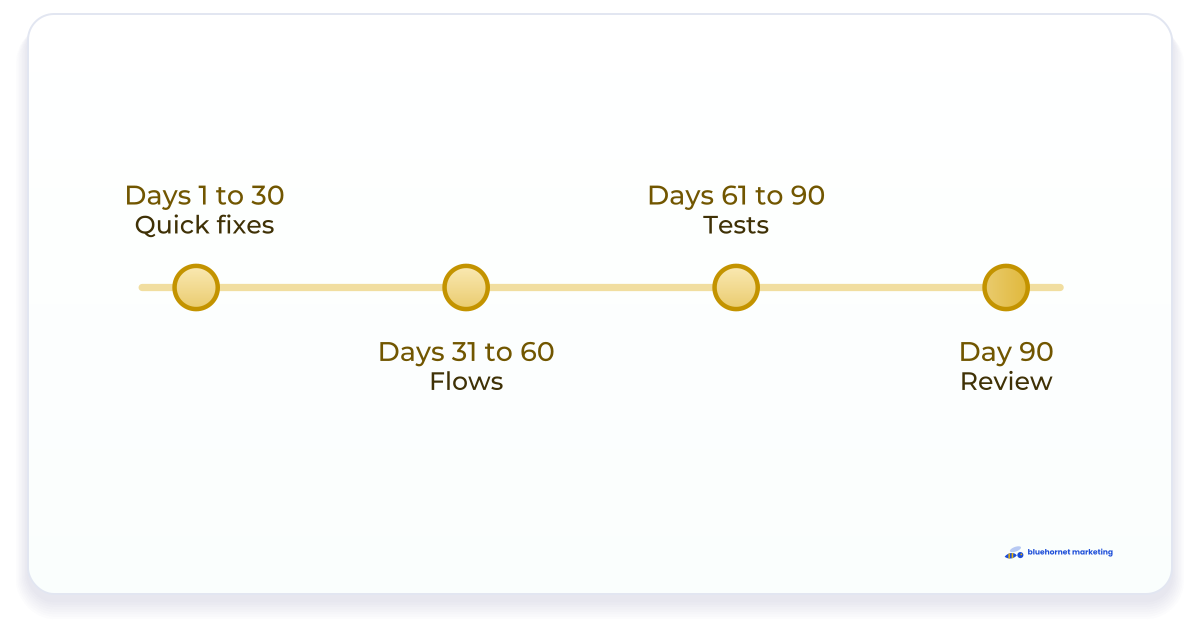
An audit only pays when the fixes happen. Split the ranked list into three batches. In the first 30 days, fix deliverability, clean the list and repair broken flows. In days 31 to 60, build the missing flows and the first segments. In days 61 to 90, start a testing routine and add revenue reporting.
Give each batch an owner and a short review. At the end of each batch, compare the baseline numbers with the new ones and write down one sentence on what changed. If something did not move, ask whether the fix was incomplete or whether the diagnosis was wrong. Both happen, and both are useful to know.
Resist the urge to add new projects during these 90 days. The work in the audit is already enough, and a team that keeps adding experiments rarely finishes the fixes that matter most. After the 90 days, schedule the quarterly check and the next full audit, so the review becomes a habit.
The Quarterly Quick Check
Between full audits, a quarterly check of about an hour keeps problems small. Confirm authentication still passes, scan complaint and bounce rates, count how many flows still fire, and compare revenue per email sent with the last quarter. Note anything that moved by more than a fifth and look for the cause.
Put it in the calendar with the same owner each time. A check that depends on someone remembering will not happen during a busy quarter, which is exactly when problems grow unnoticed.
How to Choose Who Runs Your Audit
You can run it yourself if you have access to the data and can be honest about what you find. Bring in an outside reviewer if your team is too close to the work, if results have stalled for months or if you are about to move platforms. Whoever does it, insist on three outputs:
- A ranked list of fixes with impact and effort scores.
- Written baseline numbers for deliverability, engagement and revenue per email.
- A 90-day plan with owners and dates.
If your audit shows that your platform is the limit, my ranking of the best email marketing software helps you compare replacements before you decide.
Questions About Email Marketing Audits
How Often Should I Audit My Email Marketing?
Run a full audit once a year, and a short deliverability and list check every quarter. Audit sooner after a platform change, a big list import or a sudden drop in clicks or revenue.
How Long Does an Email Marketing Audit Take?
A thorough audit of a mid-sized program usually takes one to two weeks, including data pulls, reviews and writing up findings. A quick check of deliverability and the top flows can be done in a day.
What Tools Do I Need for an Email Audit?
You need access to your email platform's reports, a free authentication and inbox placement checker, your store or CRM revenue data and a spreadsheet. Nothing more is required for a solid first audit.
What Is the Most Important Part of an Email Audit?
Deliverability, because it decides whether anything else matters. If your authentication is broken or complaint rates are high, fix that before you review content, flows or design.
How Do I Score My Email Program?
Rate each area, such as deliverability, list health, segmentation, flows, content and reporting, from one to five using written criteria. Then multiply by an impact weight to rank fixes. The table in this guide gives you a starting set of weights.
Should I Audit Competitors' Emails Too?
It helps for ideas on frequency, offers and flows. Subscribe with a test address and save what you receive for a month. Use it for inspiration and gaps, and judge your own program by your own numbers.
Can I Do the Audit Myself?
Yes, if you have access to your data and time to review it honestly. Many teams bring in an outside reviewer because they are too close to their own emails. A fresh pair of eyes often finds the problems that daily work hides.
Disclaimer: This article is for general information only and isn’t legal, financial or tax advice. Treat figures as estimates from typical work and confirm details with your providers before you act.
Was this guide helpful?
Thanks for your feedback.
Warren Albright
Warren leads the Blue Hornet editorial team and works with the consultants to turn real client projects into practical guides on content, paid media, marketing automation, CRM and analytics. He comes from content and demand generation work, edits every article before a working marketing consultant reviews it, and draws on strategies, channel plans and audits from client projects to keep the advice grounded in real numbers.