Quick Summary
- Check conversion tracking first, because every bid and report depends on it.
- A weekly look at search terms and negatives is the cheapest way to cut wasted spend.
- Landing pages and ad copy decide how many clicks turn into leads, so audit them before you raise budgets.
- Repeat the quick checks monthly and the full review quarterly.
Most search accounts I open have the same few problems, and none of them are exotic. A search engine marketing consulting audit is mostly a structured way of checking that the basics are right, in the right order.
Here is the checklist I use. Each point lists what to verify and the mistake I see most often, so you can score your own account in an afternoon.
The Eight Points and How Long Each Takes
| Point | Check first | Time |
|---|---|---|
| 1. Goals and Conversion Tracking | Each primary conversion matches a real lead or sale, such as a form, a call over a set length or a purchase. | 1h |
| 2. Account and Campaign Structure | Brand and non-brand keywords sit in separate campaigns. | 1h |
| 3. Keyword Research and Match Types | Every keyword has a clear commercial intent. | 2h |
| 4. Negative Keywords and Search Terms | The search terms report was reviewed in the last 7 days. | 30m |
| 5. Ad Copy and Extensions | Each ad group has at least one responsive search ad with varied headlines. | 1h |
| 6. Landing Pages | The headline repeats the search intent. | 2h |
| 7. Budget and Bidding Strategy | Daily budgets fit the number of clicks needed to convert. | 1h |
| 8. Organic Search and Reporting | Search Console is verified and linked to Analytics. | 1h |
1. Goals and Conversion Tracking
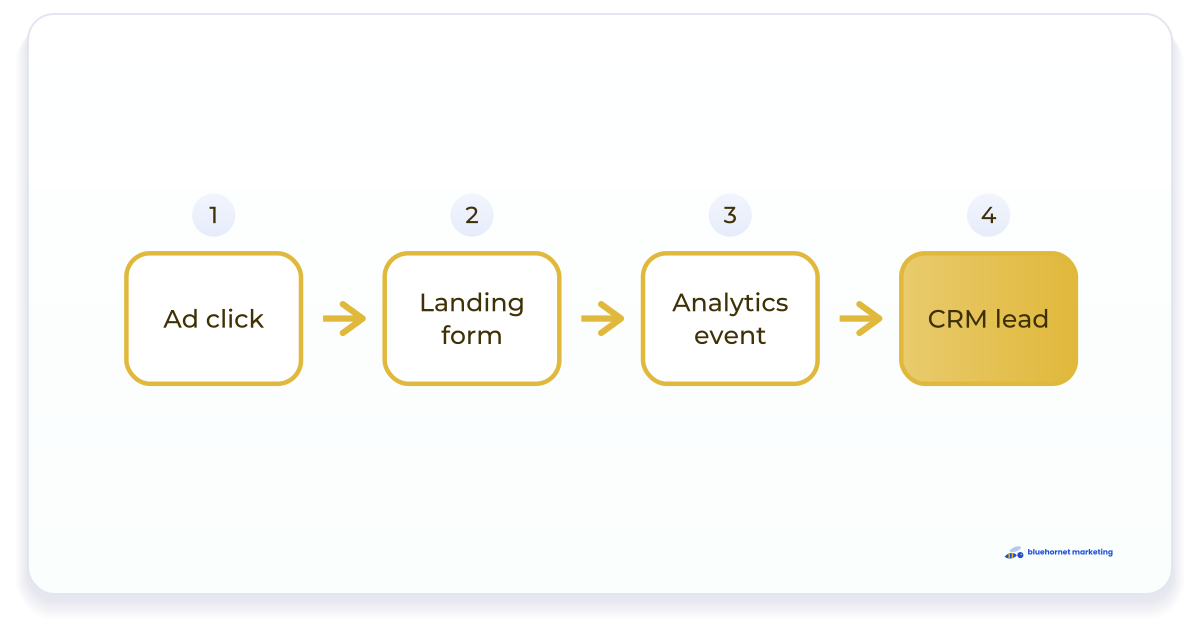
Everything else on this list depends on this point, so I check it first on every account. If tracking counts the wrong actions, each optimization afterwards chases a false number.
Verify:
- Each primary conversion matches a real lead or sale, such as a form, a call over a set length or a purchase.
- Tags fire once per action. Submit a test form and confirm a single conversion.
- Google Ads is linked to Analytics and, where possible, to the CRM.
- Phone calls from ads and from the site are tracked separately.
Avoid: Counting page views, button clicks or newsletter signups as primary conversions. Automated bidding will then optimize toward cheap, useless actions.
2. Account and Campaign Structure
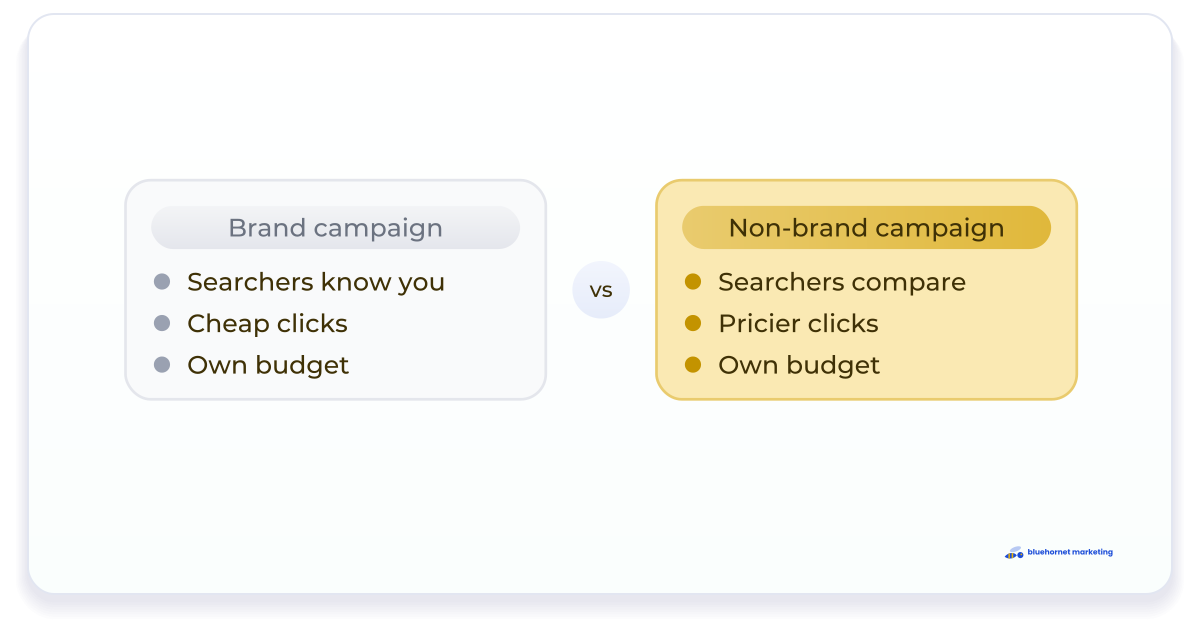
A clear structure makes every later check easier. Campaigns should separate things that need different budgets or targets, for example brand terms, service terms and competitor terms.
Verify:
- Brand and non-brand keywords sit in separate campaigns.
- Each ad group covers one intent, with ads that speak to it.
- Location, language and device settings match your real customers.
- Search partners and display expansion are switched off unless you chose them.
Avoid: One campaign holding every keyword, with a single daily budget. The cheapest clicks eat the money meant for the valuable ones.
3. Keyword Research and Match Types
Keywords should come from what your buyers type, not from what you call your service internally. I start from the search terms report and Keyword Planner, then compare them with a competitor view from a tool such as Semrush. If you need a tool for it, my list of search engine marketing tools shows the options.
Verify:
- Every keyword has a clear commercial intent.
- Exact and phrase match cover your core terms.
- Broad match is used only with strong conversion data and tight negatives.
- Competitor and brand terms are tested in their own budget.
Avoid: Starting on broad match because it gives volume. It also gives you irrelevant clicks, and you pay for each of them.
4. Negative Keywords and Search Terms
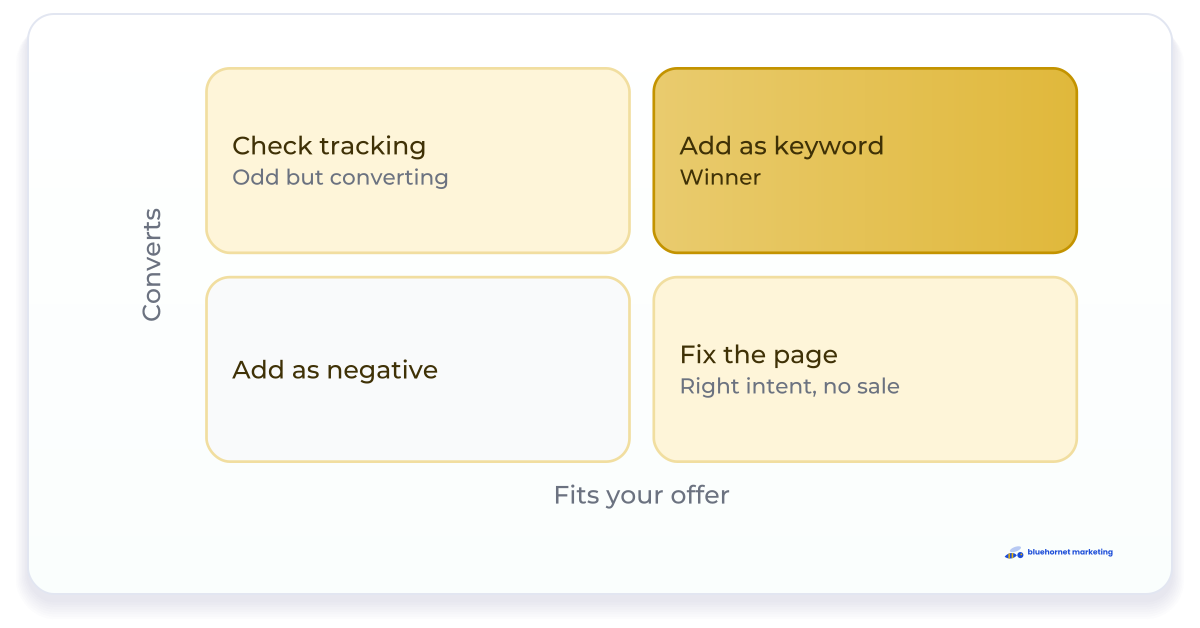
Negatives protect the budget. A weekly look at the search terms report is the cheapest optimization in paid search, and in many first audits it recovers 10 to 20% of spend that went to terms nobody wanted.
Verify:
- The search terms report was reviewed in the last 7 days.
- Negative lists cover jobs, free, DIY and other off-target intent.
- Shared negative lists apply to all campaigns where they should.
- Terms with spend and no conversions are added as negatives or moved to exact match.
Avoid: Reviewing search terms once at launch and never again. Queries change every week.
5. Ad Copy and Extensions
Ads win clicks when they repeat the searcher’s language and give a reason to choose you. Responsive search ads need enough varied headlines to learn from, but you still control what the pinned lines say.
Verify:
- Each ad group has at least one responsive search ad with varied headlines.
- Headlines include the keyword theme, a benefit and a call to action.
- Sitelinks, callouts and structured snippets are filled in.
- Claims in the copy are true and can be backed up.
Avoid: Generic headlines such as “Quality Service” and unreviewed automatic assets that add claims you never approved.
6. Landing Pages
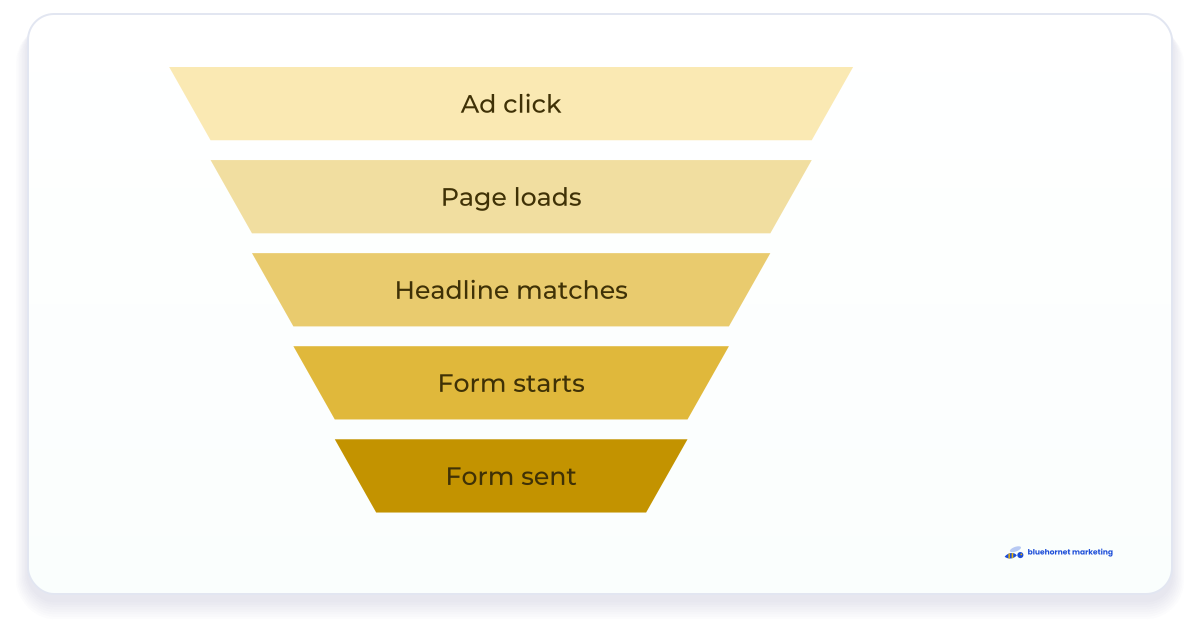
The click is only half of the job. The page has to continue the promise of the ad, load quickly and make the next step obvious. In many accounts I audit, a page change lifts results more than any bid change does.
Verify:
- The headline repeats the search intent.
- The page loads in under three seconds on a phone.
- One clear action appears above the fold.
- Forms ask only for what sales needs to follow up.
Avoid: Sending every ad to the homepage and hoping visitors find their way.
7. Budget and Bidding Strategy
Bidding should match your data. With fewer than 30 conversions a month, manual or simple automated bidding is often safer than strategies that need large volumes of data to learn.
Verify:
- Daily budgets fit the number of clicks needed to convert.
- Bid strategy matches the conversion volume you have.
- Target cost or ROAS settings come from your real margins.
- Changes to bids and budgets are logged with a date.
Avoid: Switching strategies every week. Each change resets learning and hides what caused the result.
8. Organic Search and Reporting
Search engine marketing includes your organic results, so a short check of Search Console belongs on the list. Reporting closes the loop by showing whether any of the earlier work moved a result. The search engine marketing KPIs I recommend make a good starting set for that dashboard.
Verify:
- Search Console is verified and linked to Analytics.
- Indexing errors and page speed issues are reviewed monthly.
- A dashboard shows spend, qualified leads and cost per qualified lead.
- Someone owns the monthly review and the follow-up actions.
Avoid: Treating paid and organic as separate budgets with separate reports, so nobody sees where they overlap.
Five Tests You Can Run in 20 Minutes
If you only have a short window, these quick tests find the most expensive problems. Run them before you read any report.
- Submit your own contact form from an ad click and confirm one conversion appears within a day.
- Sort search terms by cost and read the top 20 with a critical eye.
- Open your best-spending ad on a phone and time how long the landing page takes to load.
- Compare Google Ads conversions with real leads in the CRM for last month.
- Check which campaigns hit their daily budget before noon.
In most accounts at least two of these tests turn up something worth fixing that week. A conversion count that is double the real leads, or a landing page that takes six seconds to load, can silently waste thousands of dollars before anyone looks.
How Often to Repeat Each Check
Not every point needs the same attention. Search terms and budgets change daily, while account structure rarely changes. The schedule below keeps the effort proportionate.
| Frequency | Points to review |
|---|---|
| Weekly | 4 (search terms and negatives), budget pacing from point 7 |
| Monthly | 1 (tracking spot check), 5 (ad performance), 7 (bidding), 8 (reporting) |
| Quarterly | 2 (structure), 3 (keywords), 6 (landing pages) |
Who Should Own Each Point
A checklist only works when each point has a person behind it. Tracking and bidding belong with whoever manages the account day to day. Landing pages belong with the web or content owner, since changes need design and developer time. Reporting belongs with a person who can speak to both marketing and sales, because the numbers settle arguments between them.
If you are a one-person team, you own all eight, so the cadence table above matters even more. Block a fixed slot each week, because accounts rarely fail all at once and mostly drift. Block a recurring hour in your calendar for the weekly checks, and treat it like a client meeting.
How to Score Your Results
Give each point a score: 0 if it is missing, 1 if it is partly done and 2 if it is complete. A total of 14 or more means the account is in good shape. Between 9 and 13, expect clear savings from a few fixes. Under 9, pause budget increases until the basics are repaired.
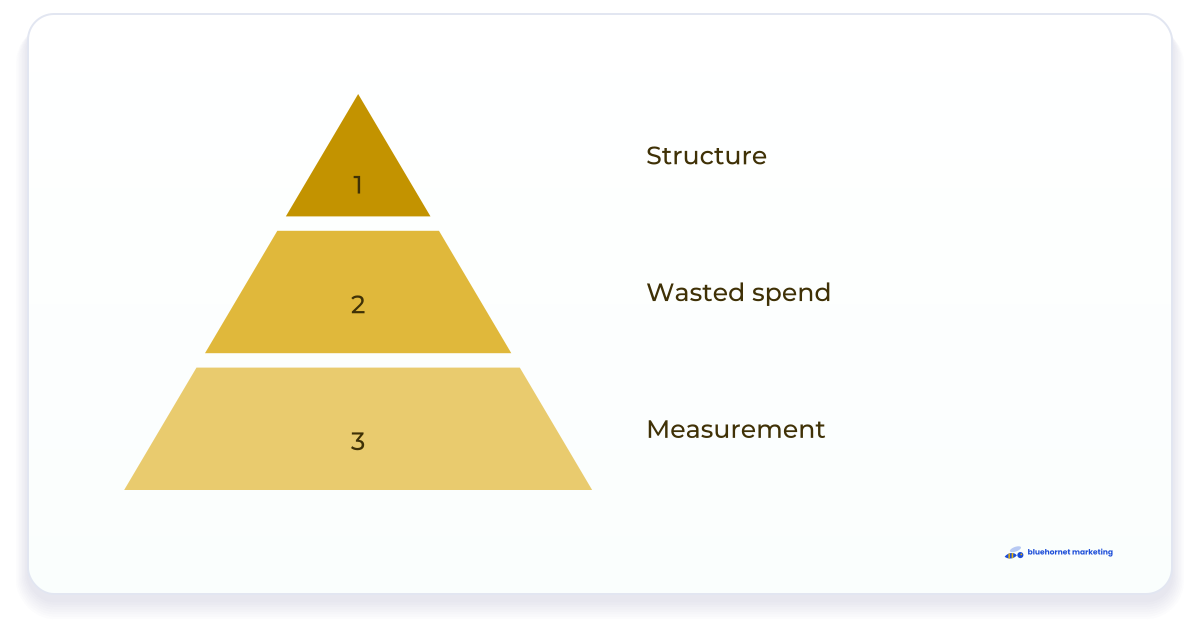
Fix the problems in this order: measurement, wasted spend, structure, ads and pages, then bidding. Changing bids on top of broken tracking only teaches the platform to find the wrong customers faster.
How to Decide What to Fix Yourself
Some checks are quick and safe to do alone. Others need experience. As a guide:
- Do it yourself: negatives, ad copy refresh, search terms review and sitelinks.
- Get a second opinion: conversion tracking changes, bid strategy switches and account restructures.
- Bring in help: accounts spending more than a few thousand dollars a month with no clear cost per qualified lead.
Once the account is clean, the numbers to watch next are in my guide to search engine marketing metrics.
Questions About the Search Engine Marketing Checklist
How Often Should I Run a Search Engine Marketing Checklist?
Run the full list when you launch or take over an account, then repeat points 4, 7 and 8 monthly. Do the complete review again every quarter, since settings, competitors and Google’s own defaults change.
How Long Does a Full Account Check Take?
For a small account, about 10 to 12 hours the first time if you check each point carefully. Later reviews take far less because you only look at what changed.
What Is the Most Common Error You Find?
Conversion tracking that counts the wrong actions. It affects bidding, reporting and every decision after it, and it is often invisible until someone tests the forms.
Do I Need Paid Tools to Follow This Checklist?
No. Google Ads, Search Console and Analytics cover almost every check. Paid tools such as Semrush or Optmyzr save time on larger accounts.
Does This Checklist Apply to Organic Search Too?
Point 8 covers the basics of organic search. A full organic audit goes deeper into content and links, but the same logic applies: check measurement first, then structure, then content.
What Should I Do After I Find Problems?
Fix measurement problems first, then wasted spend, then structure and copy. Change one area at a time and log the date, so you can see what moved the results.
Should I Hire a Consultant to Run the Checklist?
If your ad spend is above a few thousand dollars a month, an outside review often pays for itself in saved spend. For small accounts, you can work through the list yourself and bring in help for any area you cannot fix.
Disclaimer: This article is for general information only and isn’t legal, financial or tax advice. Treat figures as estimates from typical work and confirm details with your providers before you act.
Was this guide helpful?
Thanks for your feedback.
Warren Albright
Warren leads the Blue Hornet editorial team and works with the consultants to turn real client projects into practical guides on content, paid media, marketing automation, CRM and analytics. He comes from content and demand generation work, edits every article before a working marketing consultant reviews it, and draws on strategies, channel plans and audits from client projects to keep the advice grounded in real numbers.