Quick Summary
- Most analytics problems come from tracking, naming and definitions, not from missing tools.
- Fix the collection layer first, since reports and attribution inherit its errors.
- A report without an owner and a decision attached is rarely opened.
- End every review with a logged decision, even if the decision is to wait.
Most marketing analytics problems look technical, and many are about people, definitions and habits. If your reports keep disagreeing, marketing analytics consulting usually starts by finding which of the problems below you have.
I picked these 12 from audits and reviews in client work. Each one comes with a short note on what it looks like, a do and an avoid, so you can use the list as a quick diagnosis.
The 12 Challenges at a Glance
| Challenge | Warning sign | First move |
|---|---|---|
| 1. Tracking That Is Broken or Incomplete | Conversions that do not match the CRM | Run a test lead |
| 2. Inconsistent Campaign Naming and UTM Tags | Dozens of near-identical campaign names | Create a naming sheet |
| 3. Data Silos Between Tools | Spreadsheets that stitch reports together | Name a system of record |
| 4. Attribution Nobody Trusts | Debates over which channel gets credit | Agree one primary view |
| 5. Too Many Metrics and No Priorities | Dashboards with dozens of charts | Cut to five to seven KPIs |
| 6. Poor CRM Data Quality | Leads without a source | Make source required |
| 7. Privacy, Consent and Data Loss | Falling visible traffic | Add consent-aware tracking |
| 8. Dashboards That Nobody Opens | Reports nobody opens | Retire unused reports |
| 9. Weak Link Between Marketing Data and Revenue | Leads reported, revenue missing | Send revenue back to tools |
| 10. Skills and Capacity Gaps | One person knows the setup | Document and train a backup |
| 11. Slow Reporting Cycles | Reports arrive weeks late | Automate refreshes |
| 12. Turning Insight Into Action | Findings without decisions | Log one decision per review |
12 Marketing Analytics Challenges and What to Do About Them
The list runs from collection problems, through reporting issues, to the human problems that decide whether any of it is used.
Tracking That Is Broken or Incomplete
Missing tags, duplicate events and forms that do not fire are the first thing I find in most audits. The reports look fine, and the numbers are wrong in ways nobody notices until a budget decision goes badly. Often the cause is a site redesign or a tag added by an agency and never documented.
Do this: Test the full path with a real lead every quarter and after every site change, and keep a tag inventory with owners.
Avoid this: Trusting a dashboard because it shows numbers. Healthy-looking data can be wrong.
Inconsistent Campaign Naming and UTM Tags
One person writes email, another writes e-mail, a third writes newsletter, and the report shows three channels. Traffic that should be credited to a campaign ends up in direct or in a long tail of near-duplicates.
Do this: Use a shared sheet with dropdown values for source, medium and campaign, and a short naming guide.
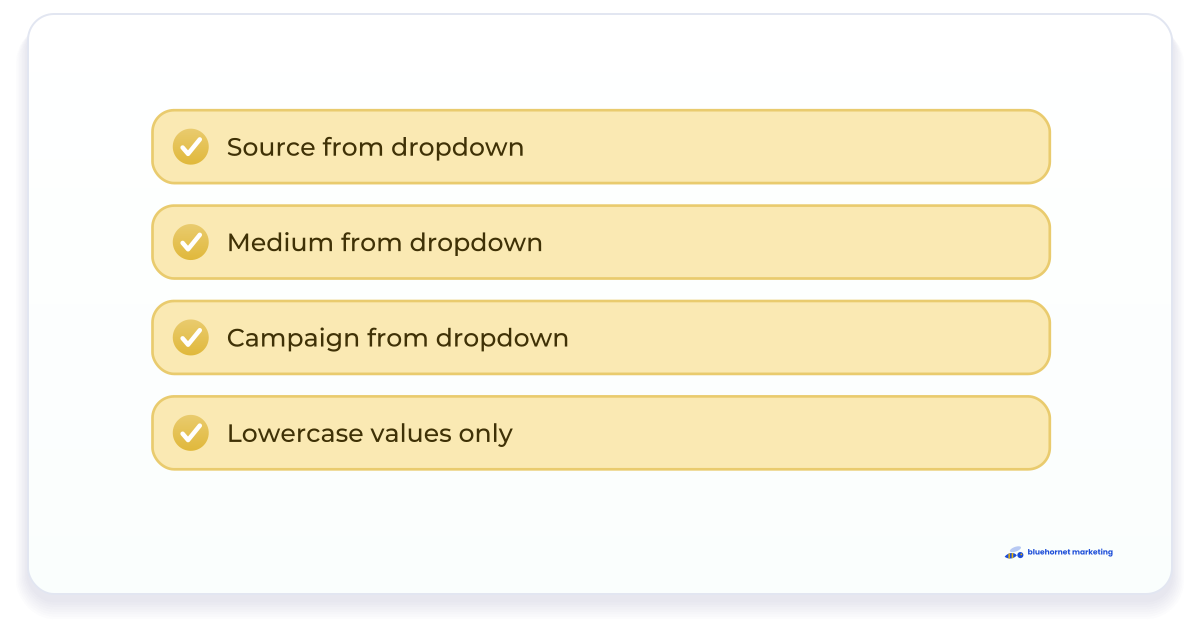
Avoid this: Letting every team build links by hand. Free text always drifts.
Data Silos Between Tools
Ads, analytics, email and CRM each keep their own records, and nobody can follow a person through all four. Reports get stitched together in spreadsheets, and the stitching breaks whenever someone leaves.
Do this: Pick one system of record for contacts and revenue and pass the same IDs between tools.
Avoid this: Buying another tool to fix a connection problem. More tools mean more silos.
Attribution Nobody Trusts
Each platform credits itself, the CRM credits the last touch and the board wants one answer. Teams spend months debating models instead of using any of them.
Do this: Choose one primary view, write down how it works and check it against CRM revenue every quarter.
Avoid this: Searching for a perfect model. A consistent imperfect one beats an argument.
Too Many Metrics and No Priorities
A dashboard with sixty charts shows that nobody decided what matters. Meetings drift through numbers, and the loudest chart wins the discussion.
Do this: Cut the scorecard to five to seven KPIs, each with an owner and a decision it supports, as described in the marketing analytics KPIs guide.
Avoid this: Adding a metric because the tool offers it.
Poor CRM Data Quality
Missing source fields, duplicate contacts and stages updated in bulk at month-end make revenue reporting a guessing game. Marketing then argues with sales about whose data is right.
Do this: Make the source and stage dates required fields, run a monthly duplicate check and lock the source field after creation.
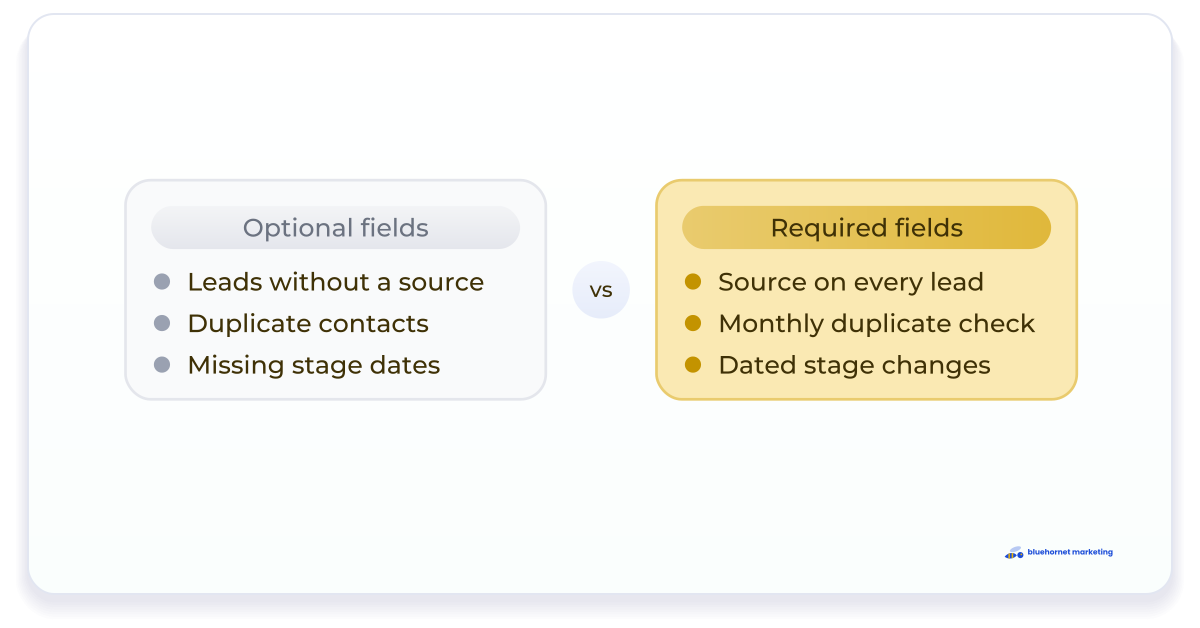
Avoid this: Cleaning the data once and walking away. Quality decays without a routine.
Privacy, Consent and Data Loss
Consent banners and browser limits mean part of your traffic is invisible, and the missing share keeps growing. Teams panic about gaps, or ignore them and report numbers that look more complete than they are. Legal rules differ by market, so ask your legal adviser what applies to you.
Do this: Set up tracking that respects consent choices, model the gap with server-side events where allowed and note the margin on every report.
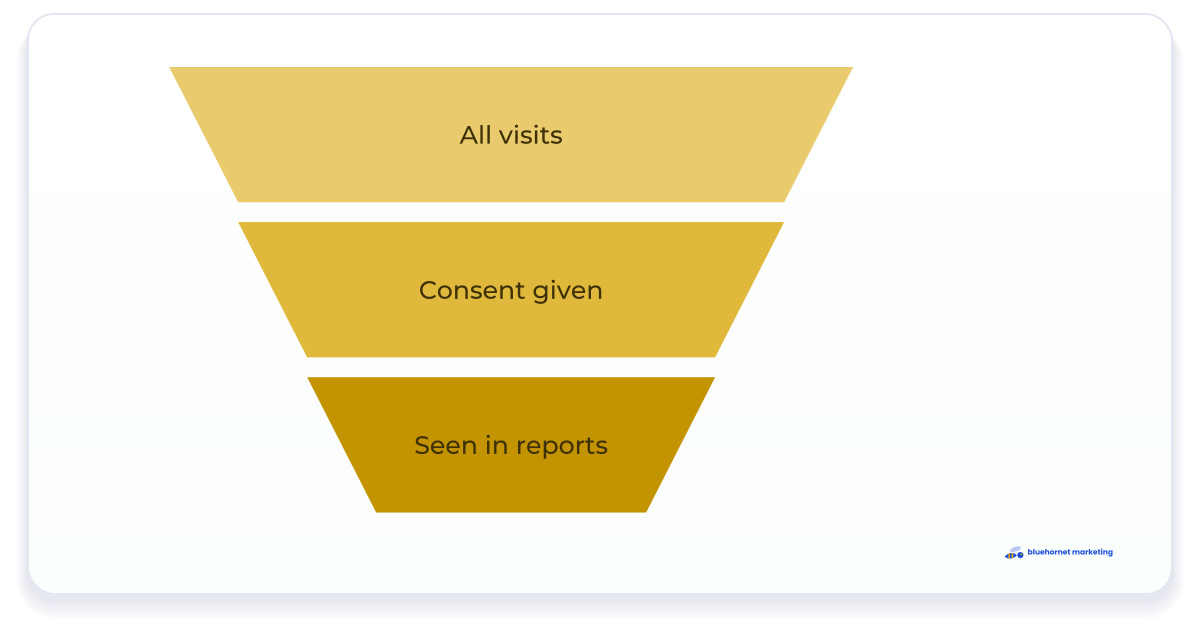
Avoid this: Hiding the gap. Say what you cannot see.
Dashboards That Nobody Opens
The team spends weeks building a beautiful report, and by the second month nobody looks at it. The report answers questions no one was asking.
Do this: Start with the decision, test the report with its reader before launch and retire anything unopened for sixty days.
Avoid this: Building for the data you have instead of the question you need answered.
Weak Link Between Marketing Data and Revenue
Marketing reports leads and clicks, finance reports revenue and the two never meet. Without the link, marketing cannot defend its budget, and finance cannot see what the spend produced.
Do this: Send CRM revenue and opportunity events back to the ad and analytics tools, and reconcile with finance monthly.
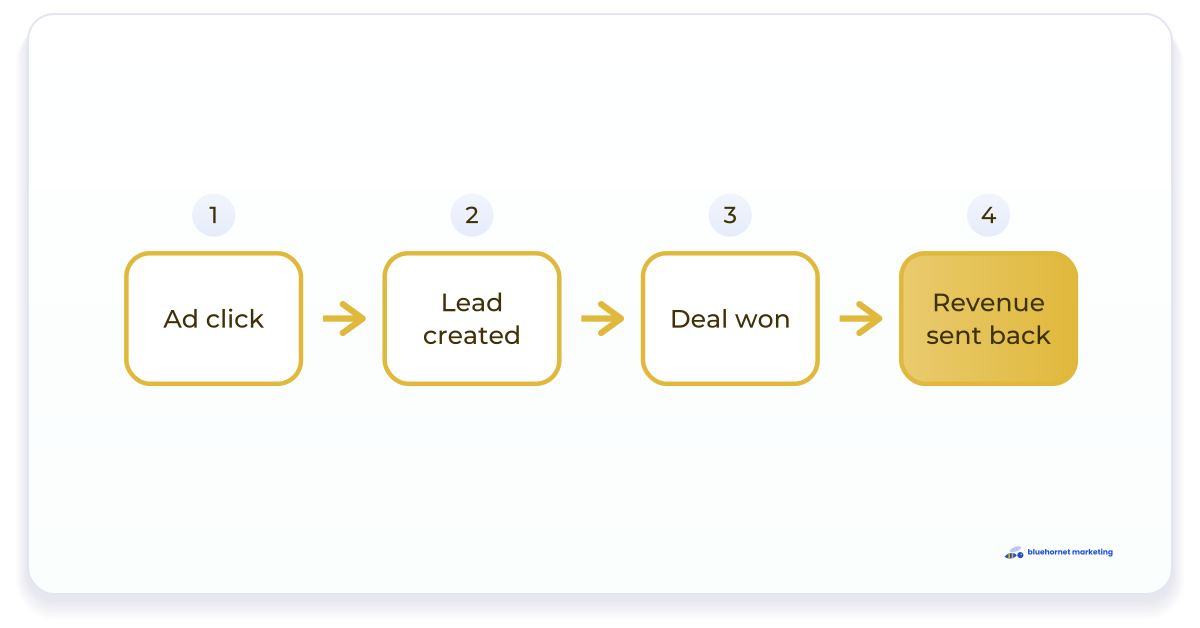
Avoid this: Reporting leads as the final result.
Skills and Capacity Gaps
Analytics needs people who understand tags, data models and marketing. Most teams have one stretched person who knows the setup, and a single illness or resignation stops reporting.
Do this: Document processes, train a backup and bring in specialists for tracking and data work while an internal owner keeps the thinking.
Avoid this: Making analytics a side job with no hours attached.
Slow Reporting Cycles
Monthly reports arrive on the twentieth of the next month and describe a world that has already changed. By the time the team reacts, the campaign is over.
Do this: Automate refreshes, keep a weekly view of leading indicators and reserve manual analysis for the monthly review.
Avoid this: Waiting for the perfect month-end report before acting.
Turning Insight Into Action
Teams often produce good analysis and no change. A report says search converts better than social, and the budget stays where it was because no one owns the decision.
Do this: End every review with a logged decision and an owner, even when the decision is to wait and retest.
Avoid this: Presenting findings with no recommendation.
A One-Week Diagnosis You Can Run Yourself
Before you hire anyone, a five-day check will tell you which of these challenges you have. It needs no special software and a few hours a day from one person.
| Day | Task | What you learn |
|---|---|---|
| Monday | Submit a test lead through every form and follow it into the CRM | Which forms or fields break the chain |
| Tuesday | List every tag and tool that sends data, with its owner | Tracking gaps and orphaned tools |
| Wednesday | Export campaign names from ads, email and analytics | How far naming has drifted |
| Thursday | Compare last month's leads in analytics, ads and the CRM | The size and pattern of your data gaps |
| Friday | Ask sales, marketing and finance to define a qualified lead | Whether definitions agree |
Write down what breaks, then sort the findings into the twelve challenges above. Most teams find three or four that account for the bulk of their pain. That short list becomes your first project, and it is far easier to staff and fund than a vague plan to improve analytics. Put a date next to each item and an owner next to each date. A list with names and dates gets done, and a list without them becomes a wish. Share the Friday results with all three teams in one meeting, because the differences in definitions are the finding, and people accept them faster when they hear them from each other.
Where to Start When Everything Looks Broken
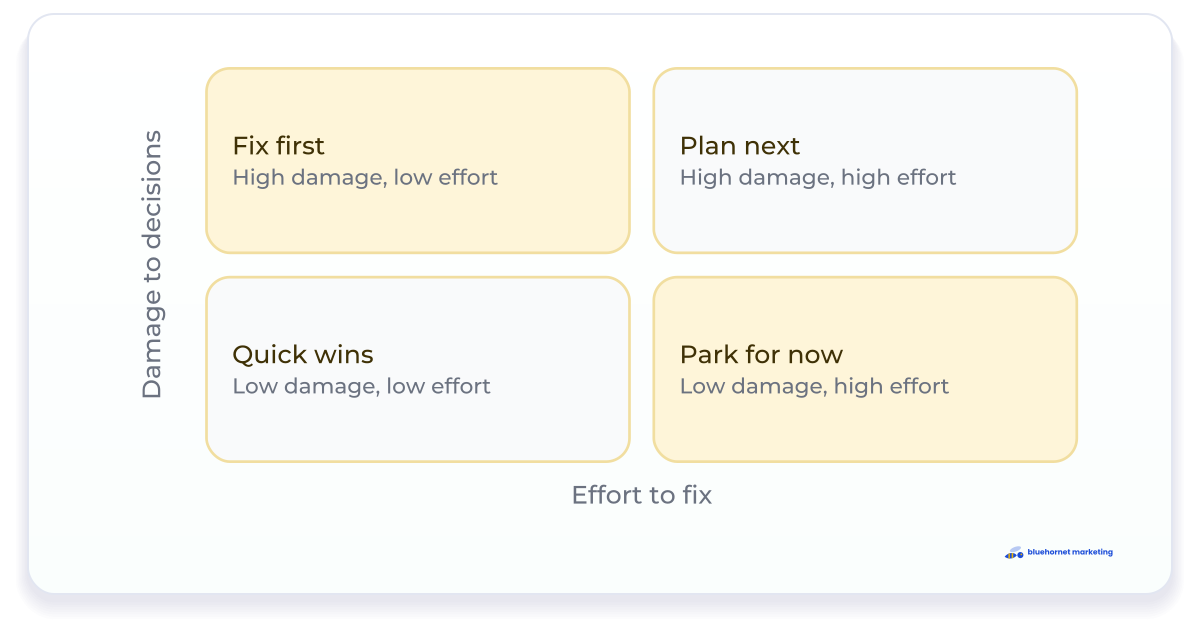
Facing twelve problems at once feels heavy. The good news is that they cluster. Tracking, naming and CRM quality sit at the base, so fix those first, since reports and attribution inherit their errors. Then address definitions and KPIs, and only then the dashboards and habits on top.
A quick scoring pass helps you rank your own list:
- Which problem makes you doubt the most reports at once?
- Which one can you fix within a month with the people you have?
- Which one blocks a decision you need to make this quarter?
- Which one has no owner today?
The marketing analytics framework shows the model to build once the base is fixed, and the marketing analytics roadmap sequences the work across a year. If you need to pick software, compare options in marketing analytics tools, and the marketing analytics metrics article lists the numbers to rebuild reporting around.
Questions About Marketing Analytics Challenges
What Is the Most Common Marketing Analytics Problem?
Inconsistent tracking and naming, in my experience. Small differences in how campaigns are tagged or how events fire add up to reports that disagree. It is also one of the cheapest problems to fix, which makes it a good place to start.
Why Do My Analytics Numbers Not Match My CRM?
Each system counts events differently, uses its own time zone and attribution window and may miss visitors who decline tracking. Compare them on a defined set of leads for a few weeks, find the pattern in the differences and document the expected gap.
How Do I Fix Poor Data Quality?
Start where data enters: forms, tags and CRM fields. Make key fields required, standardize values with dropdowns and run a regular duplicate check. Cleaning old data helps only if the entry points are fixed first.
Do I Need a Data Analyst to Solve These Problems?
Not always. Many fixes are about definitions, naming and process, which a marketing operations person can handle. An analyst or consultant helps with attribution, data models and anything that needs code or warehouse work.
How Long Does It Take to Fix Analytics Problems?
Tracking and naming fixes often take a few weeks. CRM cleanup, connected dashboards and trusted attribution usually take a few months. Plan in stages and show a working result early to keep support.
How Do Consent Rules Affect My Analytics?
They reduce the share of visitors you can track and can change how some data is collected. I would not treat that as legal advice. Ask your legal adviser what applies to your markets, then build your tracking to respect the choices visitors make.
When Is It Worth Hiring a Consultant for Analytics?
When tracking is broken and nobody has time to fix it, when teams disagree about definitions or before a big tool purchase. A consultant works best alongside an internal owner who takes over after handover.
Disclaimer: This article is general guidance and not legal advice. Check privacy and consent requirements for your markets with your legal adviser.
Was this guide helpful?
Thanks for your feedback.
Warren Albright
Warren leads the Blue Hornet editorial team and works with the consultants to turn real client projects into practical guides on content, paid media, marketing automation, CRM and analytics. He comes from content and demand generation work, edits every article before a working marketing consultant reviews it, and draws on strategies, channel plans and audits from client projects to keep the advice grounded in real numbers.